click-click
Content Type
Profiles
Forums
Events
Everything posted by click-click
-
My win 8.1 vhd on the internal hdd has BootDriverFlags set to 0., but still boots fine from there. I checked the other hdd vhds and they look okay. I wiil need to check this when deploying a new VHD on an external drive to be sure it has the correct value. I always hold by breath when booting a new VHD
-
one last question for now Does WinNtSetup do anything with BootDriverFlags? The reason I ask is that restoring/copying a Hdd partition to a VHD to be used for booting from an external usb device will give you a BSOD with 'inaccessible boot device' or error code 0xc0000001 even though the VHD was added to the boot menu with WinNtSetup. This is caused by BootDriverFlags being 0 under HKEY_LOCAL_MACHINE\SYSTEM\HardwareConfig in the VHD. I had to set the flags to x'1c' so the the VHD would boot from the usb drive.
-
Ok, now I have a better understanding why booting may fail. I use Runscanner to edit a remote registry for simple reg entries such as REG_DWORD BootDriverFlags, but editing a REG_BINARY value via GUI is a pain, so I guess I'll let WinNTSetup do the work. Instead of using the GUI, I see a lot of options in the help for using CLI switches, so to get it right, what would be the command line needed for only updating without the GUI? I tried WinNTSetup_x64.exe -sysPart:Q: -tempDrive:Z: -sysLetter:-C: -bcd:ALL, but that still launches the GUI and ignores the switches. I want to update via script if possible. i.e Diskpart >create/mount VHD > DriveSnapshot restore to VHD > WinNTSetup > update VHD
-
Do you mean replacing the value from \DosDevices\C: in the mounted VHD with the value from \DosDevices\Z: in the active system where the mount was made?
-
How is the fix for this done? I was getting a BSOD c0000139 after restoring a HDD partition to a new vhdx. The BCD had the correct entries in the boot menu. I assumed an incorrect mountpoint caused the BSOD and wanted to know the procedure to correct it when not using WinNTSetup
-
-
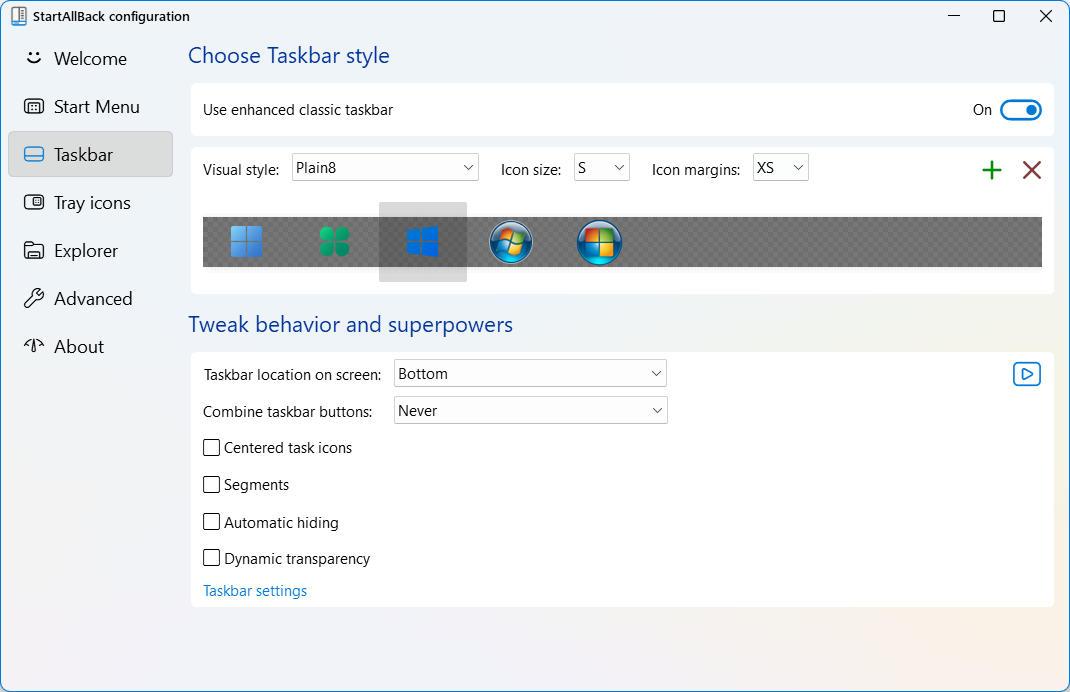
Upgraded to 3.8.6 after windows update for August (26100.1457). The Start Menu icon may be missing on startup or disappears temporarily when clicking multiple times on an empty space on the taskbar. Right clicking can also cause this when no apps open. I'm using enhanced classic taskbar. I tried the various start icons and the all tend to disappear. Hovering over the blank area tends to bring it back after it disappears.

-
WinntSetup internally fixes mount points when applying an image to a vhd . How would I do this from the CLI without using the GUI? i.e. Fixing Mountpoints Writing driveletter mountpoint of new system drive: \DosDevices\C: --> 0x09A5A6D10000100000000000
-
The problem may be related to BootDriverFlags in HKLM\SYSTEM\HardwareConfig set to 0. Set it to hex 1c before booting vhdx. You will need to mount the vhdx and use a remote regedit to check to and change the setting .
-
-
@JFX Where do you take the names from from in a specified wim file such as the leaked w11 LTSC version? WinNTsetup shows Windows 11 Enterprise LTSC Canary, but DISM /get-wiminfo doesn't show Canary.
-

Editing an Offline Registry with RunScanner
click-click replied to click-click's topic in Install Windows from USB
Seems to be working again after several LCU updates. Also added /XS parameter to runscanner. -
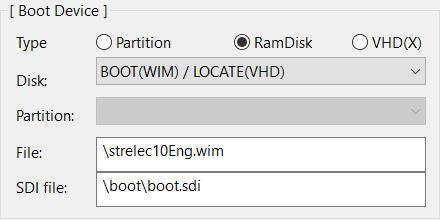
Do you happen to know the bcdedit commands needed to do this? I'm unsure how to add a PE wim file so it will boot. I have a partition for booting different vhds. Do I update the bcd from there to add the wim? Edit: OK, got it to work. I was missing the boot.sdi.
-
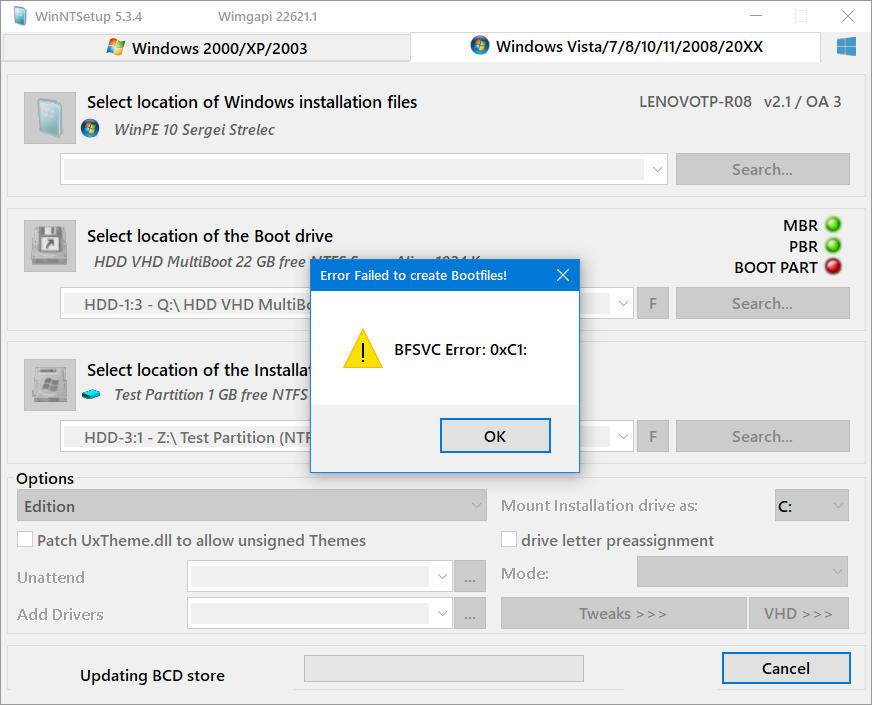
I am trying to convert a wim to vhd and get the following error after I had manually applied the wim to the vhd with dism /apply-image /imagefile:Q:\strelec10Eng.wim /index:1 /applydir:z:\. What does the error mean and can it be fixed?
-
@JFX Well, whatever it was, I can't recreate the problem above right now. Things are working again. It may have been caused because I renamed an OS Title that appears in the boot selection menu. I want to keep a test VHD that always shows the same name in the boot menu no matter what OS gets installed in it, but Winntsetup always uses the name from the OS in the image when it updates the BCD for that VHD. Is there a way to tell WinntSetup to use a different name for the OS Title?
-
Single partition only for vhd. Boot drive Q: Install partition (vhd) Z::
-
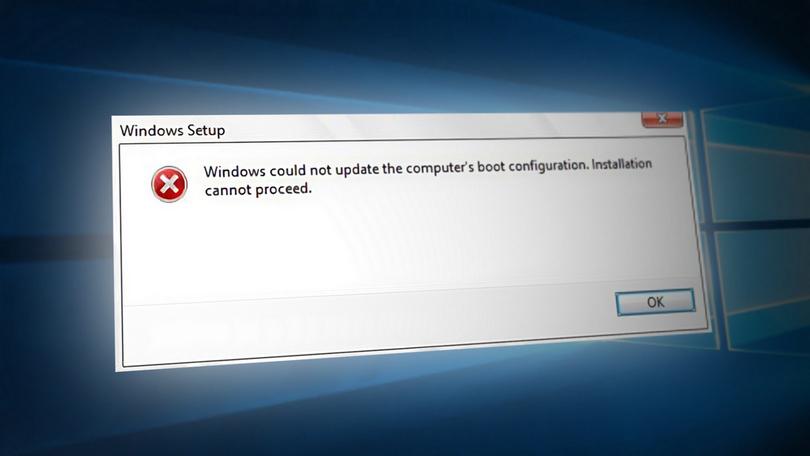
I've never had this problem before when applying an image with Winntsetup to a partition or a vhd, but now I'm having a problem applying to a vhd. When I boot the image, I get the following msg after the installing devices phase: The apply image is not broken because it installs fine to a partition. What could be the problem with the install to vhd and how to fix?
-
How would you disable that policy in the image or during install, without registry?
-
is there any way to disable 'Passwords must meet complexity requirements' in the security policy when the image is applied with winnrsetup? I can't seem to find a reg hack for that. I only managed to change it online via secpol.msc
-
I just noticed that the bcdedit included in the WinNTSetup Tools directory has an invalid signature. What is the difference between that and the bcdedit in \system32 and why is it even included?
-
I finally have a single Win2Go flash that will boot on either Legacy BIOS or UEFI hardware. My problems started because I was on Win8 when I tried this. Win8 would not recognize the 2nd partition. On Win10 things went better, but I ended up with a blinking cursor in legacy mode. When I selected the boot drive with Winntsetup, I noticed that the MBR was yellow so I re-did the flash partitions with Bootice which made MBR PBr and Boot partition show up green. I then updated the bootfiles and BCD with Winntsetup. This fixed everything except for the bootmgr menu not showing in UEFI mode. I have 2 VHDs on the 2nd partiton so I can choose either W10 or W11 for booting. BIOS mode shows the bootmgr menu whereas UEFI mode didn't. I fixed this by selecting the checkbox 'display boot menu' in the UEFI BCD. I did not have to do this with the Legacy BCD, so I have no clue why UEFI does not automatically show the boot menu when the UEFI BCD has 2 boot entries listed.
-
The fat32 solution works fine for booting in UEFI mode with the vhd on the 2nd partition. The problem now, is that BIOS mode boot ends up with a blinking cursor because it can't find the vhd on the 2nd partition. If I use Bootice to make the 2nd partition accessible, my bootmanager (BIBM) will see it and I can boot the vhd in BIOS mode. Making the 2nd partition accessible with bootice doesn't have any affect on a native boot which reverts to using the fat32 partition and only seems to support UEFI mode when using 2 partitions (Fat/ntfs) on a USB flash. A fix for the blinking cursor and still have everything work would be the icing on the cake. BTW, using my setup above, WinNtsetup got an error trying to mount the vhd from the 2nd partition when I specify the first partition as the boot drive. I had to manually mount it as the install drive with diskpart so setup could copy the boot files and create the correct BCDs. Seems to be okay now after a few other attach attempts. Another thing I noticed is that even though UEFI boot boots the vhd from the NTFS partition, it can't find any BCD when running BCDEdit . Both partitions were updated with the required boot files and BCDs via WinNTSetup. In BIOS boot (legacy) mode the BCD is found.
-
If I do that and and try to create another partition, Windows will only recognize the first partition because it sees the flash as a removable disk. Is there a way arround this? Edit: I found a way to create the 2nd partition with a drive letter on W10, but on Win8 the 2nd partition is not recognized, only the first. Still testing though. If I put a vhd on the other partition, Winntsetup is unable to mount it
-
I tried to install windows on a usb fat32 partition with Wintsetup and it says installation drive invalid! Please choose a NTFS drive. Is this not supposed to work?
-
Is formatting with FAT32 the only solution to make a singe USB flash support booting with pure uefi systems and with legacy BIOS systems?