videobruce
About videobruce

Recent Profile Visitors
4,073 profile views




videobruce's Achievements
6
Reputation
-
^ Understood, I appreciated all the help, but I'm not a 'typist' and never really good at spelling and it aint getting any better. But, the following worked; Default Programs Editor https://defaultprogramseditor.com/
-
You typed "cd", then (c d SPACE) which seems to be 2 separate commands. It failed both ways with error messages. Sorry, I don't like command lines, too many ways to make a mistake or not understand the exact command.
-
I tried W10 3 years ago and decided to stay with W7. Things change usually for the worse so I decided to try W10 again. I have a number of images of that O/S I made that I tweaked (instead of spending days tweaking) I will try again. Anyway, I did try that Portable using one of those images and things worked fine. The funny thing is it's shown in the Registry as enabled, but the 'dumb' O/S doesn't see that which apparently why I can't add it since it's already there, but just doesn't show within a 'right click' dialog box.
-
No Registry cleaner used, I haven't use on of them for years now. It's almost impossible to "test" all possibilities in a O/S image file. Apparently, there was the problem that I obviously wasn't aware of. It's not as there weren't portable programs on the list. You did mention something I've never heard of discussed. 'Spaces' in the names of program exe's. I've noticed numerous times, but not all, that some companies/writers/programmers will add punctuation marks between words in the exe. Never had a known issue with spaces. You are suggesting to 'add' the name of the exe as it appears in the program file to that Registry entry?
-
I realize Portable programs won't and CAN'T automatically have associaton w/o manually setting them. I've done that for a decade or more, no big deal. What I did just tried, I have a 2nd W7 Pro O/S as a backup (I've run a 2ndbackup drive for some time now, just in case). I went to that drive (I'm using it now) and tried the same test. At the time nothing was assigned in that drive for .pdf files, I went thru the process and presto, it worked as it should. No errors or non reaction. And this is using the exact same program, portable in the exact same backup partition that my main drive (O/S uses, the ONLY difference it's another W7 Pro x64 install. I find it hard to believe I never opened a .pdf file in my main O/S in 3 months, so it may look like the problem was actually from 3 months ago based on the fact the backup image has the same problem. I've never had a problem as this as long as I can remember other than fighting M$ with their forced on you defective Browsers. But, there is a workaround for that too.
-
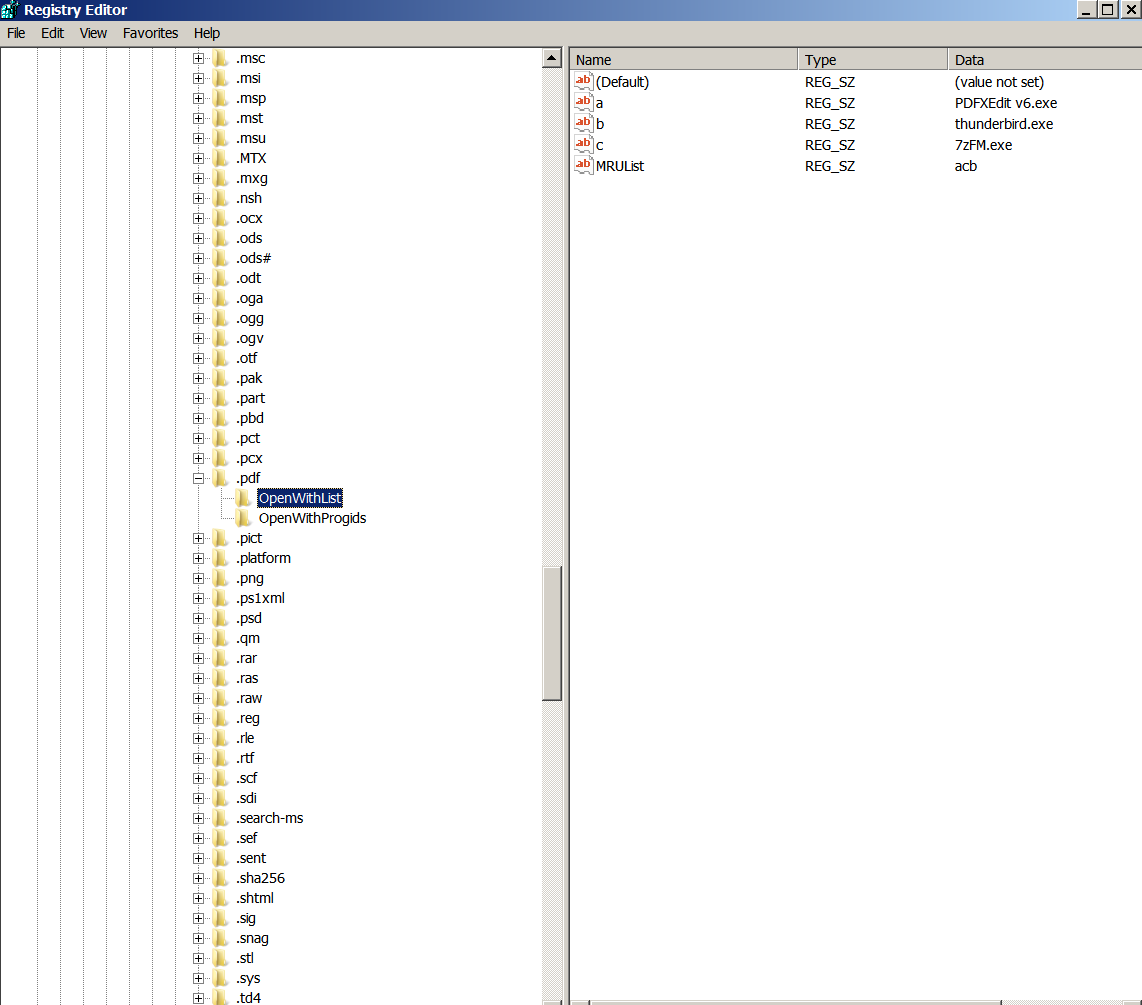
Take your pic (my version is a older one that works fine) https://www.softpedia.com/get/Office-tools/PDF/PDF-XChange-Editor-Portable.shtml https://portableapps.com/apps/office/pdf-xchange-editor-portable https://www.portablefreeware.com/index.php?id=2832 https://www.fcportables.com/pdf-xchange-portable/ I have no problem running the portable application, then opening a .pdf file within it. There is no 'default' for .pdf files that I ever saw. I looked at that Registry key with file associations and the .pdf is assigned to PDF x extension ok.

-
I don't know if a 'Portable' application can be 're-launched. I don't know how to do that, if there is one.
-
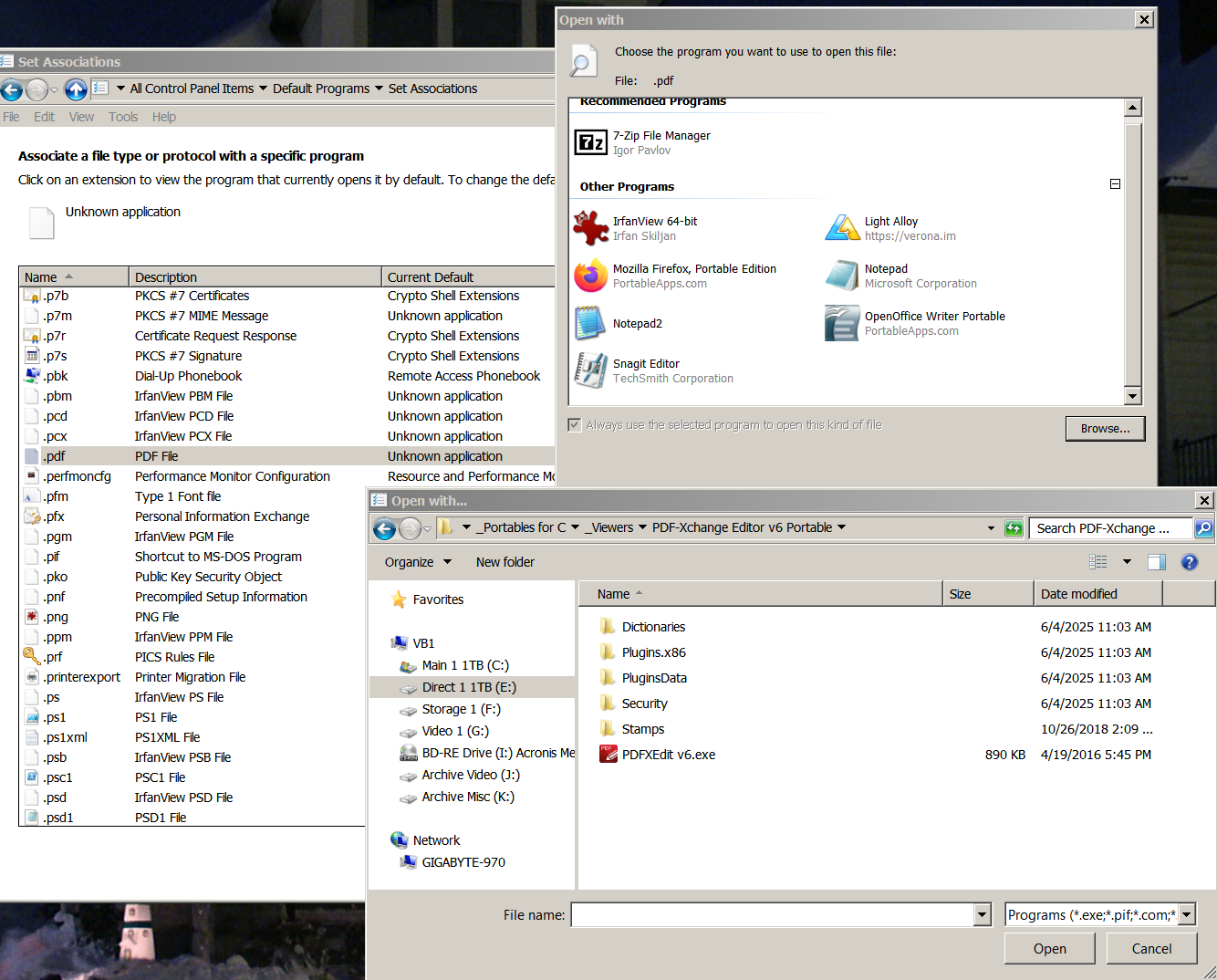
This will help; after I click on the .exe, nothing happens, no error messages etc.
-
Yes, I know how to do it (all 3 methods) but when I point to the programs .exe it doesn't 'stick' in the dialog box. I've done it multiple times, same thing. It's like I never pointed W7's O/S to anything. This just stared a few days ago. No real idea what caused it. Specifically it is .pdf files, but document files were affected also, but for some reason I was able to re-assign that file type. To make matters worse, I even went to the hassle to restore a image of the O/S I made almost 3 months ago and the same same thing!! In fact, it was more than one type of file, but .pdf is the major issue. When I choose the program, the pop-up box with all the other 'assigned' programs shows, but the one I tried to add doesn't get added to the list. It's PDF Exchange (that I have used for years) is the specific program, but again, it's ALWAYS worked with NO issue. This image and what was the former current active version. Again, any way I do this it fails. Then and now. One more detail, I also lost the default programs for .txt (I use Notrebook2) and .odt (Open Office documents & Spreadsheets), but I was able to restore those. All of this happened apparently one time again, in both W7 installations.
-
Removing a Ghost Network Adapter entry from Win 7
videobruce replied to videobruce's topic in Windows 7
I don't use Chrome-Dome and spell checkers don't always catch errors especially in titles. Since you don't have anything "constructive" to add, run along. -
Removing a Ghost Network Adapter entry from Win 7
videobruce replied to videobruce's topic in Windows 7
I would go to a good eye doctor if a misspelled word brothers you that much ! -
Removing a Ghost Network Adapter entry from Win 7
videobruce replied to videobruce's topic in Windows 7
The text is here; Remove Network Adapter Settings from the Registry If after removing the ghost NIC in the Device Manager you still cannot assign the old IP address to a new adapter, remove the IP configuration of the old NIC from the registry. The IP settings of your network interfaces are located under the registry key HKLM\SYSTEM\CurrentControlSet\Services\Tcpip\Parameters\Interfaces. This registry key contains some {Interface GUID} keys. Check them one by one until you find the interface, which IPAddress value contains the IP address assigned to the old network interface. The IPAddress parameter may contain more than one IP address since in Windows you can assign multiple IP addresses (aliases) to a single network adapter. Remember the name of the registry key (it is the identifier of the network adapter). Remove the keys: HKLM\SYSTEM\CurrentControlSet\Services\Tcpip\Parameters\Adapters\{your_NIC_ID} HKLM\SYSTEM\CurrentControlSet\Services\{your_NIC_ID} HKEY_LOCAL_MACHINE\SYSTEM\CurrentControlSet\Control\Network{your_NIC_ID} Restart your computer and try to assign the old static IP address to a new network adapter. -
Removing a Ghost Network Adapter entry from Win 7
videobruce replied to videobruce's topic in Windows 7
The text is here; Remove Network Adapter Settings from the Registry If after removing the ghost NIC in the Device Manager you still cannot assign the old IP address to a new adapter, remove the IP configuration of the old NIC from the registry. The IP settings of your network interfaces are located under the registry key HKLM\SYSTEM\CurrentControlSet\Services\Tcpip\Parameters\Interfaces. This registry key contains some {Interface GUID} keys. Check them one by one until you find the interface, which IPAddress value contains the IP address assigned to the old network interface. The IPAddress parameter may contain more than one IP address since in Windows you can assign multiple IP addresses (aliases) to a single network adapter. Remember the name of the registry key (it is the identifier of the network adapter). Remove the keys: HKLM\SYSTEM\CurrentControlSet\Services\Tcpip\Parameters\Adapters\{your_NIC_ID} HKLM\SYSTEM\CurrentControlSet\Services\{your_NIC_ID} HKEY_LOCAL_MACHINE\SYSTEM\CurrentControlSet\Control\Network{your_NIC_ID} Restart your computer and try to assign the old static IP address to a new network adapter. -
I believe the term is "Ghost" Adapter where a non-existent Network Adapter is listed in the O/S and it doesn't exist preventing re-naming an existing active adapter. The error is that there is another adapter somewhere with the same name. It doesn't show in Device Manager even if you check View/Show Hidden Adapters. There are other programs that do show the entry; System Informer (formally Process Hacker) can show Ghost adapters under Options/Network Devices/Show hidden adapters. I found this site, but the Registry hack (3/4 down on the page) didn't work since the 3rd entry location that needed to be removed didn't have that bogus entry listed; https://woshub.com/remove-hidden-ghost-network-adapter-windows/ I wound up C&P the Registry ID number of the Ghost adapter into a Registry search box and it returned something like 140 entries. No, I'm not kidding. Gotta love M$. Any ideas how to get rid of this non-existing entry?? Granted, the existing NIC does work, I just don't like the bogus "#2" added the the name of the active entry.
-
How about a software failure??? When I started this project/ f3 ring circus, the S/W version was 1.4.4 which came out last June '22. That was the 1st one I used w/ the 1DVR. When I talked with them, they told me there was a current version out June of '23 which I d/l'ed and loaded when I exchanged the 1st unit for a replacement. Then things got worst, but it wasn't a complete loss of data transfer until the 2nd replacement. It wasn't until I received that and tried the new s/w that this new problem showed up continuously. Due to all the issues and the other unrelated device problem I kinda forgot the s/w switch and wasted another week troublshooting the newest problem. Until, I decided to clean some old M$ add-ons (which turned out not the problem) and look for that older s/w version. Wamho, success! All appears to be mostly ok except for the 'quirks' which are minor compared to before.