



Skip to content
View in the app

A better way to browse. Learn more.

MSFN

A full-screen app on your home screen with push notifications, badges and more.

To install this app on iOS and iPadOS
  1. Tap the Share icon in Safari
  2. Scroll the menu and tap Add to Home Screen.
  3. Tap Add in the top-right corner.
To install this app on Android
  1. Tap the 3-dot menu (⋮) in the top-right corner of the browser.
  2. Tap Add to Home screen or Install app.
  3. Confirm by tapping Install.

ugooconnell

Member
  • Joined

  • Last visited

  • Country

    Mexico

About Me

Windows 98SE with uSP3 and KernelEX, Seagate 80GB IDE HDD, ATI Radeon 9550 256MB AGP, 1.5GB RAM 400MHZ, Motherboard Asrock 775i65g rev 1.0, Intel Core 2 Duo 2.9GHZ 1066FSB, Linksys WIFI modem, internal DVD writer, external HP CD-RW writer, internal 3COM LAN card, frontal USB and card reader, full ATX case, DELL SK-8135 USB multimedia keyboard, Genius PS/2 Mouse.
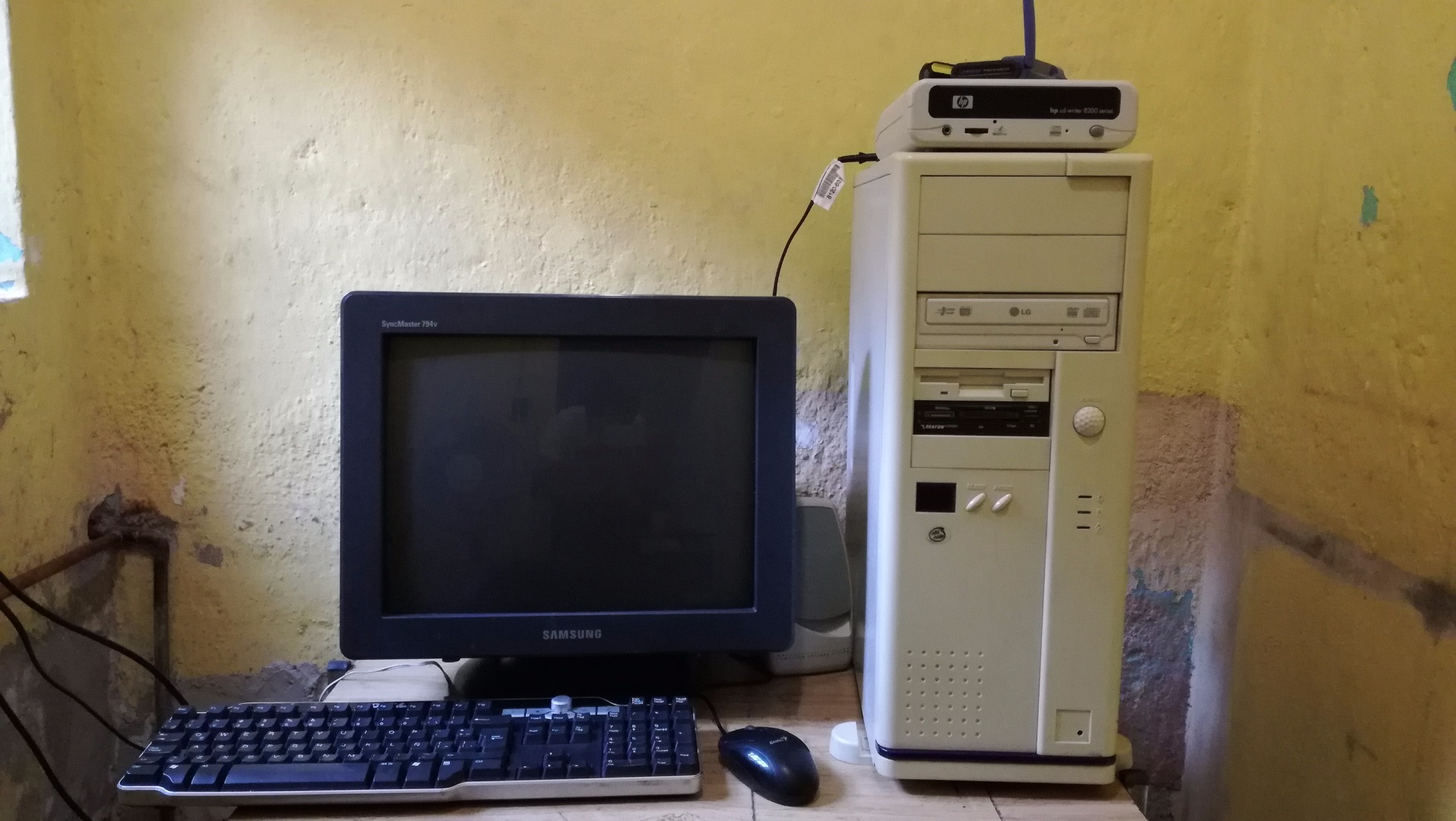
old pc.jpg

Account

Navigation

Configure browser push notifications

Chrome (Android)
  1. Tap the lock icon next to the address bar.
  2. Tap Permissions → Notifications.
  3. Adjust your preference.
Chrome (Desktop)
  1. Click the padlock icon in the address bar.
  2. Select Site settings.
  3. Find Notifications and adjust your preference.