Everything posted by Dagorlad
-
I did not try the game fix version, I will try that version when I next get the chance.
-
Not sure when it happened, as the last version I tried was awhile ago (v15s?), but all IIS services fail to start with the latest version... In the Event Log I have they have this typical error for each service: The Simple Mail Transport Protocol (SMTP) service terminated with the following error:An attempt was made to reference a token that does not exist.I also seem to have a problem with starting VNC, but I'm not sure if that is related.
-
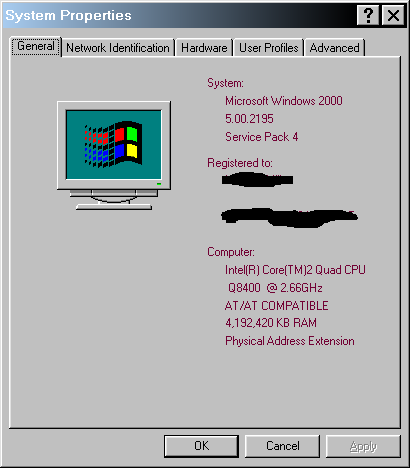
It seems you've discovered why I like 2000 so much. It's lean, mean and gets the job done without a bunch of useless fluff. PAE works, see the attached. PCI-E cards can really eat into the available RAM, without PAE I would only have about 3.1GB available. I do also have another AMD system with a Phenom II X6 1100T.
-
The driver can be slipstreamed, it may need to be modified if it doesn't install under w2k though. I would also recommend turning on EnableBigLBA.
-
In about 3 weeks I should have a spare system available for testing on actual hardware. Just need to get a few more hardware bits for my upcoming physical server relocation so I don't have to swap cables around to boot it.
-
The USB spec evolved quite a bit over the years. The latest USB 2 spec allows for as much as 1500mA to be drawn from a port if the port is capable of supplying that much current. The current power spec can be found here.