


-
-
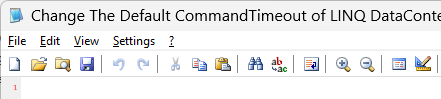
It has been mentionned before, but with SAB 3.6.3 to 3.6.5 installed, the window title bar text gets bigger in several applications (as discussed on elevenforum) In SAB 3.6.3, 'Use new font' was not ticked, and changing 'Control Panel\Desktop\WindowMetrics' fixed the problem only temporarily. After reverting back to SAB 3.6.2, the problem did not reappeared. Any chance to fix this in a next version ?
-
Unlike my previous Windows setups, this time I did not relocate anything for this new Windows 11 setup. I simply don't use the default user profile location, which is cluttered with everything I don't need. So I simply use another location, and ensure it's properly indexed (via Indexing Options).
-
Resetting to default settings did the trick The issue was due to the fact that the Start Menu's setting 'Search public folders' was not ticked. I don't use at all the default user profile location (%UserProfile%) and put all my files into a custom location (outside %UserProfile%). And at first, I thought that 'public folders' was related to %Public% (C:\Users\Public), so I excluded it. Maybe 'Search public folders' could be renamed to reflect the actual behavior. Anyway, it's working now. Thank you !
-
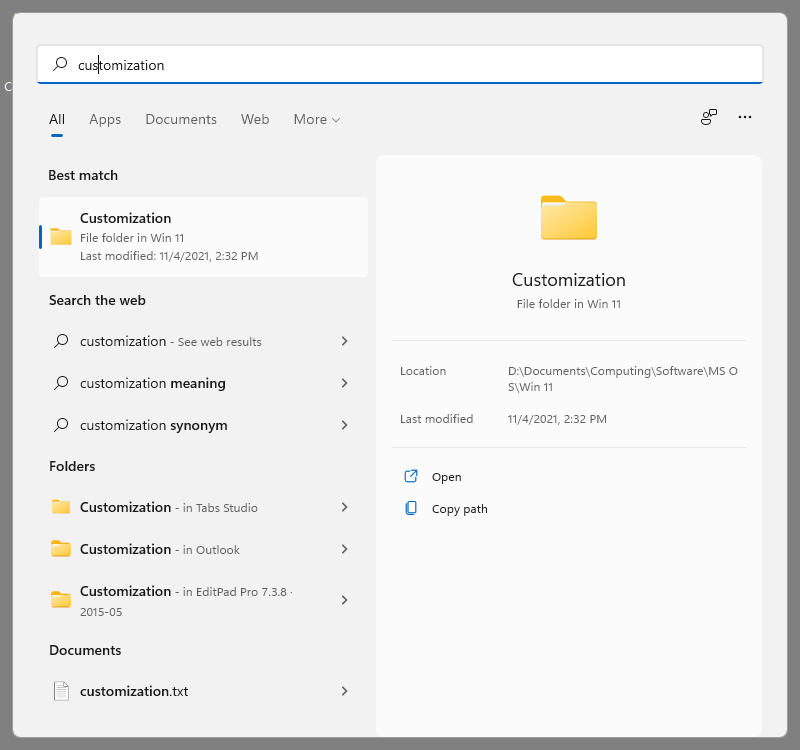
The Windows 11 search feature works properly everywhere (you can see a screenshot of the working search in the builtin Windows 11 menu). Rebuilding the index did not resolve the issue
-
Thanks for the last release Any chance to have the broken search fixed in the next version ?
-
The issue is still present with StartAllBack 3.0.6 and 3.1.0
-
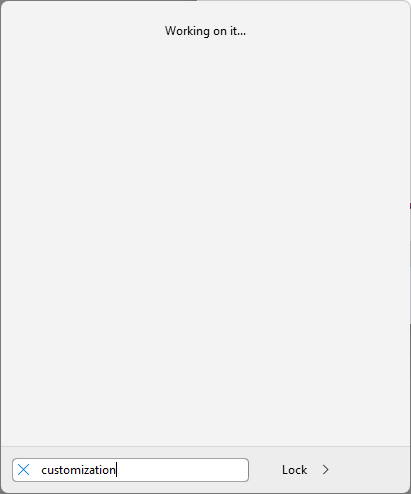
Hi, Thanks for StartAllBack, great app I have an issue though with StartAllBack 3.0.5 under Windows 11 Pro (21H2, 22000.282). Whatever is typed in the search box gives no result and shows the message 'Working on it' : The standard Windows 11 search feature works properly though : Would be great to have a fix
-
I heard this song the 1st time in a clip back in the 90's. It turns out to be the intro of the game the Ripper : Ripper (1996) Intro Movie I could not determine if it was from a demo/shareware CD-ROM or if it came with a Microsoft product though.