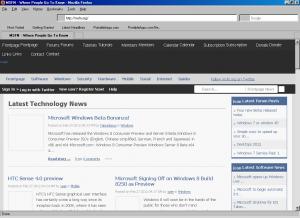
Mozilla Firefox 3.6.x declared as working well, atleast with latest KernelEx release. How 3.6.27 "works" for me - it doesnt draw any graphics - nevermind, its own in-menu icons or pages graphics. See attached screen. I'm tried all things - system clean install, english and localized firefox versions, older versions of 3.6.x branch, regular and portable packages, reinstalled KernelEx as enabled and disabled by default (v4.5.2). In disabled mode i set Windows XP SP2 compatibility for firefox.exe (or firefoxportable.exe). Still no luck. Ofcourse i set XP compatibility to firefox installers too, both regular and portable. What i doing wrong? Use Windows 98SE RU and latest MDCU. My overall setup: OS: Windows 98SE (Russian with MDCU Service Pack) Memory: 2 GiB RAM (DDR PC3200 - 2x 1 GiB Kingston) / all 2 GB available in Win98 Motherboard: Soltek SL-XP865G-3IG CPU: Pentium IV 3.4 Ghz Northwood S478 @ 3.4 Ghz Video Card: nVidia GeForce 6800 Ultra 256mb AGP / Forceware 71.84 config.sys, autoexec.bat and system.ini: no relevant entries vmm32.vxd (real mode), vcache.vxd, vmm.vxd: 4.10.0.2222 with RAM Limitation Patch 7.0 (with /M Option)