
Everything posted by Muaitai
-
After troubleshooting the whole installation, I found out that the problem was the new nForce driver version from Nvidia. Something must have changed and is causing my unattended installation to crash as well as other people, I googled and I found many others with this same problem. The solution was to download an older driver version (Dec. 2006) and it worked flawlessly. After finishing the installation you can just update the driver and no problem.
-
I did an unattended installation with the Nvidia drivers, after finishing installing and rebooting the system flicks and a quick disclaimer (BSOD) comes up saying something about the driver and reboots. I then entered in safe mode and installed the drivers and rebooted... it worked just fine. What is wrong with the new drivers from Nvidia? By the way, I am installing the lattest drivers from Nvidia website using the WINNT.SIF method. I have stratect the files to my 000_VGA folder inside my $OEM$\$1\Drivers. The image below is the not the one I get, I could not print it, but is the same problem.
-
Sorry I tought was the same issue.
-
I had the same problem. I did an unattended installation with the Nvidia drivers, after finishing installing and rebooting the system flicks and a quick disclaimer comes up saying something about the driver and reboots. I then entered in safe mode and installed the drivers and rebooted... it worked just fine. What is wrong with the new drivers from Nvidia? By the way, I am installing the drivers using the WINNT.SIF method. I have stratect the files to my 000_VGA folder inside my $OEM$\$1\Drivers.
-
Did you enabled the Vista Aero on your desktop settings?
-
Links have expired due to inactivity.
-
Hi Shark007, Is the switchless installer on your repository working? All files there are awesome, would be great if this one works too. TIA, Muaitai
-
I installed IE7, nice .
-
Does this will work with Creative Suite 2? I mean if do this to the Photoshop folder inside Creative Suite will it install silently?
-
Hi, I searched the forum but nothing came up as I am looking for. I need a script to run on the first boot after the unattended installation finishes, that asks you to create a new user.
-
Don't worry, you are the only one seen it.
-
You can just fix this "bug" by buying an legal copy of Nero 7 Premium, because there was no Nero 7 Ultra released by ahead. Every Nero 7 Ultra version has got its key from a keygenerator. If you buy Nero 7, it will be named Premium instead of Ultra and the "bug" is gone. But for me, even the usage of the older mp3pro.dll that I grabbed out of Nero 6.6.1.4 and 6.6.0.1.8 did not help when I had the "Ultra" version. Actually this is incorrect, Ahead released PREMIUM for International market and ULTRA for USA market. http://ww2.nero.com/enu/index.html USA http://ww2.nero.com/eng/catalog.html WORLD
-
I always used Daemon Tools and never had any problems, even with the new versio 4.X.
-
Still poping up the registration after I reboot the PC. I did all the steps and seems to me that the symlcrst.dll is either not overrighting the one on the CCPD-LC folder or it is getting corrupted once you intall. Does anyone know if Norton overwrites this file?
-
It does install but at the end still asks for the registration, any idea why?
-
Is it possible to adapt the script for the whole Adobe CS2 Suite?
-
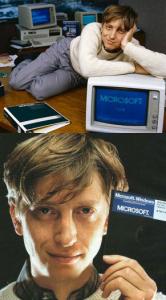
After years of investigation, the source of Piracy was traced to it's origin...

-
I am not sure which Windows is this anyway.
-
Couple of days ago my XP started to hang up when starting right on the progress bar screen. I googled and came up with AGP440.SYS, VGA drivers, Microsoft website and few things more but the fact is that I tried three motherboards (same model) and only the first one is giving me this problem. I think that this is something on the BIOS of that motherboard because the other two are the same model and I switched them and the windows started just fine. Does anyone have had this problem or is having it now?
-
I just read that because of Microsoft the Winamp version 5.091 had to be pulled out. http://www.neowin.net/comments.php?categor...ftware&id=28476
-
Can we modify that to activate Creative instead of only Photoshop?
-
Very nice work jroc. What program did you use to make them?
-
The only CD I did not included was the 7th which is the training videos. All other CDs are included on my DVD.
-
For you guys that have bought the Adobe Creative Suite 2.0 like me and was wondering how to make an AIO DVD, here it is: Adobe Creative Suite 2.0 AIO DVD To make an All In One DVD from Adobe Creative Suite 2.0: Note: Adobe Creative Suite 2.0 Premium contains 4 installation CDs and Adobe Creative Suite 2.0 Standard contains 3 installation CDs. In our steps below we refer to the Adobe Creative Suite Premium version. If you have the Standard version, please ignore all steps that refer to CD 4. CD 4 contains the installers for Golive CS2 and Acrobat 7, which are not included in the Standard edition. 1. Create a folder on the desktop named Creative Suite 2 . 2. Insert the Adobe Creative Suite 2.0 CD 1 into the CD-ROM drive. 3. Select US English, and then click OK. 4. Click Accept to accept the license agreement. 5. Select Explore CD Contents. 6. Drag the contents of the CD to the Creative Suite 2 folder you created in step 1. 7. Insert the Adobe Creative Suite CD 2 into the CD-ROM drive. 8. Open the Adobe Creative Suite 2.0 folder on the CD. 9. Drag the following folders on the CD to the Adobe Creative Suite 2.0 folder which is located in the Creative Suite 2 folder that you created in step 1: -- Adobe InDesign CS2 -- Adobe Version Cue CS2 10. Insert the Adobe Creative Suite CD 3 into the CD-ROM drive. 11. Open the Adobe Creative Suite 2.0 folder on the CD. 12. Drag the Adobe Illustrator CS2 folder on the CD to the Adobe Creative Suite 2.0 folder which is located in the Creative Suite 2 folder that you created in step 1. 13. Insert the Adobe Creative Suite CD 4 into the CD-ROM drive. 14. Open the Adobe Creative Suite 2.0 folder on the CD. 15. Drag the following folders on the CD to the Adobe Creative Suite 2.0 folder which is located in the Creative Suite 2 folder that you created in step 1: -- Adobe Acrobat 7.0 -- Adobe GoLive CS2 16. Open the Creative Suite 2.0 folder that resides in the Creative Suite 2 folder on the desktop, make an ISO image of all contents and burn to a DVD. Tested and work just fine.
-
I want to know what is the best game console according to you TIA, Muaitai