maska
Member
-
Joined
-
Last visited
Everything posted by maska
-
Thanks for your detailed explanations, typing a in the console resolved the problem. Btw, same problem occurs with Quintessential Media Player setup but that is resolved too.
-
I'm having problems extracting latest GOM Player setup; I think this wasn't a problem with version 1.2.1. The program hangs at Extracting files from: 7-Zip Installer package. If I cancel the operation not all files are extracted.
-
Ok, I've copied one of the custsat file into C:\WINDOWS\Network Diagnostic folder and the problem was solved. Seems nLite didn't integrate correctly Ryan's pack or the latter has a bug.
-
Hello! I've made an ISO today. Everything is fine, setuperr.log is empty but Diagnose Connection Problems... add-on doesn't work. Does anybody have an idea? I have the custsat.dll file in three different folders and it's the same version. Last_Session.ini
-
First pic is from XPize 4.3 MCE. The second message appears when I cancel the installer on Choose installation method step. Is it normal? Hoping you will update the web page soon, cause my MD5 is this one: 36939cdb0a96ebc39ecf98a2ae8109dc
-
I can also confirm that XPize screensaver doesn't work on Win 2003 R2. Instead of it, I have only a black screen.
-
Mail sent. I can't find inetmgr.dll.log, I only have inetcpl.cpl.log, inetcplc.dll.log and inetres.dll.log.
-
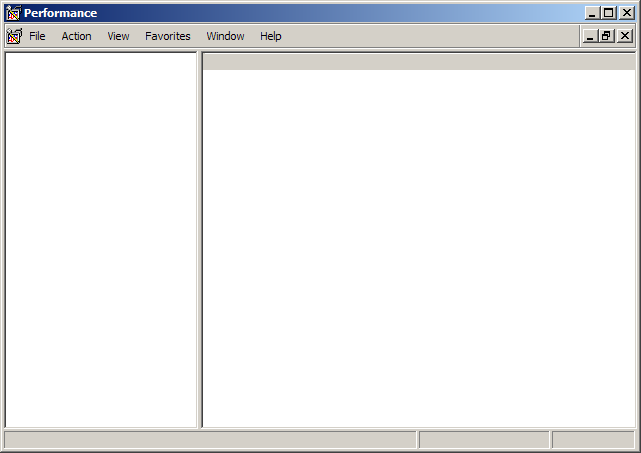
Sorry to spoil Christmas but there are problems in Windows 2003 R2. Just installed it, no warnings during install but... all Administrative Tools are looking like in the pic below. I can't also work from menus. Is there any detailed log I could check or post here?
-
You need both CD's.
-
Good filter pack for Zoom Player, don't you think? Moonlight MP4 Demultiplexer and Gabest Matroska Splitter should be dropped from your package, use Haali Media Splitter for MP4 and MKV files, it's pretty stable now.
-
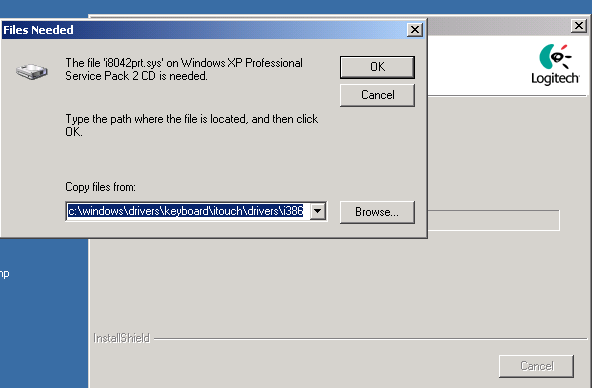
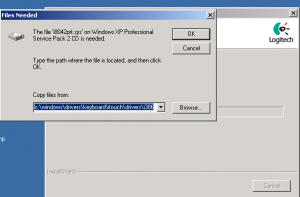
Error number 2 - for Logitech drivers.
-
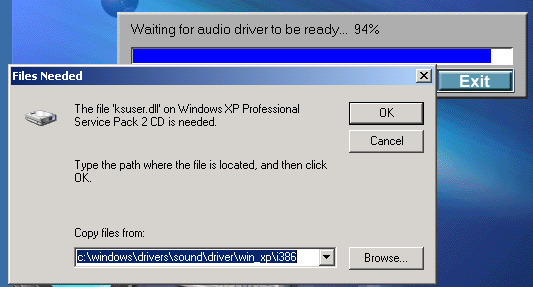
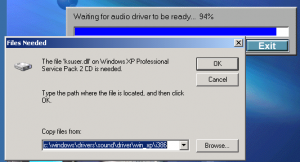
Hello! I've made an XP SP2 slipstreamed CD (created with nLite - I didn't remove any component) and applied RyanVM's update pack. When I want to install my C-Media drivers (CMI9739A) and Logitech drivers those errors appear. Do you know what did I do wrong? Thanks.
-
Another lam.. question: what's the difference between Windows XP SP2 (English - 266 MB) and Windows XP SP2 Network Install? They are posted here. And which one is best suited for a slipstream with nLite?
-
I'm sure now that bkraptor solved his problems and I'm also sure that he didn't want to cause you any problems. Cheers. \End of off-topic.