-
-
Hi, use windows 8 32 bit as base then combine all images into one install.wim then create iso using ultra iso.
-
hi, please reply to my question asap how to upgrade server 2012 to server 2012 R2 without formating? i have installed server 2012 standard evaluation version & purchased license copy of server r2 with 10 cal's formatting will be headache because lots of softwares installed like personal & sql & sap. please it's urgent. thanks in advance
-
-
hi, just use win 8 boot.wim and windows 8 (32 bit) dvd source instead of win 7 boot.wim and windows 7 source. simple. okay.
-
hi, How to Create Windows 7 & 8 Aio ISO CREATED WIN7 & 8 AIO DVD SUCCESSFULLY
-
this will applies to 7 86/64 & r2 server?
-
hi, i want to know how to combine multiple autounattend.xml into single xml. i m using rt seven lite 2.6,0 beta. want to create 7 aio with unattended install. help!
-
file names please!
-
edit smss.exe located in your xp cd\i386\system32
-
spwizimg.dll placed in sources folder, boot.wim and install.wim
-
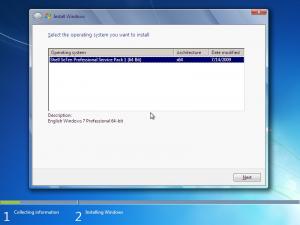
hi all, i want to change 7 setup background. replaced "background_cli.bmp" and replaced images in "imageres.dll" working up to "setup is starting" default background appears on "os selection" and till setup complete! how to solve this. screenshots attached. please help!

-
hi,<br /><br />i /><br />br />!
-
hello! i m just asking here ! i already done exchange 2003 & 2007 for one of my client! for now this is a client OS! so that's why i am asking for alternatives!
-
sure! both! for personal use only!