-
Updated to 11.5 build 16
-
I either use Print Screen or Xnview to take Screenshot & then crop with Xnview & then use Image shack but yes its long winded! There must be a quicker method.
-
11.5 Build 15 is out
-
Surprised Avant isnt there! Tried most of those & it leaves them standing especially FF. Stacks of features too
-
July 07 FjunXP VS
-
Many thanks,NaDer....i'll give that suggestion a try
-
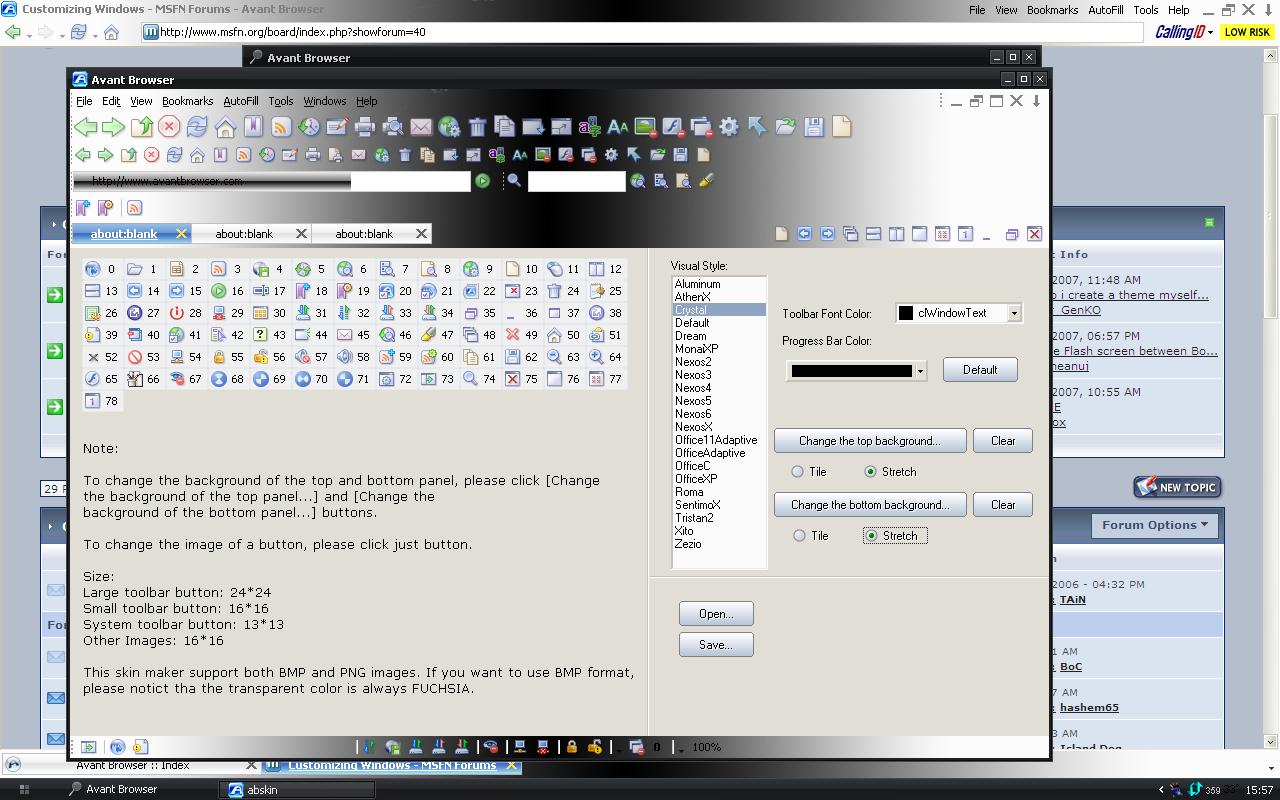
I made this skin for my browser but would like to apply a glass effect if possible. any suggestions as to any free software that would do that would be appreciated. Also where can i find dark toolbar icons that would match the style? Thank you
-
Slan XP 2.0 VS & Clean Icon free desktop
-
My fave dark VS http://www.deviantart.com/deviation/51492944/
-
Tried most of them & nothing beats Avant for sheer speed & all round features
-
Thanks for quick reply cluberti, i shall try & carry out what you suggest. i happen to use Process Explorer in place of Task Manager
-
Hello,my system seems to run with no problems but only certain Updates will install! I cannot install IE7 either. Here is error msg when installing this update... Would anyone know if this is repairable? Many thanks
-
Ive installed Slan XP 2.0 using uxtheme.dll multi patcher http://www.deviantart.com/deviation/51492944/ http://www.softpedia.com/get/Desktop-Enhan...SP2-Final.shtml Hope that helps