



Skip to content
View in the app

A better way to browse. Learn more.

MSFN

A full-screen app on your home screen with push notifications, badges and more.

To install this app on iOS and iPadOS
  1. Tap the Share icon in Safari
  2. Scroll the menu and tap Add to Home Screen.
  3. Tap Add in the top-right corner.
To install this app on Android
  1. Tap the 3-dot menu (⋮) in the top-right corner of the browser.
  2. Tap Add to Home screen or Install app.
  3. Confirm by tapping Install.

amsavs

Member
  • Joined

  • Last visited

  • Country

    Colombia
  1. amsavs replied to amsavs's topic in vLite
    thanks, test
  2. amsavs replied to amsavs's topic in vLite
    yes. view nuhi: (got and removed attachment because of your private data)
  3. amsavs replied to amsavs's topic in vLite
    when it begins to make the processes
  4. amsavs posted a topic in vLite
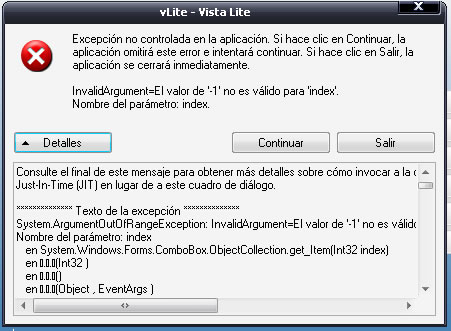
    error please solution
  5. spanish please upload your web
  6. the same here. i can't get any of availible packages. los enlaces ya estan solucionados, fue un problema de mi servidor
  7. Shark007 thanks spanish?
  8. don't open site: Forbidden You don't have permission to access /nerolite/index.html on this server. please Thanks
  9. I use X4.3 in my cd Windows Xp Sp2 PoInT V4.5, I want to know when it is the launching of X5
Account

Navigation

Configure browser push notifications

Chrome (Android)
  1. Tap the lock icon next to the address bar.
  2. Tap Permissions → Notifications.
  3. Adjust your preference.
Chrome (Desktop)
  1. Click the padlock icon in the address bar.
  2. Select Site settings.
  3. Find Notifications and adjust your preference.