-
Can the default blue background of Runonce be changed to another color or picture? If so how??
-
When can I import HKCU settings and apps? Can I do Runonceex? Although this runs at First Logon also.
-
Panther File was made. Please let me know if anyone sees anything weird setupact.log 2010-06-04 16:31:03, Info [msoobe.exe] Starting service sppsvc 2010-06-04 16:31:05, Info [msoobe.exe] Service sppsvc reports as running 2010-06-04 16:31:05, Info [msoobe.exe] Starting service audiosrv 2010-06-04 16:31:08, Info [msoobe.exe] Service audiosrv reports as running 2010-06-04 16:31:08, Info [msoobe.exe] Successfully created first boot reg key 2010-06-04 16:31:08, Info [msoobe.exe] Found SkipMachineOOBE value 2010-06-04 16:31:08, Info [msoobe.exe] Running mandatory tasks 2010-06-04 16:31:08, Info [msoobe.exe] Doing background work directly in MandatoryTasks; eType=1 2010-06-04 16:31:08, Info [msoobe.exe] Successfully installed product key 2010-06-04 16:31:08, Info [msoobe.exe] Starting service netprofm 2010-06-04 16:31:10, Info [msoobe.exe] Service netprofm reports as running 2010-06-04 16:31:10, Info [msoobe.exe] Successfully signalled event to start up services 2010-06-04 16:31:10, Info [msoobe.exe] Doing background work directly in MandatoryTasks; eType=0 2010-06-04 16:31:10, Info [msoobe.exe] Starting service Schedule 2010-06-04 16:31:13, Info [msoobe.exe] Service Schedule is already running 2010-06-04 16:31:13, Info [msoobe.exe] Successfully verified and committed UI language settings 2010-06-04 16:31:14, Info [msoobe.exe] Successfully notified UI language change 2010-06-04 16:31:16, Info [msoobe.exe] Successfully installed Windows Recovery Environment 2010-06-04 16:31:44, Info [msoobe.exe] Successfully removed administrator profile 2010-06-04 16:31:45, Info [msoobe.exe] RunUserProvidedScript: Found script at [C:\Windows\Setup\Scripts\SetupComplete.cmd]; executing with UI hidden... diagwrn.xml <z:row Cls="D" Sev="50331648" Maj="Def" Min="Def" LN="123" Fil="" Fun="RewriteBlackboardPaths" Uid="50741248" Msg="RewriteBlackboardPaths:Corresponding path not found. Key name [\LangPacks\LanguageList\en-US] Value name [SrcLocation]. Path name X:\Langpacks\en-US." PID="748" TID="752" Con="" Exe="C:\Windows\system32\oobe\setup.exe" Mod="WinSetup.dll" Err="87" MD="" DT="2010-06-04T16:24:47"/> <z:row Cls="D" Sev="50331648" Maj="Def" Min="Def" LN="123" Fil="" Fun="RewriteBlackboardPaths" Uid="50741248" Msg="RewriteBlackboardPaths:Corresponding path not found. Key name [\ImageInfo\OSImage] Value name [FilePath]. Path name D:\Sources\install.wim." PID="748" TID="752" Con="" Exe="C:\Windows\system32\oobe\setup.exe" Mod="WinSetup.dll" Err="87" MD="" DT="2010-06-04T16:24:47"/> <z:row Cls="D" Sev="50331648" Maj="Def" Min="Def" LN="123" Fil="" Fun="RewriteBlackboardPaths" Uid="50741248" Msg="RewriteBlackboardPaths:Corresponding path not found. Key name [\InstallSource] Value name [InstallSourcesPath]. Path name D:\Sources." PID="748" TID="752" Con="" Exe="C:\Windows\system32\oobe\setup.exe" Mod="WinSetup.dll" Err="87" MD="" DT="2010-06-04T16:24:47"/> <z:row Cls="D" Sev="50331648" Maj="Def" Min="Def" LN="352" Fil="" Fun="DeviceInstallStatusWorker" Uid="51314688" Msg="Installation was supposedly active, but status key doesn't exist? " PID="748" TID="804" Con="" Exe="C:\Windows\system32\oobe\setup.exe" Mod="sppnp.dll" Err="0" MD="" DT="2010-06-04T16:24:48"/> <z:row Cls="D" Sev="50331648" Maj="Def" Min="Def" LN="1089" Fil="" Fun="RemoveDevnodesUsingService" Uid="51314688" Msg="SPPNP: Error 0xE000020B occurred while adding device Root\LEGACY_MPIO\0000 to the device info set." PID="748" TID="752" Con="" Exe="C:\Windows\system32\oobe\setup.exe" Mod="sppnp.dll" Err="-536870389" MD="" DT="2010-06-04T16:24:49"/> <z:row Cls="D" Sev="50331648" Maj="Def" Min="Def" LN="352" Fil="" Fun="DeviceInstallStatusWorker" Uid="51314688" Msg="Installation was supposedly active, but status key doesn't exist? " PID="748" TID="804" Con="" Exe="C:\Windows\system32\oobe\setup.exe" Mod="sppnp.dll" Err="0" MD="" DT="2010-06-04T16:24:49"/> <z:row Cls="D" Sev="50331648" Maj="Def" Min="Def" LN="352" Fil="" Fun="DeviceInstallStatusWorker" Uid="51314688" Msg="Installation was supposedly active, but status key doesn't exist? " PID="748" TID="804" Con="" Exe="C:\Windows\system32\oobe\setup.exe" Mod="sppnp.dll" Err="0" MD="" DT="2010-06-04T16:24:50"/> <z:row Cls="D" Sev="50331648" Maj="Def" Min="Def" LN="352" Fil="" Fun="DeviceInstallStatusWorker" Uid="51314688" Msg="Installation was supposedly active, but status key doesn't exist? " PID="748" TID="804" Con="" Exe="C:\Windows\system32\oobe\setup.exe" Mod="sppnp.dll" Err="0" MD="" DT="2010-06-04T16:24:51"/> <z:row Cls="D" Sev="50331648" Maj="Def" Min="Def" LN="352" Fil="" Fun="DeviceInstallStatusWorker" Uid="51314688" Msg="Installation was supposedly active, but status key doesn't exist? " PID="748" TID="804" Con="" Exe="C:\Windows\system32\oobe\setup.exe" Mod="sppnp.dll" Err="0" MD="" DT="2010-06-04T16:24:52"/> <z:row Cls="D" Sev="50331648" Maj="Def" Min="Def" LN="352" Fil="" Fun="DeviceInstallStatusWorker" Uid="51314688" Msg="Installation was supposedly active, but status key doesn't exist? " PID="748" TID="804" Con="" Exe="C:\Windows\system32\oobe\setup.exe" Mod="sppnp.dll" Err="0" MD="" DT="2010-06-04T16:24:53"/> <z:row Cls="D" Sev="50331648" Maj="Def" Min="Def" LN="352" Fil="" Fun="DeviceInstallStatusWorker" Uid="51314688" Msg="Installation was supposedly active, but status key doesn't exist? " PID="748" TID="804" Con="" Exe="C:\Windows\system32\oobe\setup.exe" Mod="sppnp.dll" Err="0" MD="" DT="2010-06-04T16:24:54"/> <z:row Cls="D" Sev="50331648" Maj="Def" Min="Def" LN="352" Fil="" Fun="DeviceInstallStatusWorker" Uid="51314688" Msg="Installation was supposedly active, but status key doesn't exist? " PID="748" TID="804" Con="" Exe="C:\Windows\system32\oobe\setup.exe" Mod="sppnp.dll" Err="0" MD="" DT="2010-06-04T16:24:56"/> <z:row Cls="D" Sev="50331648" Maj="Def" Min="Def" LN="352" Fil="" Fun="DeviceInstallStatusWorker" Uid="51314688" Msg="Installation was supposedly active, but status key doesn't exist? " PID="748" TID="804" Con="" Exe="C:\Windows\system32\oobe\setup.exe" Mod="sppnp.dll" Err="0" MD="" DT="2010-06-04T16:24:57"/> <z:row Cls="D" Sev="50331648" Maj="Def" Min="Def" LN="352" Fil="" Fun="DeviceInstallStatusWorker" Uid="51314688" Msg="Installation was supposedly active, but status key doesn't exist? " PID="748" TID="804" Con="" Exe="C:\Windows\system32\oobe\setup.exe" Mod="sppnp.dll" Err="0" MD="" DT="2010-06-04T16:24:58"/> <z:row Cls="D" Sev="50331648" Maj="Def" Min="Def" LN="352" Fil="" Fun="DeviceInstallStatusWorker" Uid="51314688" Msg="Installation was supposedly active, but status key doesn't exist? " PID="748" TID="804" Con="" Exe="C:\Windows\system32\oobe\setup.exe" Mod="sppnp.dll" Err="0" MD="" DT="2010-06-04T16:24:59"/> <z:row Cls="D" Sev="50331648" Maj="Def" Min="Def" LN="352" Fil="" Fun="DeviceInstallStatusWorker" Uid="51314688" Msg="Installation was supposedly active, but status key doesn't exist? " PID="748" TID="804" Con="" Exe="C:\Windows\system32\oobe\setup.exe" Mod="sppnp.dll" Err="0" MD="" DT="2010-06-04T16:25:00"/> <z:row Cls="D" Sev="50331648" Maj="Def" Min="Def" LN="352" Fil="" Fun="DeviceInstallStatusWorker" Uid="51314688" Msg="Installation was supposedly active, but status key doesn't exist? " PID="748" TID="804" Con="" Exe="C:\Windows\system32\oobe\setup.exe" Mod="sppnp.dll" Err="0" MD="" DT="2010-06-04T16:25:01"/> <z:row Cls="D" Sev="50331648" Maj="Def" Min="Def" LN="352" Fil="" Fun="DeviceInstallStatusWorker" Uid="51314688" Msg="Installation was supposedly active, but status key doesn't exist? " PID="748" TID="804" Con="" Exe="C:\Windows\system32\oobe\setup.exe" Mod="sppnp.dll" Err="0" MD="" DT="2010-06-04T16:25:02"/> <z:row Cls="D" Sev="50331648" Maj="Def" Min="Def" LN="352" Fil="" Fun="DeviceInstallStatusWorker" Uid="51314688" Msg="Installation was supposedly active, but status key doesn't exist? " PID="748" TID="804" Con="" Exe="C:\Windows\system32\oobe\setup.exe" Mod="sppnp.dll" Err="0" MD="" DT="2010-06-04T16:25:03"/> <z:row Cls="D" Sev="50331648" Maj="Def" Min="Def" LN="352" Fil="" Fun="DeviceInstallStatusWorker" Uid="51314688" Msg="Installation was supposedly active, but status key doesn't exist? " PID="748" TID="804" Con="" Exe="C:\Windows\system32\oobe\setup.exe" Mod="sppnp.dll" Err="0" MD="" DT="2010-06-04T16:25:04"/> <z:row Cls="D" Sev="50331648" Maj="Def" Min="Def" LN="352" Fil="" Fun="DeviceInstallStatusWorker" Uid="51314688" Msg="Installation was supposedly active, but status key doesn't exist? " PID="748" TID="804" Con="" Exe="C:\Windows\system32\oobe\setup.exe" Mod="sppnp.dll" Err="0" MD="" DT="2010-06-04T16:25:05"/> <z:row Cls="D" Sev="50331648" Maj="Def" Min="Def" LN="352" Fil="" Fun="DeviceInstallStatusWorker" Uid="51314688" Msg="Installation was supposedly active, but status key doesn't exist? " PID="748" TID="804" Con="" Exe="C:\Windows\system32\oobe\setup.exe" Mod="sppnp.dll" Err="0" MD="" DT="2010-06-04T16:25:06"/> <z:row Cls="D" Sev="50331648" Maj="Def" Min="Def" LN="431" Fil="" Fun="RunRegistryDlls" Uid="51314831" Msg="RunRegistryDlls:Registry key is either empty or malformed: SOFTWARE\Microsoft\Windows\CurrentVersion\Setup\SysPrepExternal\Specialize" PID="748" TID="752" Con="" Exe="C:\Windows\system32\oobe\setup.exe" Mod="WinSetup.dll" Err="0" MD="" DT="2010-06-04T16:28:14"/> </rs:data> </xml>
-
Ok now I get stuck at "Setup is checking video performance". I can see the installs progression bars but the screen doesnt change. What I did differently - Disable Network - Remove First Run Commands from XML - Remove DPI setting from XML I am running VMware Work Station 7.0.0 build-197124 Anymore suggestions or advice??
-
Good Point! Didnt catch that but let me try it out and let you know. All silent installers work flawless. After a quick research you may be right.
-
So I cant seem to get the screen to change or move from this screen. I do how ever see my applications being installed from First Logon command. Does anyone know a fix for this. I have added screen resolution in the xml file but still doesn't work. Just FYI this is testing in VMware. Any help would be great. Thanks SetupComplete.cmd @ECHO OFF TITLE WINDOWS 7 BLK Edition ver. 2.01 ECHO. ECHO. ECHO Please wait while applications and system adjustments are made. ECHO. ECHO. ECHO Installing Acronis True Image START /WAIT %SYSTEMDRIVE%\sfttemp\AcronisTrueImage.exe ECHO Installing Batch Image Resizer START /WAIT %SYSTEMDRIVE%\sfttemp\batch-image-resizer.sfx.exe ECHO Installing Itunes START /WAIT %SYSTEMDRIVE%\sfttemp\iTunesSetup.exe /quiet /passive ECHO Installing Disk Keeper 2009 START /WAIT %SYSTEMDRIVE%\sfttemp\DiskeeperProPremier2009.exe Autounattend.xml <?xml version="1.0" encoding="utf-8"?> <unattend xmlns="urn:schemas-microsoft-com:unattend"> <servicing> <package action="configure"> <assemblyIdentity name="Microsoft-Windows-Foundation-Package" version="6.1.7600.16385" processorArchitecture="x86" publicKeyToken="31bf3856ad364e35" language="" /> <selection name="Internet Games" state="false" /> <selection name="More Games" state="false" /> <selection name="Minesweeper" state="false" /> <selection name="Printing-XPSServices-Features" state="false" /> </package> </servicing> <settings pass="windowsPE"> <component name="Microsoft-Windows-Setup" processorArchitecture="x86" publicKeyToken="31bf3856ad364e35" language="neutral" versionScope="nonSxS" xmlns:wcm="http://schemas.microsoft.com/WMIConfig/2002/State" xmlns:xsi="http://www.w3.org/2001/XMLSchema-instance"> <DiskConfiguration> <Disk> <CreatePartitions> <CreatePartition wcm:action="add"> <Order>1</Order> <Type>Primary</Type> <Extend>true</Extend> </CreatePartition> </CreatePartitions> <ModifyPartitions> <ModifyPartition wcm:action="add"> <Active>true</Active> <Extend>false</Extend> <Format>NTFS</Format> <Label>SYSTEM</Label> <Letter>C</Letter> <Order>1</Order> <PartitionID>1</PartitionID> </ModifyPartition> </ModifyPartitions> <DiskID>0</DiskID> <WillWipeDisk>true</WillWipeDisk> </Disk> <WillShowUI>OnError</WillShowUI> </DiskConfiguration> <UserData> <AcceptEula>true</AcceptEula> <FullName>BlkEdition</FullName> <Organization>BlkEdition</Organization> </UserData> <ImageInstall> <OSImage> <InstallTo> <DiskID>0</DiskID> <PartitionID>1</PartitionID> </InstallTo> <WillShowUI>OnError</WillShowUI> <InstallFrom> <MetaData wcm:action="add"> <Key>/IMAGE/INDEX</Key> <Value>1</Value> </MetaData> </InstallFrom> <InstallToAvailablePartition>false</InstallToAvailablePartition> </OSImage> </ImageInstall> <EnableFirewall>false</EnableFirewall> <EnableNetwork>true</EnableNetwork> <Restart>Restart</Restart> <Display> <HorizontalResolution>1024</HorizontalResolution> <VerticalResolution>768</VerticalResolution> <RefreshRate>60</RefreshRate> <ColorDepth>32</ColorDepth> </Display> </component> <component name="Microsoft-Windows-International-Core-WinPE" processorArchitecture="x86" publicKeyToken="31bf3856ad364e35" language="neutral" versionScope="nonSxS" xmlns:wcm="http://schemas.microsoft.com/WMIConfig/2002/State" xmlns:xsi="http://www.w3.org/2001/XMLSchema-instance"> <SetupUILanguage> <UILanguage>en-us</UILanguage> </SetupUILanguage> <InputLocale>0409:00000409</InputLocale> <SystemLocale>en-us</SystemLocale> <UILanguage>en-us</UILanguage> <UserLocale>en-US</UserLocale> </component> </settings> <settings pass="specialize"> <component name="Microsoft-Windows-Shell-Setup" processorArchitecture="x86" publicKeyToken="31bf3856ad364e35" language="neutral" versionScope="nonSxS" xmlns:wcm="http://schemas.microsoft.com/WMIConfig/2002/State" xmlns:xsi="http://www.w3.org/2001/XMLSchema-instance"> <OEMInformation> <Manufacturer>BlkEdition</Manufacturer> <Model>V2.01</Model> <SupportHours>24hrs</SupportHours> <SupportPhone>888-THERE-IS-NO-NUMBER</SupportPhone> <SupportURL>WWW.good-luck.COM</SupportURL> </OEMInformation> <BluetoothTaskbarIconEnabled>true</BluetoothTaskbarIconEnabled> <TimeZone>Pacific Standard Time</TimeZone> </component> <component name="Microsoft-Windows-UnattendedJoin" processorArchitecture="x86" publicKeyToken="31bf3856ad364e35" language="neutral" versionScope="nonSxS" xmlns:wcm="http://schemas.microsoft.com/WMIConfig/2002/State" xmlns:xsi="http://www.w3.org/2001/XMLSchema-instance"> <Identification> <JoinWorkgroup>MSHOME</JoinWorkgroup> </Identification> </component> <component name="Security-Malware-Windows-Defender" processorArchitecture="x86" publicKeyToken="31bf3856ad364e35" language="neutral" versionScope="nonSxS" xmlns:wcm="http://schemas.microsoft.com/WMIConfig/2002/State" xmlns:xsi="http://www.w3.org/2001/XMLSchema-instance"> <DisableAntiSpyware>true</DisableAntiSpyware> </component> <component name="Microsoft-Windows-IE-InternetExplorer" processorArchitecture="x86" publicKeyToken="31bf3856ad364e35" language="neutral" versionScope="nonSxS" xmlns:wcm="http://schemas.microsoft.com/WMIConfig/2002/State" xmlns:xsi="http://www.w3.org/2001/XMLSchema-instance"> <AllSitesCompatibilityMode>true</AllSitesCompatibilityMode> <BlockPopups>yes</BlockPopups> <CompanyName>BlkEdition</CompanyName> <DisableFirstRunWizard>true</DisableFirstRunWizard> <FavoritesDelete>true</FavoritesDelete> <Home_Page>www.yahoo.com</Home_Page> <PlaySound>false</PlaySound> <ShowInformationBar>true</ShowInformationBar> <SuggestedSitesEnabled>false</SuggestedSitesEnabled> <Window_Title_CN>BlkEdition</Window_Title_CN> </component> <component name="Microsoft-Windows-ErrorReportingCore" processorArchitecture="x86" publicKeyToken="31bf3856ad364e35" language="neutral" versionScope="nonSxS" xmlns:wcm="http://schemas.microsoft.com/WMIConfig/2002/State" xmlns:xsi="http://www.w3.org/2001/XMLSchema-instance"> <DisableWER>1</DisableWER> </component> <component name="Microsoft-Windows-powercpl" processorArchitecture="x86" publicKeyToken="31bf3856ad364e35" language="neutral" versionScope="nonSxS" xmlns:wcm="http://schemas.microsoft.com/WMIConfig/2002/State" xmlns:xsi="http://www.w3.org/2001/XMLSchema-instance"> <PreferredPlan>8c5e7fda-e8bf-4a96-9a85-a6e23a8c635c</PreferredPlan> </component> <component name="Microsoft-Windows-Printing-Spooler-Core" processorArchitecture="x86" publicKeyToken="31bf3856ad364e35" language="neutral" versionScope="nonSxS" xmlns:wcm="http://schemas.microsoft.com/WMIConfig/2002/State" xmlns:xsi="http://www.w3.org/2001/XMLSchema-instance"> <RemoveMXDW>1</RemoveMXDW> </component> <component name="Microsoft-Windows-SystemRestore-Main" processorArchitecture="x86" publicKeyToken="31bf3856ad364e35" language="neutral" versionScope="nonSxS" xmlns:wcm="http://schemas.microsoft.com/WMIConfig/2002/State" xmlns:xsi="http://www.w3.org/2001/XMLSchema-instance"> <DisableSR>1</DisableSR> </component> </settings> <settings pass="offlineServicing"> <component name="Microsoft-Windows-LUA-Settings" processorArchitecture="x86" publicKeyToken="31bf3856ad364e35" language="neutral" versionScope="nonSxS" xmlns:wcm="http://schemas.microsoft.com/WMIConfig/2002/State" xmlns:xsi="http://www.w3.org/2001/XMLSchema-instance"> <EnableLUA>false</EnableLUA> </component> </settings> <settings pass="oobeSystem"> <component name="Microsoft-Windows-Shell-Setup" processorArchitecture="x86" publicKeyToken="31bf3856ad364e35" language="neutral" versionScope="nonSxS" xmlns:wcm="http://schemas.microsoft.com/WMIConfig/2002/State" xmlns:xsi="http://www.w3.org/2001/XMLSchema-instance"> <AutoLogon> <Password> <Value>UABhAHMAcwB3AG8AcgBkAA==</Value> <PlainText>false</PlainText> </Password> <Username>Administrator</Username> <LogonCount>2</LogonCount> <Enabled>true</Enabled> </AutoLogon> <BluetoothTaskbarIconEnabled>true</BluetoothTaskbarIconEnabled> <DisableAutoDaylightTimeSet>false</DisableAutoDaylightTimeSet> <DoNotCleanTaskBar>true</DoNotCleanTaskBar> <ShowWindowsLive>false</ShowWindowsLive> <TimeZone>Pacific Standard Time</TimeZone> <Display> <ColorDepth>32</ColorDepth> <HorizontalResolution>1024</HorizontalResolution> <RefreshRate>60</RefreshRate> <VerticalResolution>768</VerticalResolution> <DPI>96</DPI> </Display> <OOBE> <HideEULAPage>true</HideEULAPage> <NetworkLocation>Home</NetworkLocation> <ProtectYourPC>1</ProtectYourPC> <HideWirelessSetupInOOBE>true</HideWirelessSetupInOOBE> <SkipMachineOOBE>true</SkipMachineOOBE> <SkipUserOOBE>true</SkipUserOOBE> </OOBE> <UserAccounts> <AdministratorPassword> <Value>QQBkAG0AaQBuAGkAcwB0AHIAYQB0AG8AcgBQAGEAcwBzAHcAbwByAGQA</Value> <PlainText>false</PlainText> </AdministratorPassword> </UserAccounts> <FirstLogonCommands> <SynchronousCommand wcm:action="add"> <CommandLine>cmd /c %WINDIR%\SetupComplete.cmd</CommandLine> <Description>Installing Apps/Reg Tweaks</Description> <Order>1</Order> <RequiresUserInput>false</RequiresUserInput> </SynchronousCommand> </FirstLogonCommands> <VisualEffects> <FontSmoothing>ClearType</FontSmoothing> </VisualEffects> <StartPanelLinks> <Link0>%windir%\system32\calc.exe</Link0> <Link1>%windir%\system32\notepad.exe</Link1> </StartPanelLinks> <Themes> <WindowColor>Frost</WindowColor> <DesktopBackground>%WINDIR%\Resources\Themes\DesktopBackground\black.jpg</DesktopBackground> <ThemeName>blk</ThemeName> <DefaultThemesOff>false</DefaultThemesOff> </Themes> </component> </settings> <cpi:offlineImage cpi:source="catalog:c:/win 7 project/project/sources/install_windows 7 ultimate.clg" xmlns:cpi="urn:schemas-microsoft-com:cpi" /> </unattend>
-
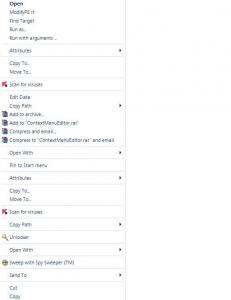
Can someone offer me a way to delete some of this stuff
-
Whenever I setup a rule it doesnt work. It defaults for "other machine" even after I click "on this machine". Theirfor my rules are not working. I tried to delete all rules and start over but it didnt work. Any suggestions ? or how can I setup the rules to default on this machine only>
-
Yes there is a space forgot to add in the post. I changed "software" to "SOFTWARE" adn same problem. any other sugestions
-
this is a standalone xp pro version. If I add in the HKCU I get the same thing. I dont have any starup restrictions adn yes logged in as admin. my HKLM and HKCU Run folders are empty if this matters During the UA install I have this reg key added at the end REGEDIT4 [HKEY_LOCAL_MACHINE\SOFTWARE\Microsoft\Windows\CurrentVersion\Run] "Acrobat Assistant 7.0"=- "Device Detector"=- "iTunesHelper"=- "RemoteControl"=- "QuickTime Task"=- "SunJavaUpdateSched"=-
-
Im a total newbie can explain what oyu mean. Sorry but thank you
-
Hello, I am scratching my head on this. When I add this command to the registry it works only once. When I restart teh computer for a second time it is no longer in the reg. Why is this?? Windows Registry Editor Version 5.00 [HKEY_LOCAL_MACHINE\Software\Microsoft\Windows\CurrentVersion\Run] "Bginfo"="c:\\bginfo\\bginfo /ic:\\bginfo\\bginfo.bgi /timer:0"
-
^^Bump sorrry still need help
-
Ok I need some help with this. I can get eveything to install silently :-) Problem is after it installs and you double click an ISO you get this error [b] "Second Quote not Found in Command line Switch"[/b] This is my INF I'm using. [code][Version] Signature=$CHICAGO$ [DefaultInstall] AddReg = CDImage AddReg = Mount DelReg = Daemon [CDImage] HKCR,"Folder\shell\MakeBootISO\command",,,"CDIMAGE.EXE -LBootable -YD -N -H -X -B%11%\xpBoot.img -OCI -M -D %here% %target%" HKCR,"Folder\shell\MakeDataISO\command",,,"CDIMAGE.EXE -LDATA -YD -N -H -X -O -M -D %here% %target%" [Mount] HKCR,".ISO",,,"ISO_Image" HKCR,".CUE",,,"ISO_Image" HKCR,".CCD",,,"ISO_Image" HKCR,".BIN",,,"ISO_Image" HKCR,".CDI",,,"ISO_Image" HKCR,".BWT",,,"ISO_Image" HKCR,".B5T",,,"ISO_Image" HKCR,".MDS",,,"ISO_Image" HKCR,".NRG",,,"ISO_Image" HKCR,".PDI",,,"ISO_Image" HKCR,"ISO_Image\Shell\Mount\Command",,,"%16422%\D-Tools\daemon.exe" -mount 0",""%1" [Daemon] HKLM,"SOFTWARE\Microsoft\Windows\CurrentVersion\Run","DAEMON Tools-1033" [Strings] here = """%1""" target = """%1.iso"""[/code] Can someone please tell me where the error is and what it should look like. Thanks
-
to install Kaspersky silent use this switch /quiet /qn /norestartthen tskill avp.exeThen at your cleanup after all apps install start program files\kaspersky\avp.exethis will reboot the computer. **makesure when you install the app you have the *.key file in the same folder to auto activate