-
Just a picky comment............notice you have the dates wrong in your first post. You have 11 for the month, not 12. Just so idiots like me don't get confused, thanks.
-
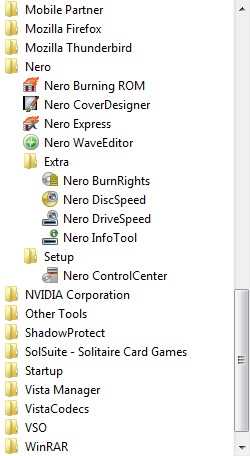
Here is a pic of my VISTA Start Menu.............this is what you get out of the box, version 8.3.6.0 1.17.2.2 So no Recode............but I am not smart enough to help you with adding it, sorry.
-
Thanks to Floppy for the SFX solution. Set it up and tested...........works brilliantly..........thanks again, very good!
-
Thanks Kel.............I had searched and did not find any relevant info. Figured it was something I might have done..............I will happily wait for the next revision, as I stated above, this is the most excellent and useful program.
-
I have used this excellent program for years at this point, thanks Kel. I was using WPI 6.2 without any issues. I have upgraded to 6.5, and as of today 6.51. My problem is that I cannot cut & paste with the right click when in either of these new versions. I just fired up my 6.2 folder and C/P works fine. Any ideas??? It is a pain when you are adding a new program, must type everything in and leads to errors. Thanks for any input.
-
Your work is great, setup and tested it.............works flawlessly. Had wanted to try AVIRA and using your great program made it very good, thanks!!!!
-
Had downloading issues, but it just downloaded finally, thanks and I look forward to testing it
-
Download working, English version I am downloading, and thank you!!!
-
Thanks for the updated English version that allows for the Quicklaunch icon, appreciate it. /TASKS="quicklaunchicon"
-
I had posted this earlier in this thread before it started to get so long. Is there a reg entry or any way to add a Quick Launch icon???? Tried a number of things and read much but have found no solution, thanks.
-
Is there a switch to provide a Quick Launch shortcut (/TASKS=???), rather than the Desktop icon, thanks for all your fantastic efforts.
-
You aren't alone, Muiz. I have played around and am suffering the same issue as yourself. No matter what I do or change, the entire package always ends up installed??!!! Hopefully there will be some followup to this methodology, thanks.
-
This will copy a shortcut for MSN to the Quicklaunch bar for the current user. msn75quicklaunch.zip
-
%CDROM%\Software\Winamp.msi INI="%CDROM%\Software\winamp.ini" /qb-! Put the /qb-! at the end of the string, personally I use /qn and it works fine. Also, removed the backslash (\) after winamp.ini
-
I have the exact same problem as you are suffering from. All I did was use the WLAN, and LAN driver packs so I could be guaranteed of internet connectivity once loaded, I did not use any sound or other packs. Looking on Ryan's forum earlier today it appears that he removed a hotfix, or something that is causing this. It will be corrected he says in the next update. So for now, it is a pain when it halts at these files, but it does not affect operation of XP.