Everything posted by FZERO
-
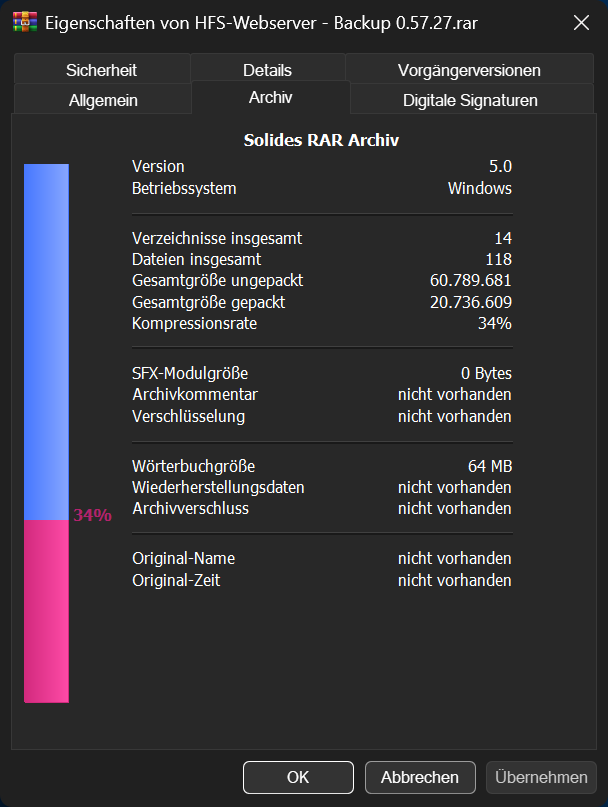
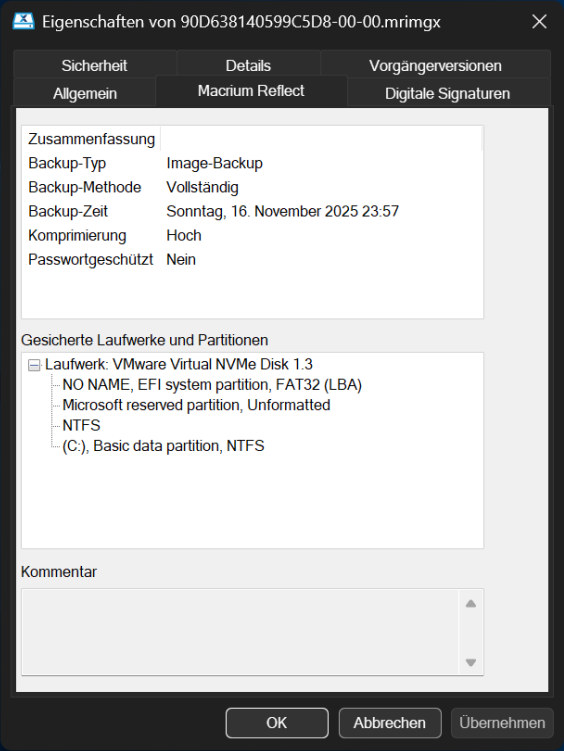
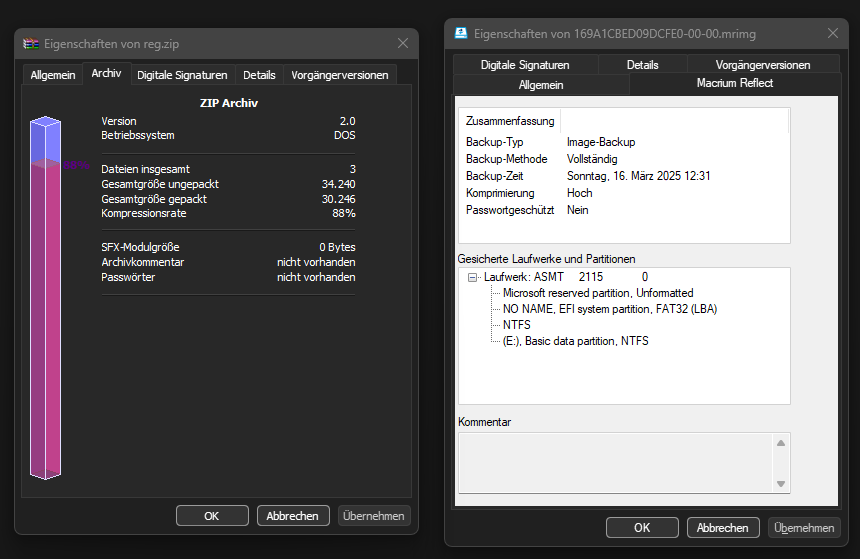
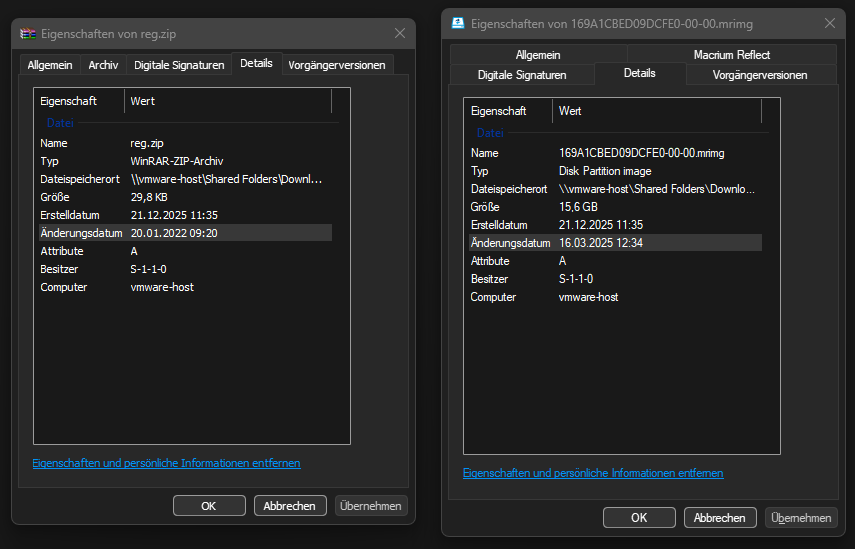
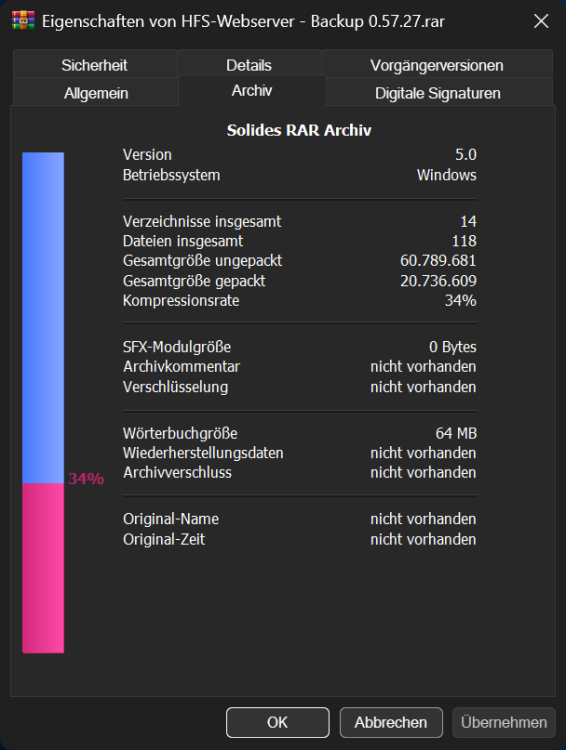
Details is in dark mode, it is a native tab from Explorer. "Archiv" is a custom tab from WinRAR and Macrium Reflect is a custom tab from well Macrium Reflect. Here it is compared to the very old WinRAR 5.31, to show that it is properly colored with dark magic. And here is the “Details” tab for reference. It functions as expected. Unfortunately, I'm not aware of many programs that have a custom tab to test this further.
-
But both are, or am I mistaken? Also I am not using the WinRAR Update with dark mode yet.
-
Might be, but WinRAR, for example, works as expected.
-
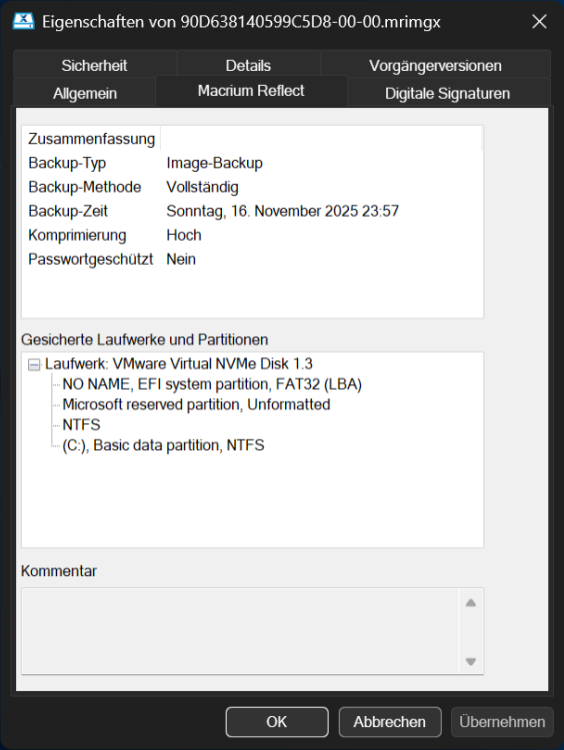
I recently noticed that the Properties tab for Macrium Reflect X is not affected by dark magic.
-
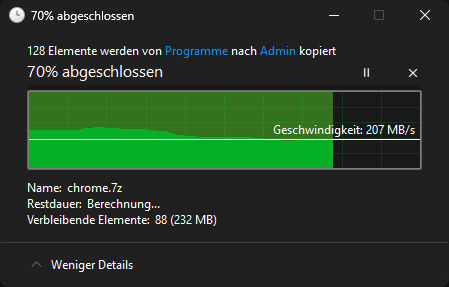
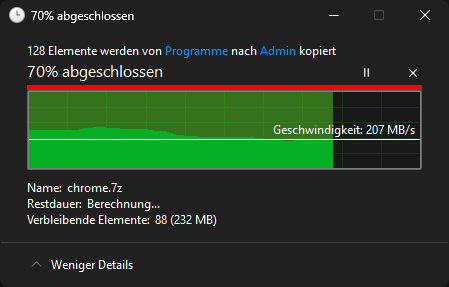
The Copy Dialog has this 5px black bar on top of the graph. Black bar on top of the graph. Here marked in red. This seems to be one of Microsoft's blunders that becomes visible through dark magic. Could you please take a look at this for a future version? Thank you.
-
AccentColor and AccentColorInactive are ignored. Bug existing since 27749.1000 In fact, the entire DWM in Canary is currently in shambles. Microsoft is working on it.
-
The new '- Explorer' Suffix fix hides everything that follows after the last hyphen. SAB 3.8.12 is installed. This is how it is now: This is how it is expected:


-
-
-
-
I have found a small bug. If you grab something on the taskbar and drag it to the right, it can be moved behind the clock or toolbar. There should be a boundary that prevents this.
-
I've noticed, that the search in the Start Menu doesn't bring up folder shortcuts. I have shortcuts to folders saved in: C:\Users\Username\AppData\Roaming\Microsoft\Windows\Start Menu\Programs The default Windows 11 Start Menu search is able to find them but the StartAllBack Start Menu search is not. I'm using StartAllBack 3.7.10
-
Check the registry HKEY_CURRENT_USER\SOFTWARE\Microsoft\Windows\CurrentVersion\Policies\Explorer If HideSCAVolume exists and is set to 1 set it to 0.