




-
I don't get it
-
Look at that! The funniest person in the world my friends! As i'm seeing blaming for a thing that isn't even it is really funny these days
-
Oh ok thanks for the advice
-
Is it that much of an improvement? Because losing 3 hours installing every single update for me it's not worth it
-
Ok thanks
-
I know you can't put links but can you tell me a site to download vista iso? Because i don't know wich to trust. Is archive org safe?
-
Ok thanks, i will update everyone when i'm done doing everything
-
Yes but what i was saying is that this guy thinks it's my fault that windows is broken because i used bizzbob installer wich is not so with "stop wasting my time" i meant stop telling me this. Also can you make me a list of necessary updates to install in order to install ext kernel. So i can reinstall vista
-
Yes, the exact point where it crashes is: "Updating registry and marking system files to replace"
-
MAYBE BECAUSE WIN32'S INSTALLER NEVER WORKED ON MY PC??? And also it is a hassle to change everything manually and bizzbob's installer is the best so if you stop complaining about me using a better installer and not wasting my time i will appreciate it
-
Yes i installed all updates even in windows update
-
Nono the windo appears and it asks me what to do: r for restore and other keys to install. I just press enter and in the installation it gives the errors above (Also the name of the guy is Bizzbob not bizzibob. This is the link to his installer: Also man trust me this installer is the best, it automatically backs up, it disables signature and repair file permissions. All with a click man
-
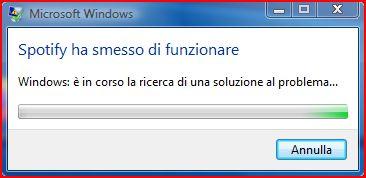
@YukkuriSHow did you get spotify working? Even if i put --no-sandbox in the shortcut it crashes.
-
-