

.png.40c92cf791962832ff847b6401e73116.png)
-
So I paid for a license a few weeks ago, one for my PC one for my laptop. I have used only 1 activation right now on my PC, but I just replaced the motherboard, and if I activate it will it think it's a different PC and lock out the second one? How do I reset it or something? There doesn't seem to be any way to email support or anything. Thanks, para
-
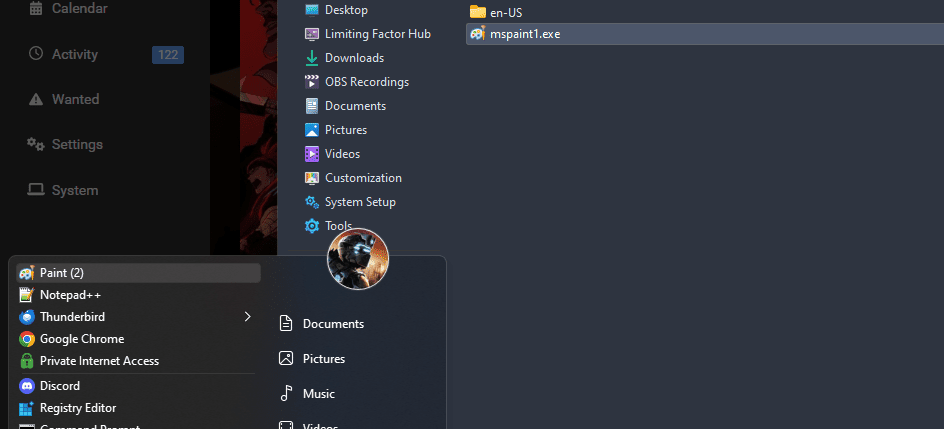
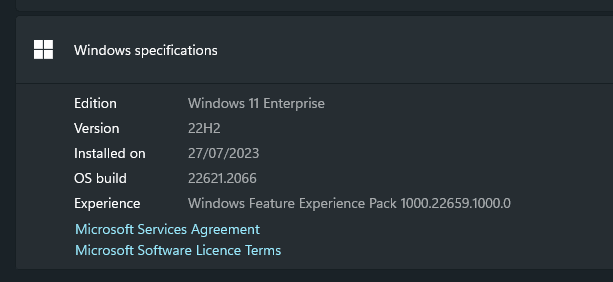
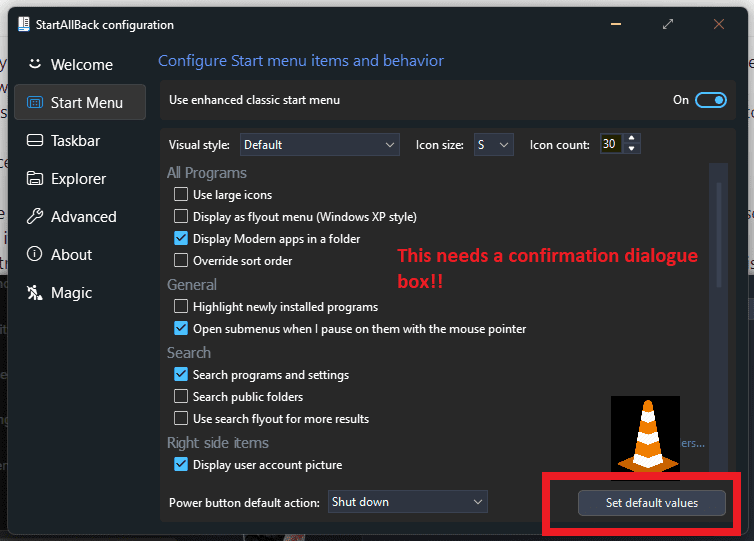
Is there any way to properly back up my settings so when I format setting up the start bar doesn't take me 20minutes every time? I try diff windows all the time etc. If not, please add this function. I have tried backing up any registry keys and user local data for it and restoring it but it did nothing. I'll buy a license the second I'm able to back up the settings even though right now it's basically free. Also please make it so we can have more than 30 items in the menu, on large resolutions the start bar is so small and could fit a lot more on it if it were bigger, 30 is not enough I would say 40 or 45. Also, I am trying to add classic paint and pin it, but when I do, it puts a (2) on the name, as if it already exists: I know I can just rename it and carry on with life but just wanted to report this and maybe find out why it happened or how it could be fixed. It does not happen with any other .exe For reference I am on build: And using SAB 3.6.10 While I am here, some feedback: "This will restore all settings to default, are you sure? Y/N"
-
Done so. thank you.
-
paradox changed their profile photo
-
I don't want to be running bleeding-edge dev versions, nor 21H2 base etc. What train should I be looking at on uupdump? Thank you. (If it might matter, it's an AMD card so AMD drivers.)
-
Oh I didn't look at the dates lmao. my bad.
-
Why doesn't everyone just use Ventoy or Yumi? you can run anything at all using them, can someone explain what the difference is here?
-
Hey guys. I just saw this sub-forum after posting in startallback area, I'm just confused what this is about - when I need to install windows from a USB stick I just flash the ISO using rufus to the usb stick. Is this for installing windows ON TO a usb stick, so it's a completely live and functional windows on a stick? because that is something I would like.
-
I'm having an issue with the latest version. I installed it and it seemed to go fine, it forced me to install 'for everyone', which is fine, but after installation the old version was still there and telling me to update. I restarted and tried again a couple times running as administrator too, but the old version stays? I installed it fine on the hidden windows Admin account. I tried uninstalling it from my (also admin account), then reinstalling it using the latest file, but it's still the old version and telling me to upgrade..? I am running windows 11 build 22H2 22621.1555 Enterprise Looks like there are other issues with it so maybe I'm best just waiting until the next version.
-
-
Make it so when you click on an item in the start menu that is a 'Menu' item (as in hover-and-subfolders-appear), the folder or location opens in an explorer window, similar to right-clicking the entry and hitting 'Open'. It would save me so much time. Anyone else think this would be really good? At least have it as an option please.
.thumb.png.2399565bedd8d872e89ec454cfc3227b.png)