Skip to content
View in the app

A better way to browse. Learn more.

MSFN

A full-screen app on your home screen with push notifications, badges and more.

To install this app on iOS and iPadOS
  1. Tap the Share icon in Safari
  2. Scroll the menu and tap Add to Home Screen.
  3. Tap Add in the top-right corner.
To install this app on Android
  1. Tap the 3-dot menu (⋮) in the top-right corner of the browser.
  2. Tap Add to Home screen or Install app.
  3. Confirm by tapping Install.

lolwin

Member
  • Joined

  • Last visited

  • Country

    Hong Kong

Everything posted by lolwin

  1. We all know that Windows XP will not be able to run Office 2013.However,with the use of one core api,it can be possible. Here is some tests i made.Sadly currently no apps can run properly.I tried to disable rollback feature in order to force the windows installer to install the files.The installer did run properly and installed the files that office 2013 requires.However,all office application crashed after launching. https://imgur.com/a/m6CCVnJ Weirdly,Microsoft Update is able to detect the Updates of Office 2013 and the updates can be installed properly through Microsoft Update https://imgur.com/a/iMZslJj https://imgur.com/a/L0pcQ2t
  2. https://drive.google.com/file/d/1FUBt0sMwjiQki9cXxEzu8TMlWjze3Cbh/view?usp=share_link anyone know how to fix this issue ?
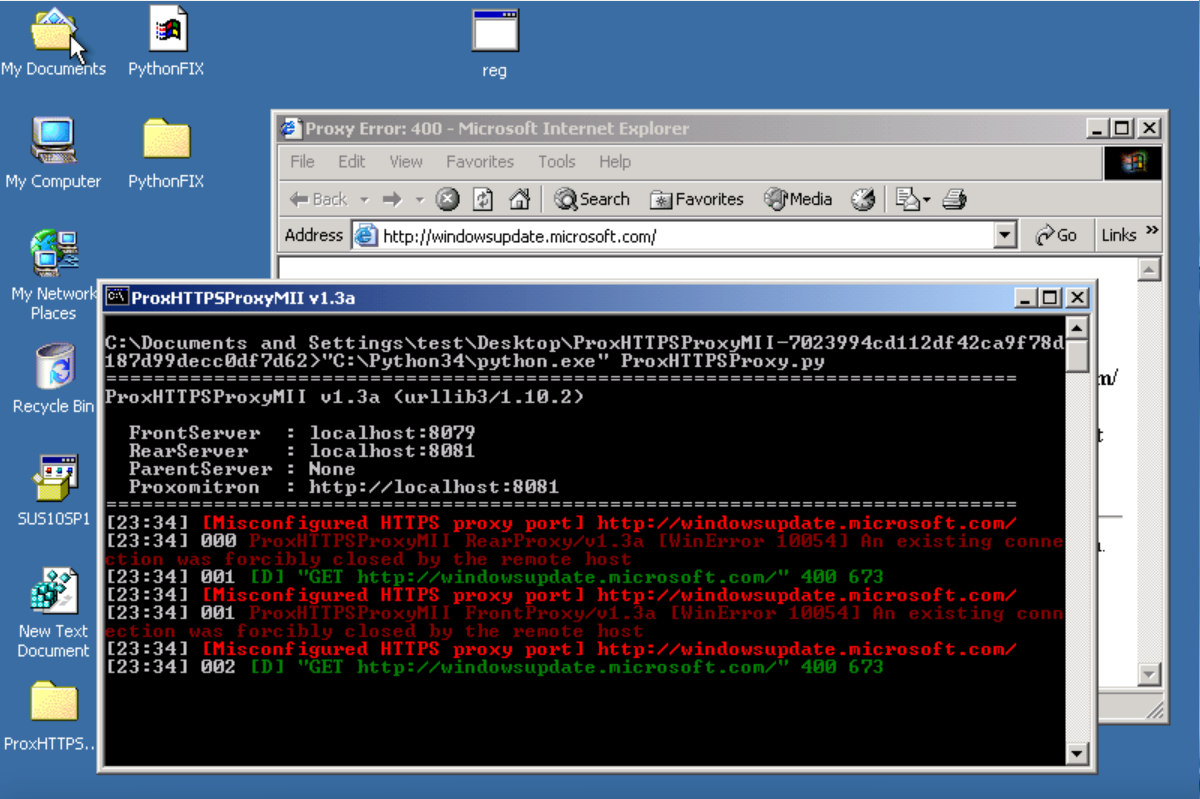
  3. Anyone know how to fix this proxhttp problem in Windows 2000?
  4. for some reason windocurrent, there is a weird bug which makes windows update v.3 doen't work under internet explorer 6 (it works fine in internet explorer 5 and 5.5) (But for some reason Windows 2000 with internet explorer 5.5 won't work) here is the on with internet explorer 6 https://drive.google.com/file/d/123YhEdkzJGc6EGAOXWjZko8aPcK1Vd8i/view?usp=sharing here is the one from Windows 2000 RTM with internet explorer 5.5 https://drive.google.com/file/d/1z44T8SW63XvcLfMbc7XtdvK5kZ9N9ffH/view?usp=sharing
  5. yes but it display like this now https://drive.google.com/file/d/1Kbo6DHOBfzhLJvvzaJF153d_g4ULj49o/view?usp=sharing
  6. it doesn't work for me https://drive.google.com/file/d/1sD982ki5mwE67cQ07412EP4qo9z5xeRw/view?usp=sharing
  7. it odoesn't work either https://drive.google.com/file/d/1Hbp3ngbvyU3SrhagJHknVjemcygdrVHt/view?usp=sharing
  8. https://drive.google.com/file/d/1MWPuoF5mZOMxC8VPm-OrWeoKYR0j9_vj/view?usp=sharing how to fix this ?

Account

Navigation

Configure browser push notifications

Chrome (Android)
  1. Tap the lock icon next to the address bar.
  2. Tap Permissions → Notifications.
  3. Adjust your preference.
Chrome (Desktop)
  1. Click the padlock icon in the address bar.
  2. Select Site settings.
  3. Find Notifications and adjust your preference.