



Skip to content
View in the app

A better way to browse. Learn more.

MSFN

A full-screen app on your home screen with push notifications, badges and more.

To install this app on iOS and iPadOS
  1. Tap the Share icon in Safari
  2. Scroll the menu and tap Add to Home Screen.
  3. Tap Add in the top-right corner.
To install this app on Android
  1. Tap the 3-dot menu (⋮) in the top-right corner of the browser.
  2. Tap Add to Home screen or Install app.
  3. Confirm by tapping Install.

Prtoy

Member

Everything posted by Prtoy

  1. @Tihiy Hi, any reaction please about this issue. Is it possible to implement?
  2. @Tihiy What about this? https://msfn.org/board/topic/183013-startallback-for-windows-11/?do=findComment&comment=1226904 Is it posibble to fix this with SAB?
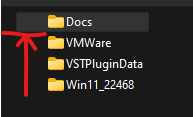
  3. Is it possible to implement a fix for this problem in 22H2 to StartAllBack? I mean weird left margins in Explorer in the "List" view...
  4. Hello! How can I change the height of the window buttons? I want to make the buttons smaller... Also where can I get "Atlas maker\changer" or something? When I try to use png images from this forum, it looks awful.. I think it is because I use it without a .layout file...

Account

Navigation

Configure browser push notifications

Chrome (Android)
  1. Tap the lock icon next to the address bar.
  2. Tap Permissions → Notifications.
  3. Adjust your preference.
Chrome (Desktop)
  1. Click the padlock icon in the address bar.
  2. Select Site settings.
  3. Find Notifications and adjust your preference.