Everything posted by xap4oru
-
Can you also add "Never group, hide labels" option, please? I used this configuration in 7+TaskbarTweaker before taskbar update.
-
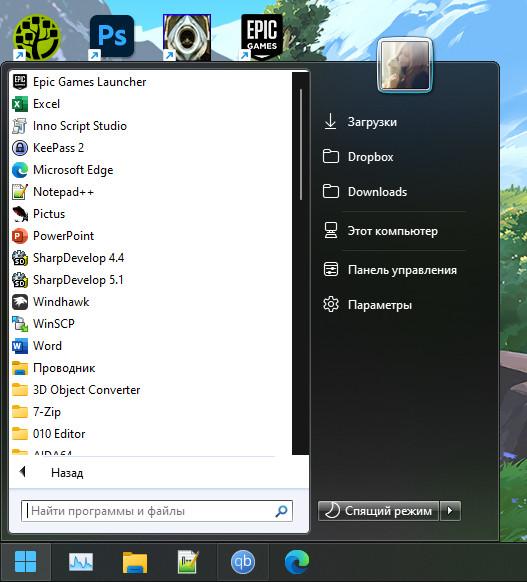
After system start or reboot. Windows Mode is set to Dark, Apps Mode is Light. Happens with any style on both my PC's, after reappling style in SAB's settings or restarting explorer the scrollbar is back to normal.
-
So, it is not SAB? Okay, thanks for pointing this out.
-
Another dump - https://drive.google.com/file/d/1OdWX8k_cA0lPPUW8wMRo4WDToyBLqDQa/view?usp=sharing
-
Found it in %LOCALAPPDATA%\CrashDumps - https://drive.google.com/file/d/11QOsoe6BqoUjl8dPcmm8UYOGP0TlSPSc/view?usp=sharing
-
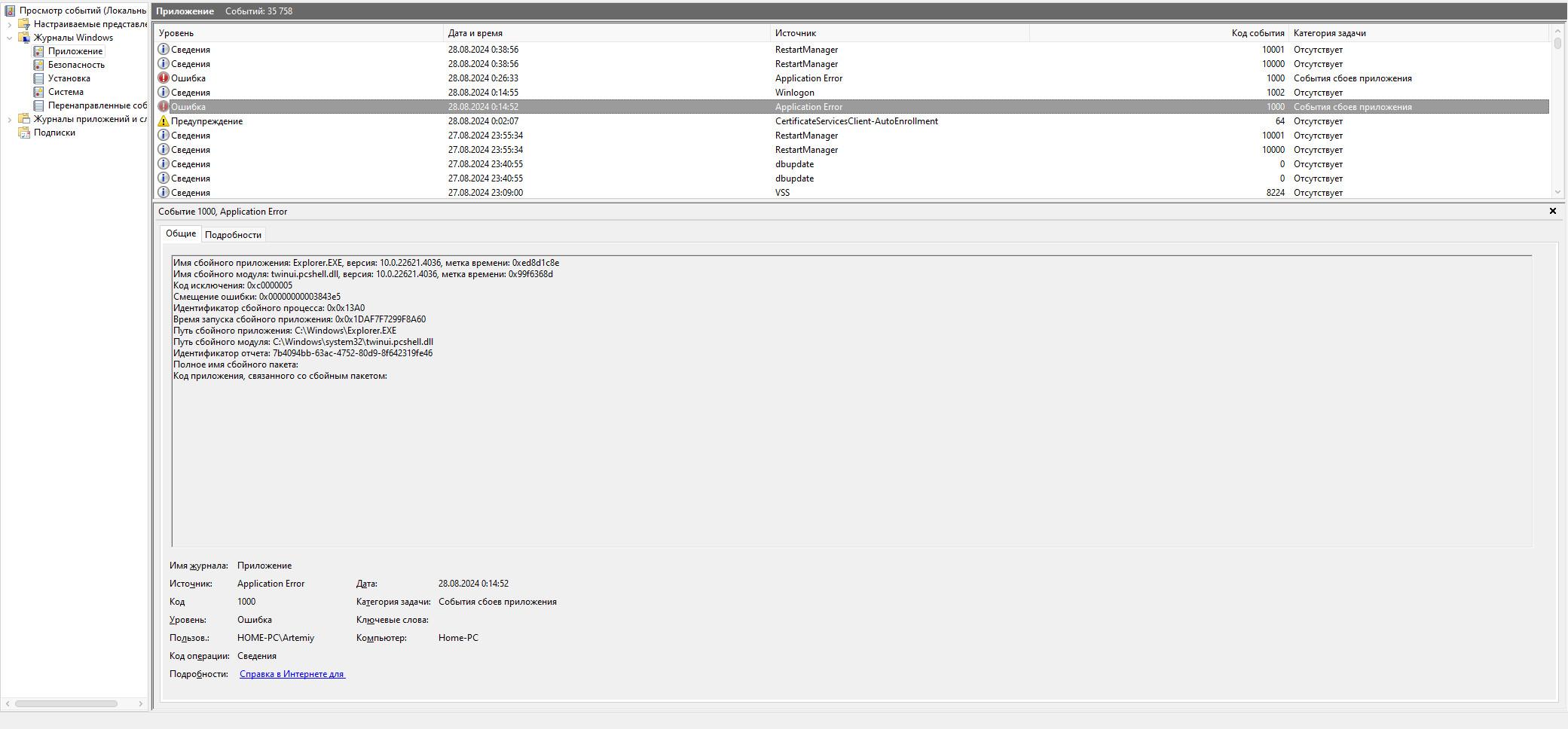
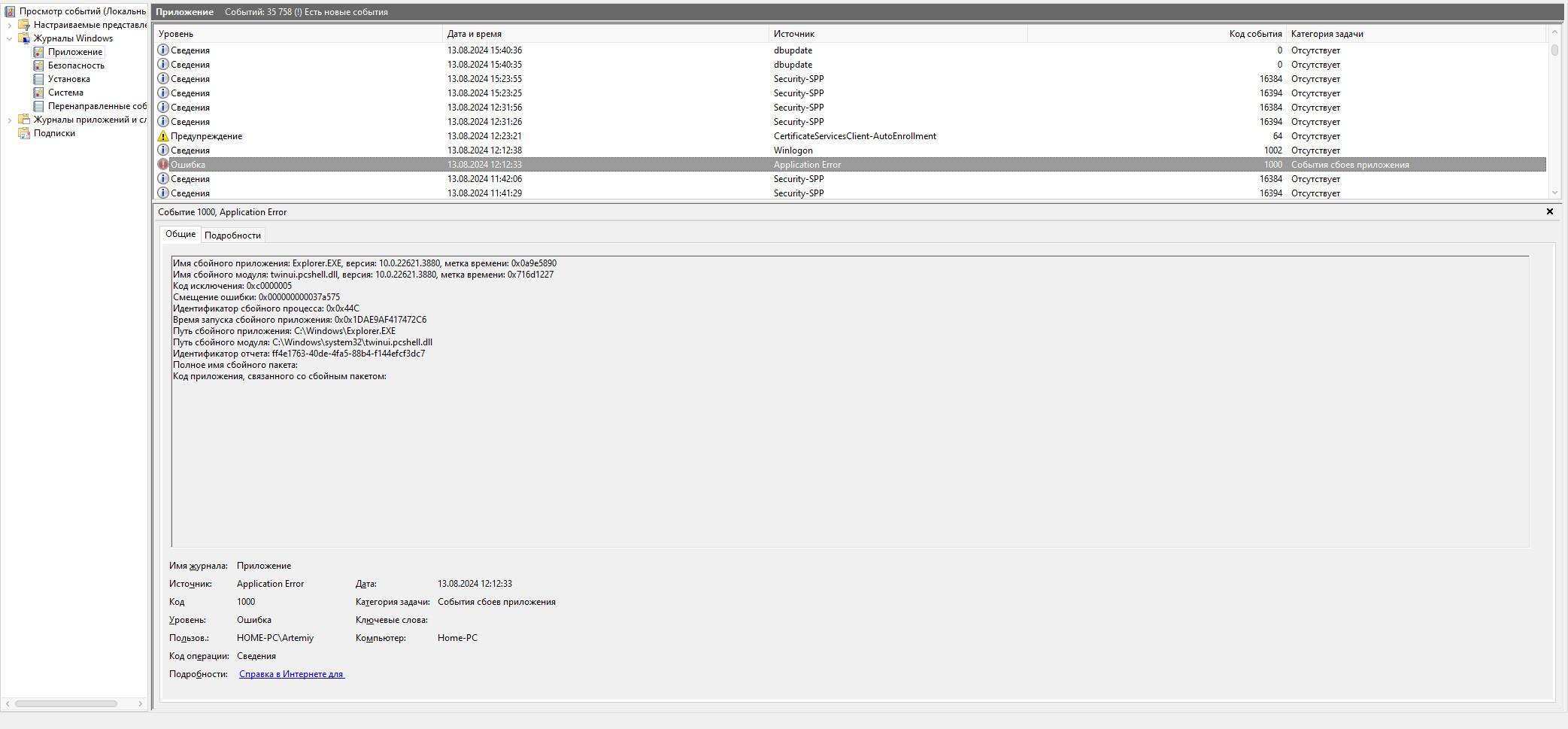
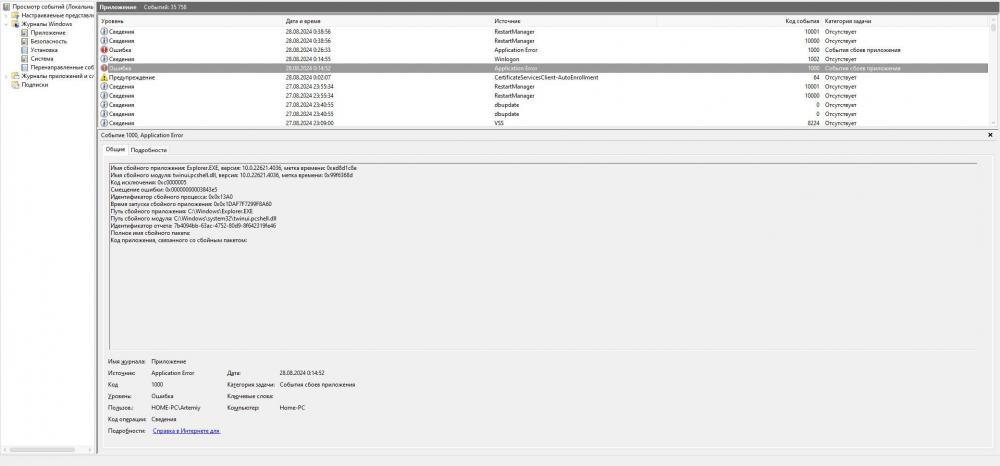
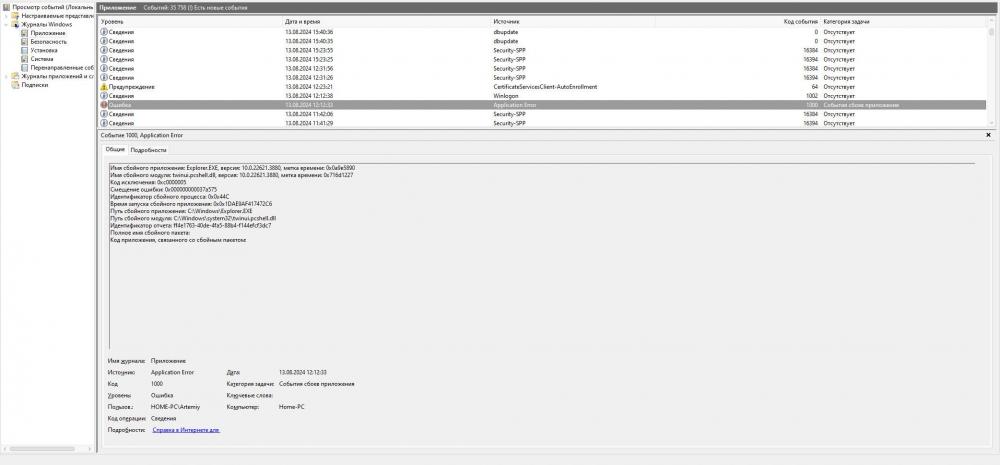
Aso explorer crashes sometimes.
-
A bug with scrollbar in Start Menu and custom theme still happens on 3.8.6. Also faced a new bug when after time cannot access folders or system tray from taskbar. bandicam 2024-08-27 00-31-06-707.mp4
-
Eleven+ for Windows 11 by Carborunda on DeviantArt
-
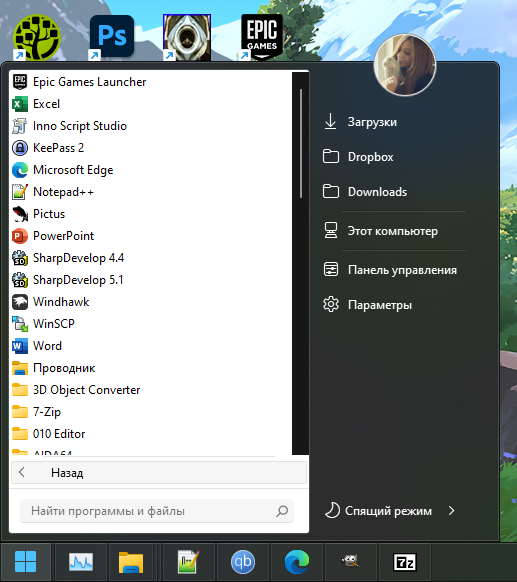
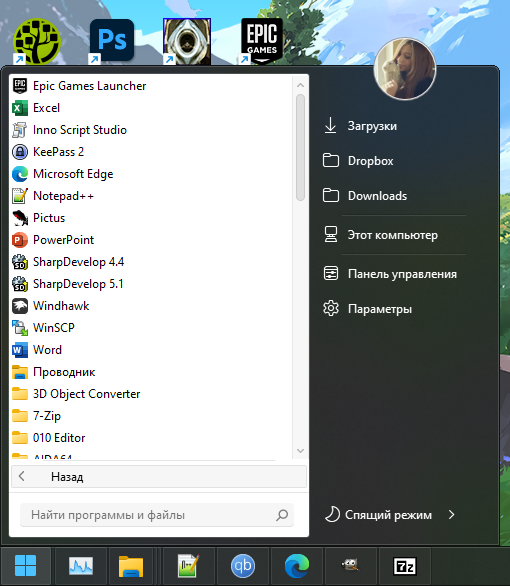
v3.8.1 1. After system start, the scrollbar is black in start menu, after re-applying the style in SAB's settings it goes back to normal. 2. GIMP 2.8.14 should show image preview in taskbar, but it is only GIMP's icon.
-
Sometimes sound icon becomes invisible(or turning from light to dark), changing the volume make it appear again.
-
Also in 22H2 new Navigation Pane hasn't top margin. I think it is just a bug, but don't sure that Microsoft will fix it.
-
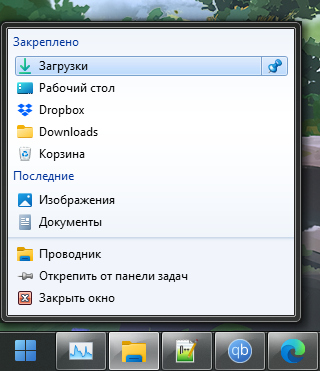
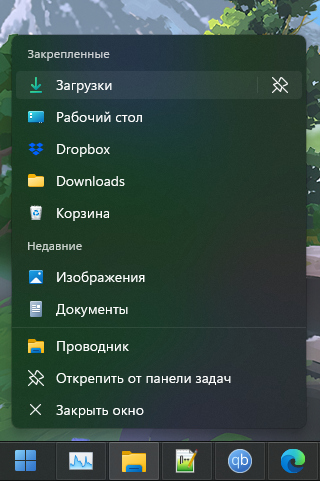
Also pin and unpin icons are mixed up in every default or custom theme. In original jumlists they are fine.
-
Eleven+. These bugs also happen with the default Windows 7 theme.
-
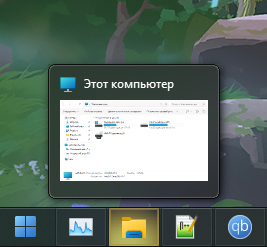
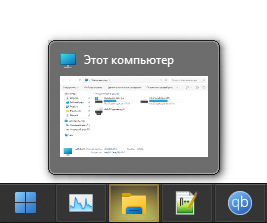
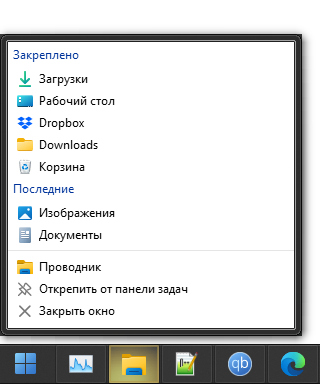
With custom theme and light desktop background or another app on the foreground the preview's background is more lighter than it should be. Also jumplists have no transparency at all.
-
The hover background of elements in the default style of taskbar and start menu use a texture in the form of gray rectangle with rounded corners and dark border, so in dark theme the dark borders looks like blured. Can you invert border colors for dark theme to more bright, like Windows does in its interface?
-
Will you add a feature that will enable full glass / without color on modern ui elements? I mean Start menu, Notification center, Clock area and other?