MERCURY127



MERCURY127's Achievements
51
Reputation
-
which "additional features"?
-
Drew Hoffman now is Guest... what? how? why?
-
WDMHDA-2026-02-27a: + Haswell 2011-3 C612 machine: ++ Realtek HDA = normal work; ++ Nvidia HDA = BSOD 0e 0028:c00154a2 VMM(01) 000144a2 when the device enabling in DM, or when booting with enabled the device.
-
i check — it is real VT1705 on this board. unfortunately, i don't have a second computer with a com port. but i can try setting up dual-machine debugging using SoftIce over lan. if it works, I'll let you know.
-
Asus P5KPL-AM IN/ROEM/SI (Intel Bearlake G31) Intel 82801GB ICH7 HDA Controller PCI\VEN_8086&DEV_27D8&SUBSYS_83A11043&REV_01 VIA VT1705 HDA Codec 11064397h 104383A1h 1000h (not sure, tomorrow look direct to chip on board) IRQ 10 USB UHCI Intel 82801G IRQ 10 VBEMP PCI (VGA) Intel GMA IRQ 10 HD Audio Controller (WDM) Only the light green Line Out was tested. Version 16: Instead of sound, practically only noise is reproduced; sounds are unrecognizable, with the exception of quiet ones (the very beginning and end of Logon). The sound is mono (left channel). There is no stuttering. The SoundCheck program plays a parody of pure sound when checking frequencies of 24, 48, and 96 kHz. Version 13: There is no sound. None at all. Playback errors. There is not even a delay when shutting down (Logoff sound).
-
wow! wow! wow! it is really WORK WITHOUT PROBLEMS on my machine! THANKS YOU! Oh, mein Gott...
-
yesterday i can successfully boot my 98 from nvme! 0) (early) i convert my nvme gpt disk with installed win10 to mbr type, w/o data loss. unfortunatelly, i use already existed win10 recovery partition for new 98 copy - format as fat32 lba 545 mb at end of disk. it was wrong. 1) (yesterday) i move win10 ntfs part at disk end (cant delete it - there is value data), make new fat32 CHS part 500 mb at disk begin, format it and copy existed 98 folder from other disk. 2) at start i forget copy new build of SweetLow's driver, so use build w/o vsd, and after boot get many bsods "write error on disk C:" and garbage in file system. after SweetLow told about, i update driver, and get properly work 98 in protected mode. also verify booting in safe mode - here also all ok. now i will try grow this partition to 8 and then to 20 gb, for new tests.
-
i think, it is just stupid typo in code: they want "eat less cpu time if user is active", but get reversed.
-
yes, new build now prodice sounds on line out... garbled exactly as i make some tests with SoundCheck (req KernelEx), and sometimes get slightly stuttered, almost pure sound, but this result was very unstable.
-
1) downloaded latest version. 2) checked all five jacks on rear side. no sounds... for compare, i try mpxplay for DOS with default jack to play logon.wav — there was loud noises, slightly remember logon.wav... i think it will good option use some registry key for manual iteration of pins and volume control. i also have nvidia videocard with hda, connected to monitor with speakers. so i check playing this way soon...
-
Huanazhi X99-TF (C612 chipset) Intel Wellsburg PCH - High Definition Audio Controller [B1] PCI\VEN_8086&DEV_8D20&SUBSYS_72708086&REV_05 RealTek ALC887 HDAUDIO\FUNC_01&VEN_10EC&DEV_0887&SUBSYS_10EC0887&REV_1003 hda.sys driver is loaded, no crashes, 9x system see audio device, try play, but no any sounds. on win10 with standart hdaudio.sys sounds ok.
-
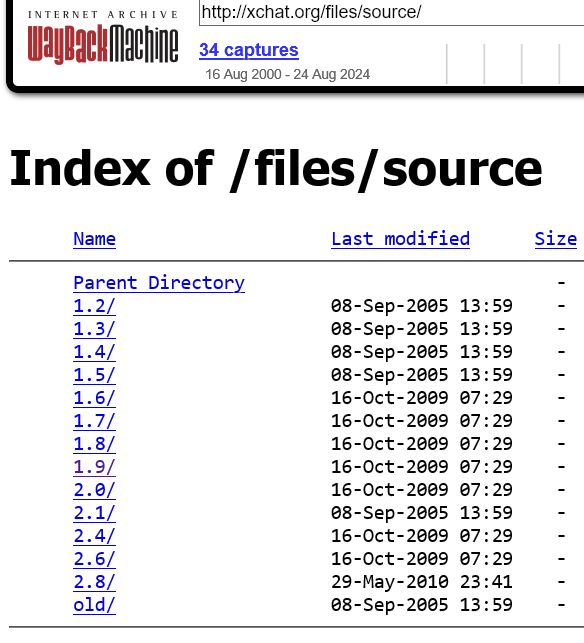
https://web.archive.org/web/20150103162921/http://xchat.org/files/source/ look as there is some sources... why not try rewrite it with ipv6 support?

-
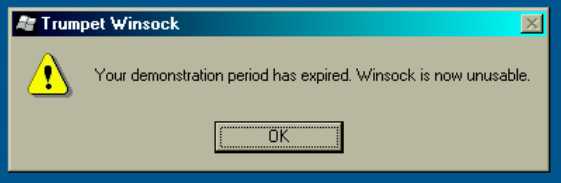
possible i already solved this "problem"... patch for Vtwinsck.vxd SIZE 179861 DATE 5.May.2004 CRC32 5c32ece0: 2741C: A9 01 00 00 00 -> 33 C0 83 C0 01 but i am not sure, that it was so simple... i cant check, is it work properly, or not. and anyway, it crack all winsock subsystem... my "9x" is 98IF, and too "updated" for this thing. so this is useless.
-
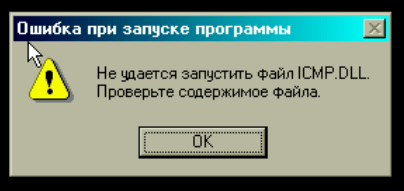
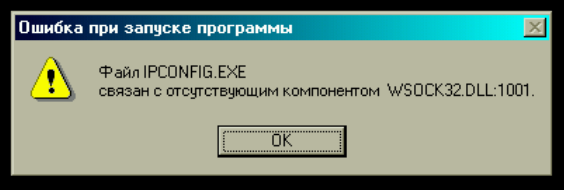
no, it is absolutly useeless and unusable thing... — it crack Kerio Firewall, — it crack all system network utilites (ping, ipconfig, winipcfg, ...) — it is constantly "expired".
-
What? Where i can download this miracle? I want see this!