Skip to content
View in the app

A better way to browse. Learn more.

MSFN

A full-screen app on your home screen with push notifications, badges and more.

To install this app on iOS and iPadOS
  1. Tap the Share icon in Safari
  2. Scroll the menu and tap Add to Home Screen.
  3. Tap Add in the top-right corner.
To install this app on Android
  1. Tap the 3-dot menu (⋮) in the top-right corner of the browser.
  2. Tap Add to Home screen or Install app.
  3. Confirm by tapping Install.

DjMauro

Member
  • Joined

  • Last visited

  • Country

    Italy

Everything posted by DjMauro

  1. Using WindowBlinds 10.84
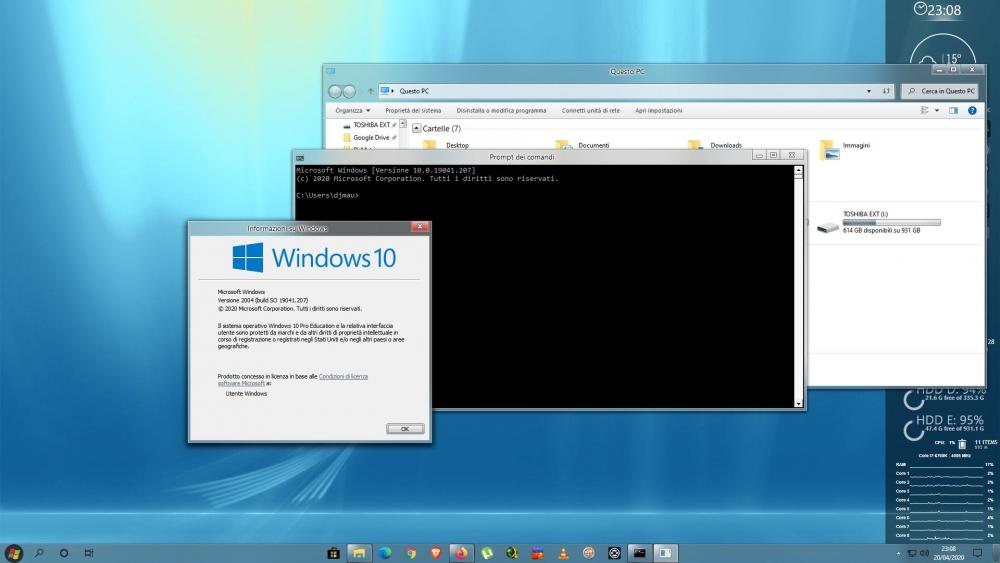
  2. Aero glass in update Build 19041.207 (2004)
  3. I changed my hard disk, and my donation.key doesn't works what should I do? please help
  4. I don't have that problem. I use firefox Beta 41 and I tried firefox Release 40 and still didn't get that problem. I'm using Windows 10 Build 10525 the problem is in aero glass 1.4.. the latest debug version of aero glass worked very well! I'm waiting a new update
  5. You must had recently updated firefox to v40 as I faced that same problem to when I updated firefox. As firefox had changed it UI to match Windows 10 looks. But if you install add-on "Classic Theme Restorer" it has a option to bring back it previous UI which will fix those buttons problem. As you see on my screenshot. thank you! the only problem now are these bugs of aero glass that you see in the screen
  6. I probably cannot. It is application problem if it draws something to titlebar and I cannot influence it. thanks for the answer, but i have the problem also in windows explorer, only in full window latest debug version of aero glass worked well
  7. i have 2 problems with firefox.. and i don't know if it depends on firefox or other. can you fix it? ps. latest debug version of aero glass worked well on firefox (only for image 1) sorry for my bad english
  8. yes, I confirm these errors. I had problems installing amd catalyst control center, disabling I can install it.
  9. will there be an update for windows 10?
  10. after windows update i have problem of symbols.. is normal? where i can find new symbols?

Account

Navigation

Configure browser push notifications

Chrome (Android)
  1. Tap the lock icon next to the address bar.
  2. Tap Permissions → Notifications.
  3. Adjust your preference.
Chrome (Desktop)
  1. Click the padlock icon in the address bar.
  2. Select Site settings.
  3. Find Notifications and adjust your preference.