


-
I get error when install windows 7 ultimate x64 or x32 from second partition; I used digital river windows 7 , it's not from windows or from mass storage driver or chipset; I get error from 2 laptops dell inspiron n5110 with 2310m cpu and inspiron 6400 with t7200 cpu; I use the latest gru4dos and nothing http://code.google.c.../downloads/list I used 2 usb sticks silicon power 8 gb and transcend 4 gb with same error A required CD/DVD device driver is missing. If you have a driver floppy disk, CD, DVDm or USB flash drive, please insert it now. Note. If the windows installation media is in the drive, you can safely remove it for this step.
-
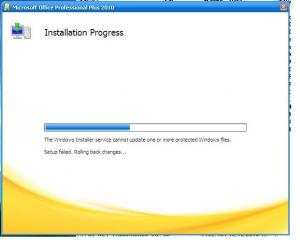
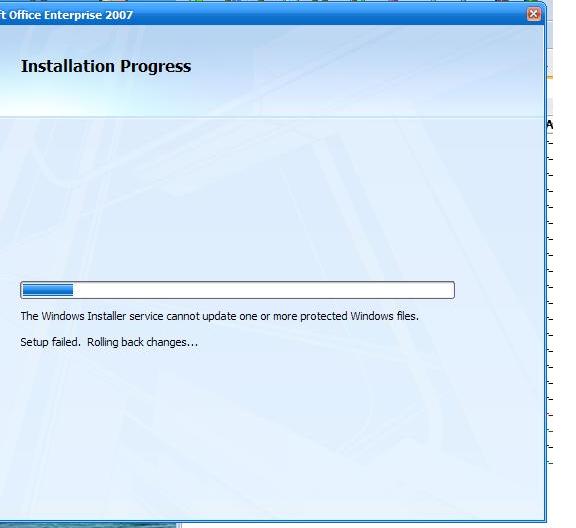
The solution is... copy Fp4autl.dll from the cd to the "C :\Program Files\Common Files\Microsoft Shared\Web Server Extensions\40\Bin\" dir. The Fp4autl.dll file is located inside the CDROOT\Rosebud.en-us\RbudLR.CAB. To resolve this issue extract the file out of RbudLR.CAB and replace the file located at C :\Program Files\Common Files\Microsoft Shared\Web Server Extensions\40\Bin\ and then reinstall office
-
- Vista/Windows 7/Server 2008 setup to different primary partitions. Multiple Vista sources in the SAME partition are NOT supported. Place your second Vista/7/Server 2008 setup in another partition Multiple Vista sources in the SAME partition are supported here? http://sites.google.com/site/rmprepusb/tutorials/how-to-create-a-usb-drive-that-will-install-vista-win7-and-server-2008
-
C:\$WIN_NT$.~BT\BOOTSECT.DAT="Microsoft Windows XP Professional Setup"
-
I have copied $WIN_NT$.~BT, $WIN_NT$.~LS, $LDR$, boot.ini, NTDETECT.COM, ntldr and txtsetup.sif to an active partition. After reboot setup don't start . Why?
-
Could you please look at this MBR ? thx MBR_HardDisk2.zip
-
This time my usb stick has only one partition and that error is still present to format the stick i used rmprepusb from winsetupfromusb 1.0 beta 6 with these options: boot at xp(ntldr) and ntfs filesystem with boot as hdd and my usb stick has 8 gb New Folder.zip
-
I tried to boot without any hdd conected to motherboard and i have the same problem; could it be the bios too old? please look at the report! My usb it's made with WinSetupFromUSB 1.0 beta6 and i don't have problems with others computers. Report_eng.htm
-
I want to know much more, to be best of the best pls
-
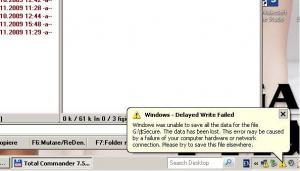
How y can view folders with start with "$" ?
-
When boot from usb y get "Missing MBR-helper" Usb has 2 partition
-
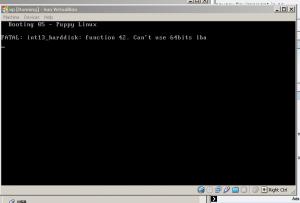
WinSetup-1-0-beta6 don't see Virtual_Flash_Drive_v3.30.0.1 http://www.freersoft.com/ When y want to boot from vitual flash drive in virtualbox y get a error: can't use 64 bits lba.
-


Account
Navigation
Search
Configure browser push notifications
Chrome (Android)
- Tap the lock icon next to the address bar.
- Tap Permissions → Notifications.
- Adjust your preference.
Chrome (Desktop)
- Click the padlock icon in the address bar.
- Select Site settings.
- Find Notifications and adjust your preference.
Safari (iOS 16.4+)
- Ensure the site is installed via Add to Home Screen.
- Open Settings App → Notifications.
- Find your app name and adjust your preference.
Safari (macOS)
- Go to Safari → Preferences.
- Click the Websites tab.
- Select Notifications in the sidebar.
- Find this website and adjust your preference.
Edge (Android)
- Tap the lock icon next to the address bar.
- Tap Permissions.
- Find Notifications and adjust your preference.
Edge (Desktop)
- Click the padlock icon in the address bar.
- Click Permissions for this site.
- Find Notifications and adjust your preference.
Firefox (Android)
- Go to Settings → Site permissions.
- Tap Notifications.
- Find this site in the list and adjust your preference.
Firefox (Desktop)
- Open Firefox Settings.
- Search for Notifications.
- Find this site in the list and adjust your preference.