jaclaz
Content Type
Profiles
Forums
Events
Everything posted by jaclaz
-
Why don't you try the GUI app? http://www.msfn.org/board/index.php?showtopic=120444 http://ccollomb.free.fr/blog/?p=59 If it doesn't work, and the result is similar to the one reported here: http://www.msfn.org/board/index.php?showtopic=133085 It is possibly a problem connected with running Vista. Post the WinSetupFromUSB.log jaclaz
-
Just for the record, there were discussions about the nullity of restricting uses of a GPL license connected with the "no military patch" of the Gnutella GPL: http://web.archive.org/web/20060508181738/...se_modified.txt which lately eveolved in "beasts" like this one: http://www.fiberbundle.net/copyright.html Point is the limit to "freedom 0": http://www.cyberlaw.se/kalle/2006/08/14/mo...litary-use-gpl/ Here is the "official" definitions of the freedom's that are needed to be OSI compliant (read GNU GPL): http://www.gnu.org/philosophy/free-sw.html My personal opinion is that the Author is free to apply whatever limits to freedom he wishes to, but then these limits will make the app non-OSI compliant, and thus contrasting with the use of the GPL. jaclaz
-

USB Install on HP Mini Not Installing
jaclaz replied to theGAXman's topic in Unattended Windows 2000/XP/2003
Installing on the mini12 from USB is reported to work: http://www.msfn.org/board/index.php?showtopic=130809 with a "strange quirk" that can be fixed manually. So it must be something you removed too much. Or maybe it's the method you are using. WHICH method are you using for installing from USB? http://www.msfn.org/board/index.php?showforum=157 jaclaz -
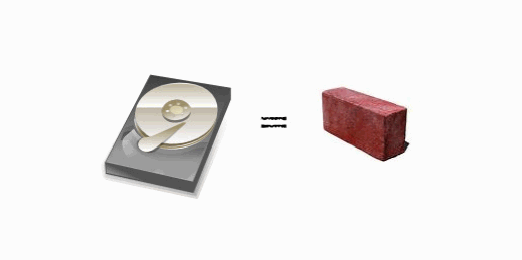
User CarterInCanada has posted here: http://www.msfn.org/board/index.php?showto...807&st=1232 announcing a new guide which I find very clear and complete with images and whatnot (including some humour ) The original post already lays under a miriad of later posts, in that massive original thread, thus a separate thread is needed to guarantee its visibility. Guide is here: Fixing the Seagate Bricks by CarterInCanada jaclaz

-
The Solution for Seagate 7200.11 HDDs
jaclaz replied to Gradius2's topic in Hard Drive and Removable Media
toniko, try using this guide: http://www.mapleleafmountain.com/seagatebrick.html The "missing images" of the original guide have been re-uploaded here, however: http://www.msfn.org/board/index.php?showto...807&st=1243 jaclaz -
Request: Most foolproof method for XP from USB
jaclaz replied to bengalih's topic in Install Windows from USB
Maybe I can clarify some of my ideas on the subject. I personally like, whenever possible, to try and give people the basics, just like the Chinese Proverb: http://www.quotationspage.com/quote/2279.html What generally happens is however: http://www.amatecon.com/fish.html I only put together some small batch files due to five reasons: it's the only "programming" language I know a bit about (do you really want to hear about the other four?) everyone or nearly everyone has it's interpreter available, no need for some exoteric compiler, no need for some new syntax/intrpreter it's very similar, like BASIC, to "plain" English, and thus reading a batch should be enough to understand what it does and how it does it KISS approach: to do simple things you can use simple tools, they will break less often everyone can easily better or adapt the script to his/her needs I like simple things that do simple things, or if you prefer very vertical apps. I find that making complex things hides the way they work, whilst most of the beauty in this kind of things is knowing what happens, why it is needed, and how it is done, then, once learned that, find a way to repeat the procedure with less manual effort. And I usually try to explain and document the theory behind operation. People usually do not like this approach, typical first comment about any batch file or command line app: that black box opening is awful, how can we find a way to hide it? Not so casually, and still within reason #1 above, my only experiments in the GUI world are, pseudo-GUI's, I am more interested in substance than appearance. The emoticon was a friendly and mocking remark aimed to wimb, I have often accused him of "featuritis", the syndrome that takes any "real" programmer, adding features over features in order to better his app, little by little making it a "do everything app", which is what people mostly like, and little by little hiding what it does under an additional layer of complexity. In other words it was a little indirect "poking" him, since I finally found probably the only other person on earth that would like to know what happens under the hood. It's the law of the market: there is no detailed "how it works"because noone (exception made for you ) is interested in it, what most people want is something that works for them with the least possible trouble, with no errors, with lots of options and no or very little use of one's own brain. To quote you, the should: should be expressed as "it would be nice if", and then the reply is: in a perfect world everything would be explained, step by step, and fully documented, but unfortunately this is not a perfect world, though of course, as Dr. Pangloss would say: What I basically meant was that if and when you will have time to go a little deeper in the matter, you will soon find yourself to take choices, and probably they won't be the same that were taken by wimb or ilko_t, you will re-analyze the steps that were originally taken and hopefully find new ways, no matter if better or worse that those already used. If you take the blue pill, you need not worry, if you take the red one, it comes to a price. jaclaz -
Well, I won't use "rubberducky", but I find it an IDEA! jaclaz
-
How to install Windows from USB- WinSetupFromUSB with GUI
jaclaz replied to ilko_t's topic in Install Windows from USB
Sure they don't work. A blinking cursor means something is wrong in either the MBR or the bootsector DATA. Both Fixmbr and Fixboot "fix" the MBR or bootsector CODE. Save the MBR (one sector) first sector of Physicaldrive Save the bootsector (one sector if FAT16, 6 sectors if FAT32 and 16 sectors in NTFS) first sector(s) of logicaldrive With HDhacker: http://dimio.altervista.org/eng/ Compress them together in a .zip file and attach it to your next post. BEFORE that, check that the Partition has been set as Active in the MBR, by using Beeblebrox: http://students.cs.byu.edu/~codyb/ or a similar utility, or directly grub4dos command line. http://diddy.boot-land.net/grub4dos/files/basics.htm http://diddy.boot-land.net/grub4dos/files/cli.htm http://diddy.boot-land.net/grub4dos/files/commands.htm http://diddy.boot-land.net/grub4dos/files/....htm#makeactive Typically when booted grub4dos from USB stick and no drive re-mappings hooked: (hd0,0) is first partition of the booted device (the USB stick) (hd1,0) is first partition of the second device (the internal hard disk) jaclaz -
Might be related to this: http://www.911cd.net/forums//index.php?showtopic=21186 And what about bootsect?: http://neosmart.net/blog/2007/bootsectexe-...or-not-the-mbr/ jaclaz
-
how can I identify if OS is 32 bit or 64 bit in batch file?
jaclaz replied to DungFu's topic in Application Installs
Just for the record. Errorlevel in NT based systems is a variable: http://www.911cd.net/forums//index.php?showtopic=18512 http://www.robvanderwoude.com/errorlevel.php jaclaz -
Request: Most foolproof method for XP from USB
jaclaz replied to bengalih's topic in Install Windows from USB
Life is tough. You cannot have BOTH an automated "latest" method AND know what it does, unless you take your time and study the evolution of it. (and possibly introduce your own changes/tweaks/whatever) If you want to learn HOW it was made, you'll need your time reading this thread: http://www.msfn.org/board/index.php?showtopic=61384 The USB_Multiboot cmd is the direct evolution of that. (with a lot of added features that you don't like ) Then there is the GUI version: http://www.msfn.org/board/index.php?showtopic=120444 Then there is the "After having booted a PE" method, which wimb pointed you to: http://www.msfn.org/board/index.php?showtopic=121446 And yet again there is the "old school" method, with some limitations, that you can find here: http://www.911cd.net/forums//index.php?showtopic=16713 More or less they are all derivatives of one or the other of the items in the "initial" list of possible methods: http://www.msfn.org/board/index.php?showtopic=81788&st=6 probably as a coincidence, together with the FAQ's and the largely ignored "Thank you" threads, they are mostly "stickies". Additionally, if you have a U3 kind of stick, there is this one: http://www.msfn.org/board/index.php?showtopic=121502 Noone is the "best" one, each one has it's own pros and con', you have two choices: take the blue pill and choose any one of them and use it "as is" take the red pill and take part to the game http://en.wikipedia.org/wiki/Redpill Which one are you gonna take? The rabbit hole is deeper than you might think. BTW, should you take the red one, once you have become familiar with the method(s), you might find interesting this thread: http://www.boot-land.net/forums/index.php?...ic=7138&hl= jaclaz -
Seagate Barracuda 7200.11 Troubles
jaclaz replied to Zenskas's topic in Hard Drive and Removable Media
Some thoughts, not really technical. Seagate is not the Devil. (though it closely resembles him ) Hard drives break, due to a number of causes. The more the technology of the hard drive is "revolutionary", the more the capacity of the drive increases (meaning that it works with smaller tolerances, as data is packed in smaller space), the more the drive "series" is "new", the more it is likely that it may fail, until the technology has been thoroughly tested and has become "dependable" (which is usually an antonym of "revolutionary"). These could be added to Murphy's Laws: Hard drives fail. No matter what you do, they will fail. They will always fail in the exact moment they can make the most damage, i.e. in the only day of yur life you didn't backup data. Seagate has made two mistakes, as I see it: produced the drives with a faulty firmware (which can happen to everyone: "Let the person among you who is without sin be the first to throw a stone at her." ) managed the resulting issue in the worst possible way, misinforming or not-informing customer using senseless censoring on their board, etc. etc. From this second, very very very big mistake they did to say that whatever they do is evil, there is quite a bit of difference. Not every Seagate drive fails. Not every failing Seagate drive fails for reasons connected to the faulty firmware. Not necessarily Seagate will lie to you when they state that the problem is not connected with the faulty firmware. This said, US$ 2,900 seem to me like an awful lot of money. In your case I would get the drive back and ask a "second opinion" at another data recovery firm, if you value your data. It is possible that you can get your data back for a much smaller price. If you cannot afford the expense (and thus you have nothing to lose but your data ) I would try the "hand made" solutions provided in the thread to fix the firmware/BSY issues and then see if anything changes, but clicking sounds usually are symptoms of what the Recovery Firm told you, a hardware problem, that could be actually totally non-connected to the firmware problem. jaclaz -
In Grub4Dos, I have tried using "chainloader /bootsect.bin", and it just comes up with the error in the screenshot. What am I doing wrong, and how can I make just work? M What is "bootsect.bin"? Is it a "CD no-emulation bootsector"? (A 2048 bytes file)? Or is it a HD-like bootsector? (A 512 bytes file)? IN BOTH CASES, you do not use bootsectors to load a BartPE. Grub4dos has some advantages over other bootloaders, as it can completely bypass ANY bootsector. You directly chainload the OS loader. I.e. and this should have been clear enough on the Forums and docs I pointed you to, here are a couple examples: title some flavour of BartPE root (cd) chainloader /I386/SETUPLDR.BIN or title some flavour of BartPE found find --set-root /I386/SETUPLDR.BIN chainloader /I386/SETUPLDR.BIN Please take note that grub4dos is CaSe SeNsItIvE on CDFS filesystem! however check these: http://www.911cd.net/forums//index.php?showtopic=19124 http://www.boot-land.net/forums/index.php?showtopic=7173 http://www.911cd.net/forums//index.php?sho...18045&st=25 jaclaz
-
Because OP is using: a WinPE based on XP SP2, which should mean WinPE 1.x? jaclaz
-
Do you mean Workbook protection (i.e. the password that prevents opening the .xls file)? Or the Cell Protection (i.e. the password that prevents editing "locked" cells)? Also WHICH Excel version is it? FYI, FIRST result in google for "password excel": http://www.straxx.com/excel/password.html jaclaz
-
No prob. jaclaz
-
Read here then: http://www.911cd.net/forums//index.php?showtopic=22917 Links to "Full XP on USB" in second part of my post: http://www.911cd.net/forums//index.php?sho...=22917&st=1 jaclaz
-
Installing Windows 2000 from a USB CD-ROM
jaclaz replied to Colonel O'Neill's topic in Windows 2000/2003/NT4
Happy to hear a report of success. jaclaz -
Grub issues with Multiboot XP and Vista from USB
jaclaz replied to islander_810's topic in Install Windows from USB
I'll try again : post the actual commands you used and the error you had. I know which commands to use, and have no errors. You have the problem, not me. Right, and you think that the Holy Spirit ( or the Devil )will change the mappings in BOOT.INI for you? jaclaz -
I expected as much , that's why I gave you a possible alternative too. I am however curious on how it's your current setup working. Is it a derivative of this? : http://bootcd.narod.ru/bcdw_e.htm#ini_menu_bc_parameters http://bootcd.narod.ru/bcdw_e.htm#dos4bcdw The UBCD getargs works in a similar way to BCDW_CL.COM .... jaclaz
-
Grub issues with Multiboot XP and Vista from USB
jaclaz replied to islander_810's topic in Install Windows from USB
You are messing with grub4dos, NOT GRUB. WHICH complete set of commands (including "map") are you using? WHICH error? Please posts the contents of your BOOT.INI. Also, read this: http://www.msfn.org/board/BOOTINI-and-diff...ive-t25365.html While "messing" with the BIOS you are probably changing hard disk order. jaclaz -
Yep but maybe Maelstorm does not suffer from such a limitation. jaclaz
-
Installing Windows 2000 from a USB CD-ROM
jaclaz replied to Colonel O'Neill's topic in Windows 2000/2003/NT4
Instead of the USB CD-ROM, won't it be easier to use a stick? There are several methods documented for sticks, the following can be used for 2K allright: simplest option would be that of either using the OLD method with WINNT.EXE (and later if needed CONVERT.EXE), along the lines of this: http://www.911cd.net/forums//index.php?showtopic=16713 or, if you have the availability of a PE of some kind, to use WINNT32.EXE, after having copied the whole \I386 to HD. The other option is probably to change the settings for the drivers, but I don't seem to remember a documented procedure for CD's. Most probably these methods: http://www.msfn.org/board/index.php?showforum=157 http://www.msfn.org/board/index.php?showtopic=111406 http://www.msfn.org/board/index.php?showtopic=121446 http://www.msfn.org/board/index.php?showtopic=121446 work for 2K also, though maybe some minor things need to be adapted. jaclaz -
[SOLVED] USBstick take letter D and not U
jaclaz replied to pipster's topic in Install Windows from USB
But, on the other hand, it depends on the species you belong to : http://tsanda.wordpress.com/tag/nature/ However ilko_t is pefectly right, it's such a rare thing to find a good guinea pig! jaclaz -
I've never seen this kind of usage. Why don't you simply add "startup.bat" as a command in autoexec.bat? Read this seemingly unrelated (and longish) thread (dedicated to the translation and fixes made to convert UBCD isolinux/syslinux syntax to grub4dos): http://www.boot-land.net/forums/index.php?showtopic=6119 It is possible to pre-assign a parameter via grub4dos. Maybe you can use a similar method as the one used in UBCD. jaclaz