Everything posted by tireless
-
Add this: Not this: Windows Registry Editor Version 5.00 [HKEY_CLASSES_ROOT\batfile\shell\OpenWith] @="Open With..." [HKEY_CLASSES_ROOT\batfile\shell\OpenWith\command] @="rundll32.exe shell32.dll,OpenAs_RunDLL %1"

-
Click these link and button, nothing will happen.
-
I want to change the command of properties item. For example, when Right-click Internet Explorer -> properties, I want it to launch cmd.exe. I had tried add this .reg file: Windows Registry Editor Version 5.00 [HKEY_CLASSES_ROOT\CLSID\{871C5380-42A0-1069-A2EA-08002B30309D}\shell\properties\command] @="cmd" but it'll change to:
-
I know how:
-
I had did it before: HKEY_CLASSES_ROOT\.msfn Default=msfnFile HKEY_CLASSES_ROOT\.msfn\ShellNew Default=(Value not set) NullFile= HKEY_CLASSES_ROOT\msfnFile Default=msfn.org but the item "msfn.org" doesn't appear.
-
Thanks.
-
can not support Chinese characters:
-
Thanks very much.
-
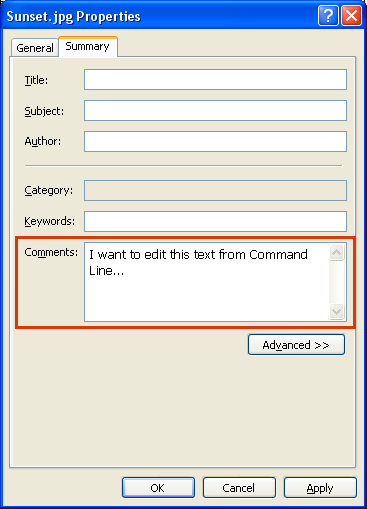
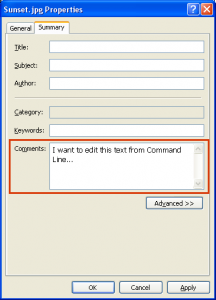
@jaclaz: Thanks.Could you tell me which command to use?Following code doesn't work: exiftool -Comment="This is a new comment" dst.jpg
-
Thanks.
-
look around here.
-
I found one,a GUI tool,but can use through command line: Icons from File anymore?
-
Is there a command line tool for extract the 'main' icon of a .exe file? tabiripp.exe can extract all icons of a file,and convert as .png or .jpg. iconsext.exe can extract all icons of a file. ResHacker.exe can extract the 'main' icon,but must know where is it before. IconInjector.exe can replace the 'main' icon of a file. I only need the main icon. or how to get where is the main icon,then i can use ResHacker.exe to extract. someone can help me?
-
Do you mean this: Use this tool: http://www.utils32.com/regedex.asp
-
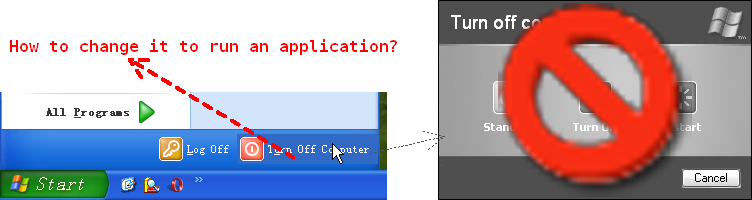
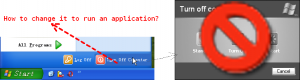
When click "Turn off computer" button from Start menu,the "Turn off computer" dialog will apear,But I want it run an application instead.How?
-
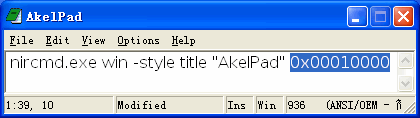
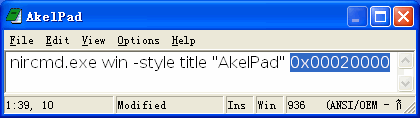
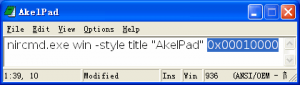
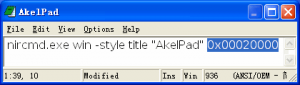
I can use nircmd.exe to disable min and max button.how to disable Close button ? ======================================= another question: Is there a style that can pin a windown to desktop? ======================================= i just found this "style"
-
Google for "ContextEdit"
-
this file is really exist. My question is: 1.how to delete? 2.how to create this file? I had tried some commands,like... 1)del "d:\temp\/reg.asp." 2)rd \\?\d:\temp\"/reg.asp." 3)rm D:\temp\/reg.asp 4)Unlocker but
-
In winXP. The default folder background color is white,How to change it