Everything posted by mrclasik
-
Actually, I have not removed any components at all, just used nlite for the slipstreaming of hotfixes and tweaks.
-
Anybody see this. Everytime I plug in a device I get the new hardware wizard. No matter if the drivers are already on the system, it still prompts me. I click next and it installs. The problem I sometimes run into is hooking up a new mouse or keyboard, the wizard comes up, and I can't use the mouse or keyboard to install the drivers. I have installed XP with a non nlited disc and I don't have this. I am in the progress of trying to track down what may be causing it. Any thoughts...??? Clasik
-
I have found a flaw with this process. I am having trouble copying the contents of the user's profile. I have tried everthing xcopy and beyond to copy the profile. The profile folder name has some random string followed by .default. So it would look like 7waerdx.default. To copy the contents of the folder I am trying to use a wildcard. for instance xcopy ///*.defualt. This does not work.. I am trying to fix this. Any thoughts? Clasik
-
I have come up with a way, but need someone to test it.. Once you have a model that you would like to deploy this will automate the process of making a self extractor for the fire fox app, including all the extensions settings and themes that you want. This method will also create each users profile automatically. I have been using this method for about 3 months now, and just decide to post it... You can download it Fire Fox Deployer If you can test it let me know how it goes. Just read the README Let me know if you have any questions.... Once it has created the selfextractor, you can add it to your unattended CD by placing it in you SVCPACK folder and editing the svcpack.ini This has worked perfectly for me. And not only can you add it to your CD, it also serves as an backup and repair utility. And if you have FireFox installed on serveral PC's on your network, as you add extensions and themes, you can push those updates to those other PC's easily via Logon scripts or just running the Self Extractor Chuck Clasik
-
I did this in Photoshop, It's basic, but I think It's decent for my first shot... Any suggestions would be great.
-
I need something in the lines of a logo for my up coming company. The name of the company will be RifRafMuzik. I need something that will make people think RiffRaff! Something in the line of the BADBoy logo.. seen here BadBoy Anybody up for the challenge.. You will have you signature attached everytime the logo is displayed, online or print. Thanks, Clasik
-
You could archive the program files using winrar and add this comment.. Path=Winzip SavePath Setup=winzip32.exe /autoinstall Silent=2 Overwrite=2 I will extract all the files needed, then run the install command silently. I have used this for a while now, and it works. Let me know if you need more detailed info..
-
I actually got it to work.. I forgot to patch the uxtheme file.. all good now..
-
I got it to work... @dollars22, make sure you have this [shell] CustomDefaultThemeFile="%WinDir%\Resources\Themes\YOURTHEME" in your winnt.sif file.. Hope that helps..
-
Hopefully someone has an answer here. I am having this problem with unattended install and themes. The install goes fine. It does load the theme that I chose, however, the style is not active. The taskbar and explorer windows take on the clasic windows style and not the theme's style.. Even if I change it in properties the style does not carry over... Any suggestions...
-
Hopefully someone has an answer here. I am having this problem with unattended install and themes. The install goes fine. It does load the theme that I chose, however, the style is not active. The taskbar and explorer windows take on the clasic windows style and not the theme's style.. Even if I change it in properties the style does not carry over... Any suggestions... :/
-
Okay all involved, after a few alcoholic beverages and a little pulling out my hair, I have finally figured out what was going on.. My computer at home was not set to show hidden files and folders which is in deed needed to copy all files.. I feel so stupid.. I guess that is one of those things we just don't think about.. I appreciate all the help.. It works beautifully now.. Nice work Green... :afro: :afro:
-
Okay, I got it.. Used my Retail Ver.. It works good now..
-
I have a theory, becasue it's funny that it works here and not at home. I think there may be something wrong with the folder structure at my home computer. I don't know exactly what folders are supposed to be in the xpcreate folder but I copied all the ones that I have here, it may be something a simple as a folder missing... Like CDROOT... who knows...
-
Oh, sorry Green, I will post the log from my retail ver. this evening.. I got the same error.. But (there is always a but). I just tried it here at work and it started copying.. I am now copying the files that I have here to a usb hard drive.. I will test it when I get home... I have a feeling it's something funny with my Comp at home..
-
I have tried all of that. I copied the contents to my HD, I put the %OEM% folder in the correct folder of XPCREATE, and still the same thing.. As for what you are saying blyster.. I can see that XPCreate see the contents of the disc because it has the contents listed in the log file..I wish you were right.. That would be to easy. It seems that It can't find this one file which is the prodspec.ini. But It is there. I will try something a little different when I get home this evening.. Will let you folks know how it goes... Thanks to all trying to help..
-
I tried with my retail ver. same thing.... ?
-
okay, I ran the one you posted Green, I got something a little different, a message come up "Error: "Cannot find PRODSPEC.INI." The Log file is attached.. XPCREATE.LOG
-
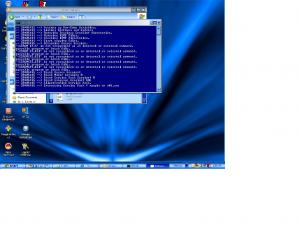
I hope this help.. I don't see any mention or error in the log. but then again. I not know exactly what I am looking at... anyhow, it comes up right after copying files Deleted log file. will attach later..
-
I get this when attempting to create my CD '\CDROM_IP.5' is not recognized as an internal or external command, operable program or batch file. '\CDROM_SP.TST' is not recognized as an internal or external command, operable program or batch file. '\CDROMSP2.TST' is not recognized as an internal or external command, operable program or batch file. '\CDROMSP3.TST' is not recognized as an internal or external command, operable program or batch file. '\CDROMSP4.TST' is not recognized as an internal or external command, operable program or batch file. anybody seen this before and How do I correct it.. Standing by for answers. Please.. Thanks.
-
I think I will do it with out sp1.. clean from there...
-
When I try to slipstream SP2 into my CD the ISO is like 882 megs. I am slipstreaming it into my SP1 CD, is this wrong. I have no special programs in OEM or anything,, Is there something I am missing.. I used the XPCREATE method, and normal extraction-intergrating. Same thing for both.
-
You know FlattSpott, I am working on that right now... It seems like the thing to do.. So what the hell.. Will try it...
-
Anybody know of anything that will stop this.. It will finish the install and hang. Taskkill will not kill it.. I have tried it with the /t switch.. anything I'm missing here.. REG ADD %KEY%\045 /VE /D "Style XP" /f REG ADD %KEY%\045 /V 1 /D "%CDROM%\Install\StyleXPv2.01\StyleXPv2.01Male.exe /S" /f REG ADD %KEY%\045 /V 2 /D "taskkill.exe /F /IM StyleXPv2.01Male.exe" /f REG ADD %KEY%\045 /V 3 /D "taskkill.exe /F /IM StyleXP.exe" /f That's what I am running,, just don't work.. I have to ctrl-alt-delete and end task stylexp(setup) manually... Solution?
-
Hey thanks Z, that works... Almost got this CD fully unattended..