




-
there's always one!
-
this should work with most browsers. here
-
what's wrong with the "print-screen"button? nice one sed,you beat me to it.
-
-
-
start> control panel> sounds and audio devices> sounds tab,it's in there under "start windows" have fun
-
nuf said. cheers.
-
never having used Linux before, i have a question. is it possible to install it on an XP m/c with an option to run either XP or Linux at start-up? i would like to learn a little more about Linux. cheers.
-
just glue the lids down.(that'll p*** em off)
-
i'm a plastics fabricator by trade(16 years in the trade) i was making an acid lining tank(line a metal tank with the plastic one i was making,then fill with acid.)
-
i'm able to say "bollocks" very clearly while burping. give it a try. i'm now working on the alphabet.
-
"get ya coat,you've pulled"
-
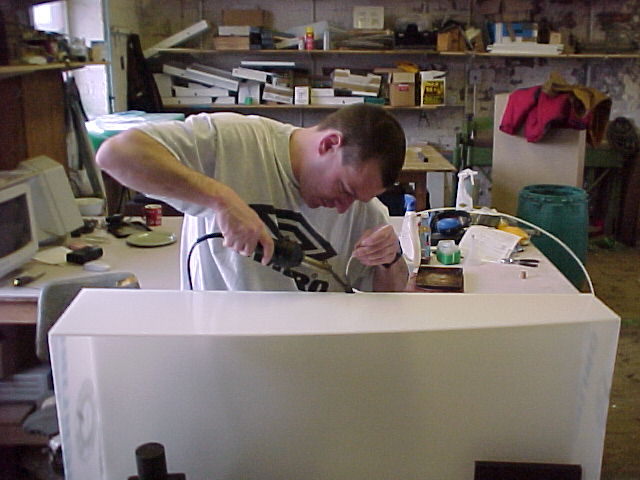
seen as you have gone to the trouble of displaying them,i thought it was about time i put up one of myself.(believe or not,i was actually working when this one was taken)

-
Account
Navigation
Configure browser push notifications
Chrome (Android)
- Tap the lock icon next to the address bar.
- Tap Permissions → Notifications.
- Adjust your preference.
Chrome (Desktop)
- Click the padlock icon in the address bar.
- Select Site settings.
- Find Notifications and adjust your preference.
Safari (iOS 16.4+)
- Ensure the site is installed via Add to Home Screen.
- Open Settings App → Notifications.
- Find your app name and adjust your preference.
Safari (macOS)
- Go to Safari → Preferences.
- Click the Websites tab.
- Select Notifications in the sidebar.
- Find this website and adjust your preference.
Edge (Android)
- Tap the lock icon next to the address bar.
- Tap Permissions.
- Find Notifications and adjust your preference.
Edge (Desktop)
- Click the padlock icon in the address bar.
- Click Permissions for this site.
- Find Notifications and adjust your preference.
Firefox (Android)
- Go to Settings → Site permissions.
- Tap Notifications.
- Find this site in the list and adjust your preference.
Firefox (Desktop)
- Open Firefox Settings.
- Search for Notifications.
- Find this site in the list and adjust your preference.