-
Im afraid the same thing has happend to me, Ie7 Messed up and crahesed constantly, now Explorer is slugish and slow Are you doing a normal install or integration? I did a normal installation. To make matters worse, after uninstalling, not only did XP not boot, my harddisk appeared to be defective. Couldn't even format it anymore. And of course, my warranty expired 1 week ago....
-
Not finished. It destroyed my XP install. I uninstalled the previous version. Installed the new version. I didn't install most of the extra's and the Remote Desktop stuff. After that, IE7 stopped working. Just errors. Wanted to go back to the restore point, no restore point to be found. Uninstalled XPize. After that, XP wouldn't boot anymore. And now Windows Setup is making a complete mess of things as well. This pretty much sucks.
-
Nevermind, already found it Deleting this registry key did the trick: HKEY_LOCAL_MACHINE\SOFTWARE\Microsoft\Windows\CurrentVersion\explorer\ControlPanel\NameSpace\{D14ED2E1-C75B-443c-BD7C-FC03B2F08C21} I guess I can delete these keys safely too: HKEY_CLASSES_ROOT\CLSID\{D14ED2E1-C75B-443c-BD7C-FC03B2F08C21} HKEY_LOCAL_MACHINE\SOFTWARE\Classes\CLSID\{D14ED2E1-C75B-443c-BD7C-FC03B2F08C21} I'll export them too, just to be safe Edit: LOL, those two are the same key, actually
-
Well, subject says it all. I upgraded my XP to Vista. I can give everyone a tip: before you do that, uninstall EVERYTHING that might not work in Vista first, cause the Vista installer won't. Had plenty of troubles with Vista trying to work with already installed XP drivers. However, I also had XPize installed. Uninstalled it in Vista, but the control panel remains. How do I get rid of it? It's a black icon with "XPize Settings", so it's pretty ugly and useless now...
-
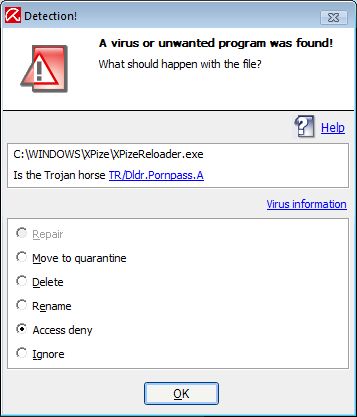
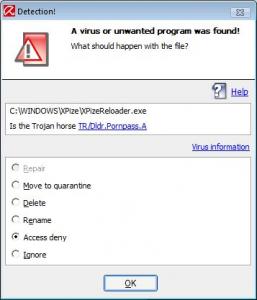
Got a vrius warning from AntiVir:
-
Little late, but I've sent the icon file to XPero.
-
I was just gonna ask about this! With my Logitech diNovo desktop, I hardly ever have nothing connected, so I slways see the big ugly icon with the green logo, while the unconnected version looks so much better!