Skip to content
View in the app

A better way to browse. Learn more.

MSFN

A full-screen app on your home screen with push notifications, badges and more.

To install this app on iOS and iPadOS
  1. Tap the Share icon in Safari
  2. Scroll the menu and tap Add to Home Screen.
  3. Tap Add in the top-right corner.
To install this app on Android
  1. Tap the 3-dot menu (⋮) in the top-right corner of the browser.
  2. Tap Add to Home screen or Install app.
  3. Confirm by tapping Install.

Felipefpl

Member
  • Joined

  • Last visited

  • Country

    Brazil

Everything posted by Felipefpl

  1. I'm curious about something, does it make sense to include GoodbyeAds for youtube since the list wasnt updated in more than 2 months? https://github.com/jerryn70/GoodbyeAds
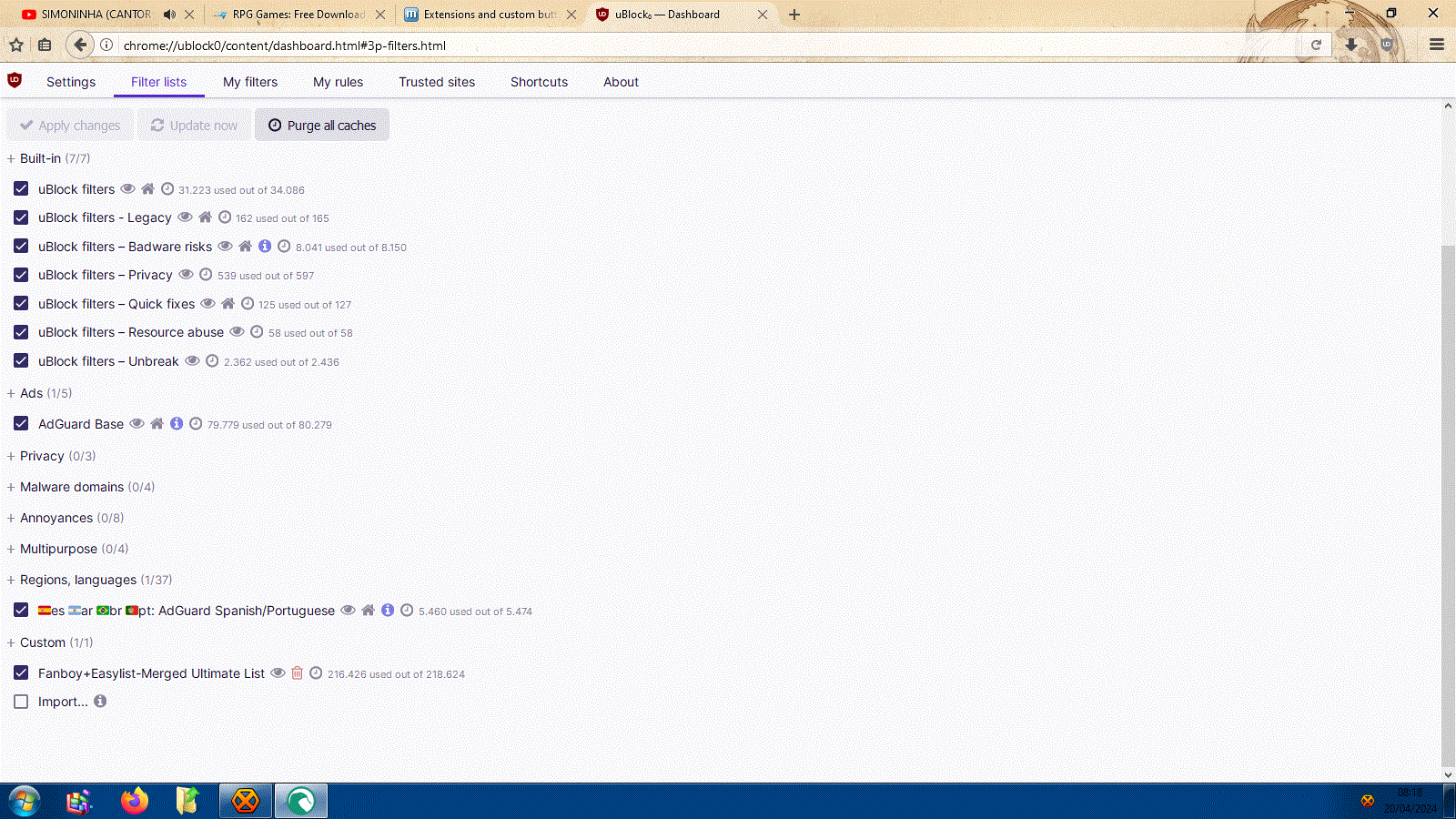
  2. More lists enabled = the slowest your broswer is Also, like i said, you dont need a lot of lists to block an ad, just the adblocker needs to be improved. Sampei.Nihira/AstroSkipper - fanboy's ultimate list has Easylist, EasyPrivacy, Fanboy's Annoyances List (Which blocks anti-adblock, cookies, social media stuff) so i believe i'm pretty much protected from a lot of stuff.
  3. That's a lot of filters. But surely we dont need all those lists, i use even less lists on firefox with ublock 1.57 and all ads are blocked as they should be.
  4. I see, but did you click anywhere in the site once in a while? That's when the ads' reports come or when ads from aliexpress are opened. Btw, the site igg-games.com suffers from the same situation.
  5. An interesting thing happened in the site i reported: www.ovagames.com - although the problem with anti-adblock was solved (thanks again AstroSkipper) when you click anywhere in the site ads are opened and they are blocked but sometimes another tab is opened displaying a message saying that the link was reported as bad by easylist. This doesnt happen with firefox with the latest ublock versions.
  6. I understand, but it wouldnt be possible to upload the list somewhere where we can download it? Amigafever, Vistalover - thanks for your help regarding this.
  7. Hi, i tried the new version and indeed the settings are saved but i cant see the new filters' list added in the sections. I installed over the old installation and even deleted the old version and made a new installation and nothing changed. I'm on latest basilisk.
  8. AstroSkipper - I was wondering if a collaboration would be possible like the guy in this thread suggests: https://forum.palemoon.org/viewtopic.php?f=46&p=250867&sid=c7fb12ffa905a9ed961476b91ed53b57#p250867 It could be a good thing, or not?
  9. Amigafever - Strange, i see the ads with basilisk, i'm using aside the ublock's lists the fanboy's ultimate list that has anti-adblock lists. AstroSkipper - I meant ublock 1.56 on current version of firefox.
  10. Hi, 1st of all thank you VERY MUCH for your work with ublock legacy, it's GREAT to see it being updated. I'd like to report a bug: ublock is detected here even with a list with anti-adblock https://www.ovagames.com/ This doesnt happen with the normal ublock on firefox.

Account

Navigation

Configure browser push notifications

Chrome (Android)
  1. Tap the lock icon next to the address bar.
  2. Tap Permissions → Notifications.
  3. Adjust your preference.
Chrome (Desktop)
  1. Click the padlock icon in the address bar.
  2. Select Site settings.
  3. Find Notifications and adjust your preference.