



Skip to content
View in the app

A better way to browse. Learn more.

MSFN

A full-screen app on your home screen with push notifications, badges and more.

To install this app on iOS and iPadOS
  1. Tap the Share icon in Safari
  2. Scroll the menu and tap Add to Home Screen.
  3. Tap Add in the top-right corner.
To install this app on Android
  1. Tap the 3-dot menu (⋮) in the top-right corner of the browser.
  2. Tap Add to Home screen or Install app.
  3. Confirm by tapping Install.

Kristibek512

Member
  • Joined

  • Last visited

  • Country

    Greece
  1. Is it possible to fix it not working in Control Panel?
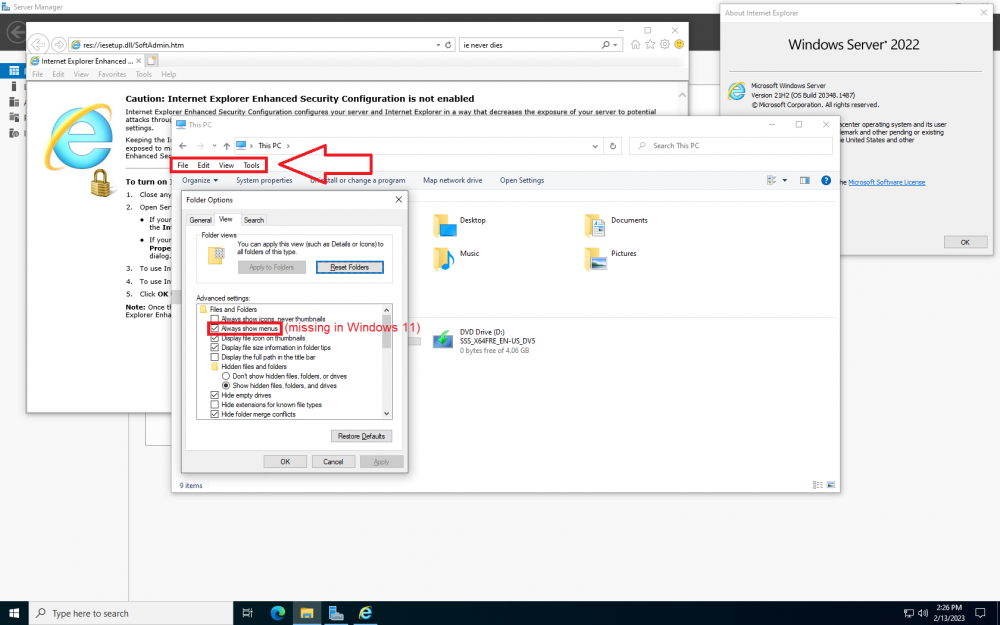
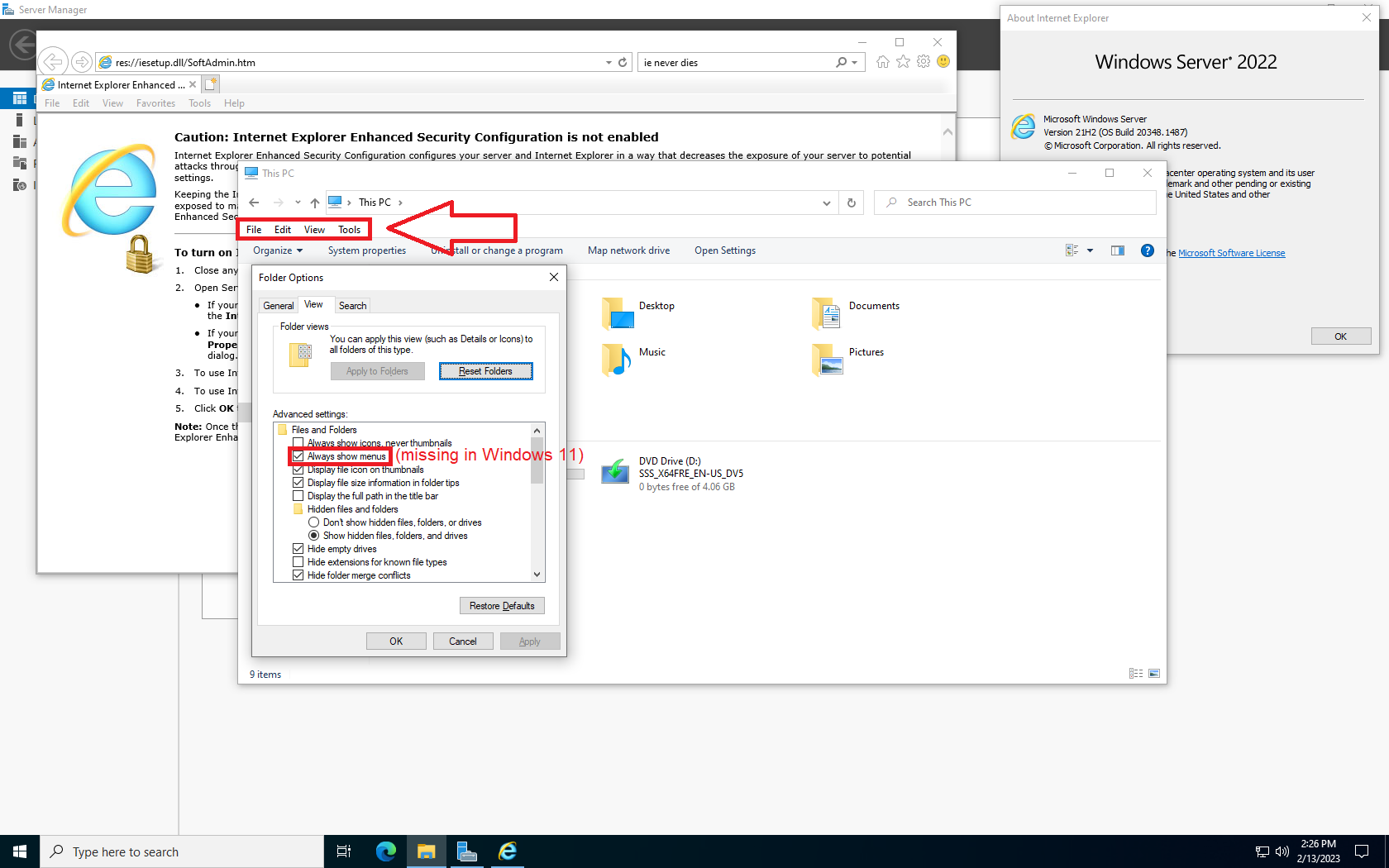
  2. Feature request: Add back the ability to always show the Explorer Menu bar (the one with FIle, Edit, etc that appears when you press Alt) when using the Windows 7 Command bar since it was removed in Windows 11. Also fix the menu bar not working from Control Panel.
  3. The Restart to MS-DOS mode option can be brought back to Windows ME by editing the registry, however it doesn't work (it shows an error when you try to select it). I was wondering if it was possible to somehow patch Windows ME so that (along with patched IO.sys and COMMAND.com) this functionality could be restored
Account

Navigation

Configure browser push notifications

Chrome (Android)
  1. Tap the lock icon next to the address bar.
  2. Tap Permissions → Notifications.
  3. Adjust your preference.
Chrome (Desktop)
  1. Click the padlock icon in the address bar.
  2. Select Site settings.
  3. Find Notifications and adjust your preference.