Skip to content
View in the app

A better way to browse. Learn more.

MSFN

A full-screen app on your home screen with push notifications, badges and more.

To install this app on iOS and iPadOS
  1. Tap the Share icon in Safari
  2. Scroll the menu and tap Add to Home Screen.
  3. Tap Add in the top-right corner.
To install this app on Android
  1. Tap the 3-dot menu (⋮) in the top-right corner of the browser.
  2. Tap Add to Home screen or Install app.
  3. Confirm by tapping Install.

Sanvahu

Member
  • Joined

  • Last visited

  • Country

    Netherlands

Everything posted by Sanvahu

  1. @WULover Thanks! your trick with fiddler works! now i'm getting 404 errors with inventory.plt... it tries to access: inventory.plt?25ef9-fffcb893-fffc08df-08170404141f4 which gives an 404 error Edit: after adding .plt as a MIME type to: text/html it seems to work
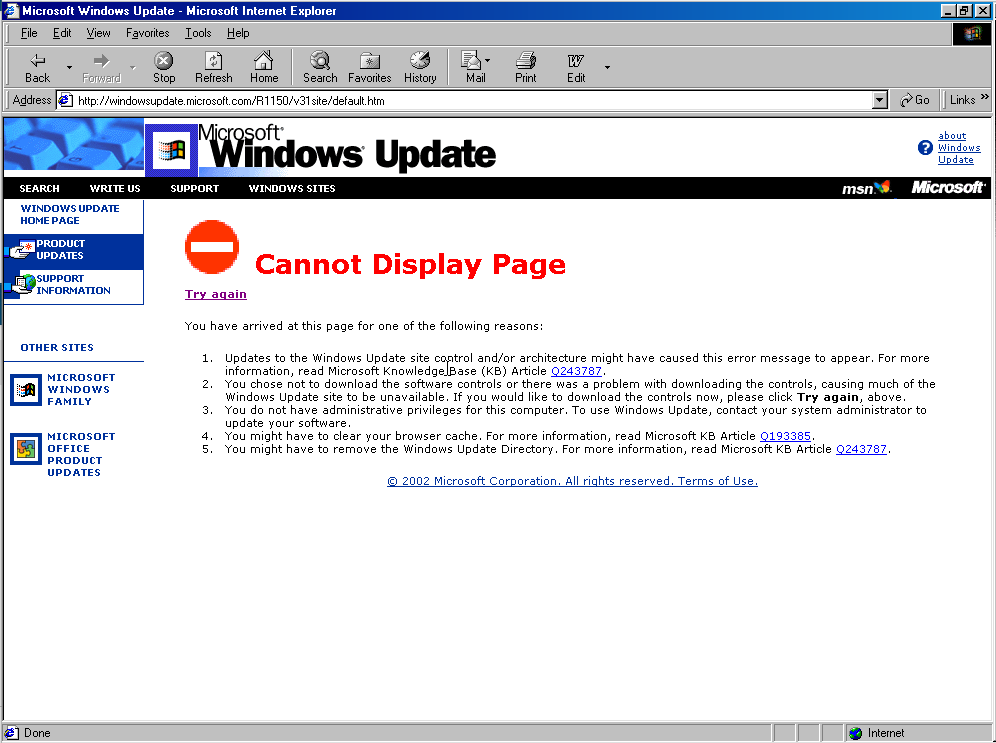
  2. So, after some trying, I keep getting a can not display page error. I'm trying it on windows 98SE. Could Windows 98FE be a solution? Trying fiddler also doesn't work... as it needs Windows 2000 and up..

  3. @WULover Whatever I do, i keep getting errors.. At least I have a page visible. Could you post your html files?
  4. Hello, How would one get it working like this? It seems really cool!

Account

Navigation

Configure browser push notifications

Chrome (Android)
  1. Tap the lock icon next to the address bar.
  2. Tap Permissions → Notifications.
  3. Adjust your preference.
Chrome (Desktop)
  1. Click the padlock icon in the address bar.
  2. Select Site settings.
  3. Find Notifications and adjust your preference.