Skip to content
View in the app

A better way to browse. Learn more.

MSFN

A full-screen app on your home screen with push notifications, badges and more.

To install this app on iOS and iPadOS
  1. Tap the Share icon in Safari
  2. Scroll the menu and tap Add to Home Screen.
  3. Tap Add in the top-right corner.
To install this app on Android
  1. Tap the 3-dot menu (⋮) in the top-right corner of the browser.
  2. Tap Add to Home screen or Install app.
  3. Confirm by tapping Install.

ThirtyOne

Member
  • Joined

  • Last visited

  • Country

    Turkey
  1. Take it and see for yourself.
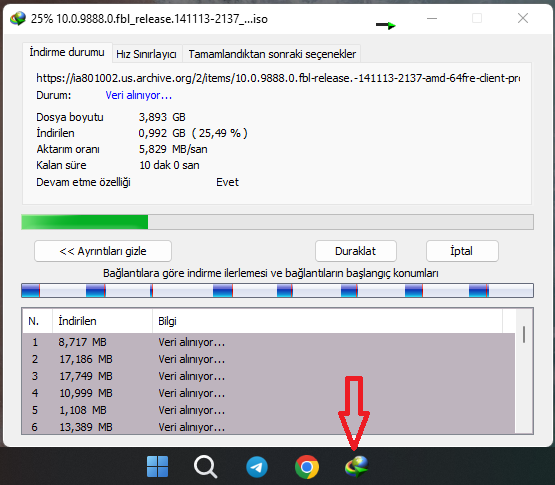
  2. Now the progress bar is not visible, there was a green one

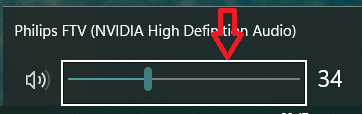
  3. How do I remove the white rectangle when I select Windows 10 flyouts ?
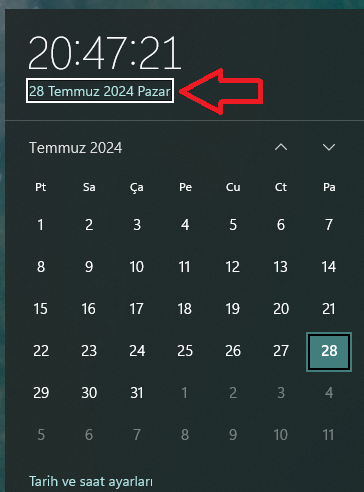
  4. @Tihiy hi When I use startallback last build 5095 in Windows 11 24h2, I have such a problem. The panel does not close when I press an empty area without clicking on the panel that appears. Kayt2024-06-25011551.mp4.99dfb3700fdf3cf2c1516cbe547f6b79.mp4
  5. Kayıt 2024-06-25 011551.mp4 When I use startallback in Windows 11 24h2, I have such a problem. The panel does not close when I press an empty area without clicking on the panel that appears.
  6. i tried it and it worked thank you so much tihiy😉😉
  7. Where is the redo menu, which program?
  8. how do i fix it ?
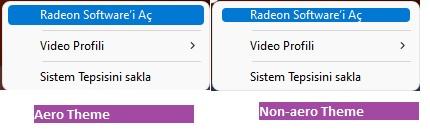
  9. hi tihiy In non-aero themes, the blue selection area is narrowed as in the picture below, how can we fix it?
Account

Navigation

Configure browser push notifications

Chrome (Android)
  1. Tap the lock icon next to the address bar.
  2. Tap Permissions → Notifications.
  3. Adjust your preference.
Chrome (Desktop)
  1. Click the padlock icon in the address bar.
  2. Select Site settings.
  3. Find Notifications and adjust your preference.