



Skip to content
View in the app

A better way to browse. Learn more.

MSFN

A full-screen app on your home screen with push notifications, badges and more.

To install this app on iOS and iPadOS
  1. Tap the Share icon in Safari
  2. Scroll the menu and tap Add to Home Screen.
  3. Tap Add in the top-right corner.
To install this app on Android
  1. Tap the 3-dot menu (⋮) in the top-right corner of the browser.
  2. Tap Add to Home screen or Install app.
  3. Confirm by tapping Install.

SESNut

Member
  • Joined

  • Last visited

  • Country

    United States

Everything posted by SESNut

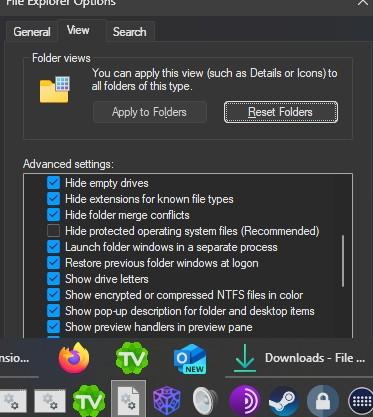
  1. I have it enabled; ive never had it off. I tried turning it off and on, no change. Theres no tooltup showing the name of the shortcut when mouse is over it
  2. will tooltips be added to toolbar icons?
  3. is the whole row of icons supposed to lag behind the top edge of the taskbar every time it goes in and out of autohide? Like is that intentionally part of the animation?
  4. what do you think "Never" is? unless you just want the square icons separate, that was never an option

Account

Navigation

Configure browser push notifications

Chrome (Android)
  1. Tap the lock icon next to the address bar.
  2. Tap Permissions → Notifications.
  3. Adjust your preference.
Chrome (Desktop)
  1. Click the padlock icon in the address bar.
  2. Select Site settings.
  3. Find Notifications and adjust your preference.