Skip to content
View in the app

A better way to browse. Learn more.

MSFN

A full-screen app on your home screen with push notifications, badges and more.

To install this app on iOS and iPadOS
  1. Tap the Share icon in Safari
  2. Scroll the menu and tap Add to Home Screen.
  3. Tap Add in the top-right corner.
To install this app on Android
  1. Tap the 3-dot menu (⋮) in the top-right corner of the browser.
  2. Tap Add to Home screen or Install app.
  3. Confirm by tapping Install.

hajduk

Member
  • Joined

  • Last visited

  • Country

    Poland

Everything posted by hajduk

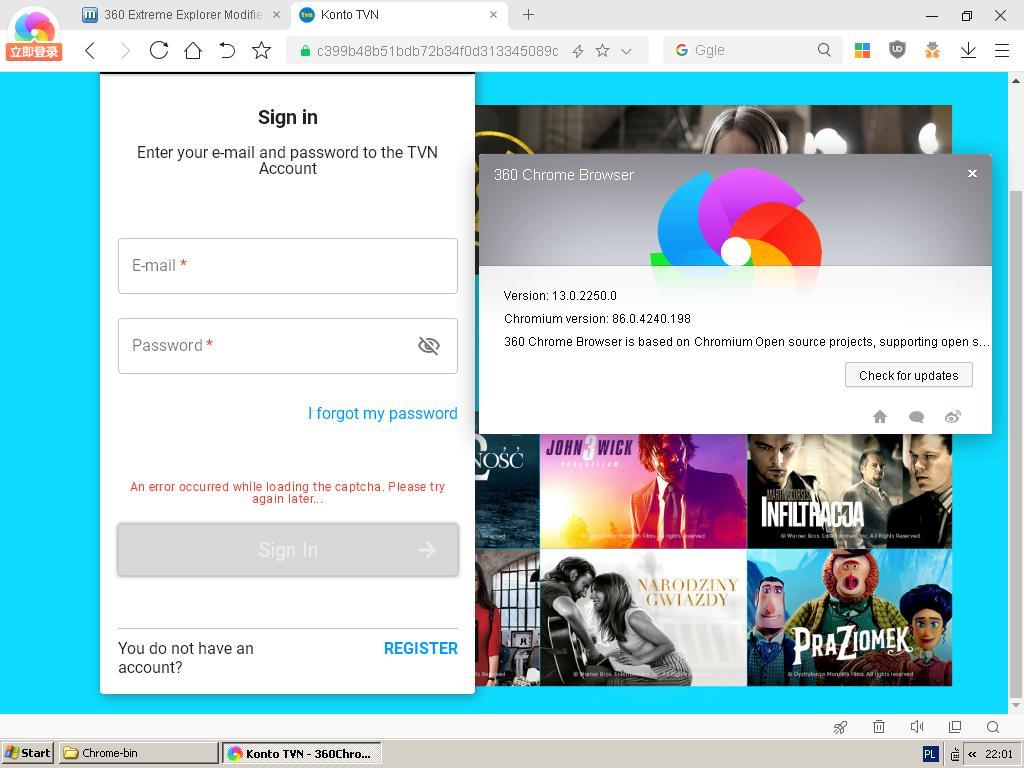
  1. I installed DC Browser but it didn't worked too. There is still problem with videos with DRM and I found another issue - captcha is not loading properly like in older versions of 360EE Modified.
  2. How to enable DRM? When I start some videos I see black screen and " DRM (failed to generate media keys)".
  3. I tried. I added arkoselabs.com to exceptcions. Nothings changed. Finally I disabled uBlock permanently and it still not working. For example NewMoon works fine with uBlock enabled.

  4. Captcha is not loading properly. Ublock is disabled. Does anyone know a solution to this error message?

Account

Navigation

Configure browser push notifications

Chrome (Android)
  1. Tap the lock icon next to the address bar.
  2. Tap Permissions → Notifications.
  3. Adjust your preference.
Chrome (Desktop)
  1. Click the padlock icon in the address bar.
  2. Select Site settings.
  3. Find Notifications and adjust your preference.