Skip to content
View in the app

A better way to browse. Learn more.

MSFN

A full-screen app on your home screen with push notifications, badges and more.

To install this app on iOS and iPadOS
  1. Tap the Share icon in Safari
  2. Scroll the menu and tap Add to Home Screen.
  3. Tap Add in the top-right corner.
To install this app on Android
  1. Tap the 3-dot menu (⋮) in the top-right corner of the browser.
  2. Tap Add to Home screen or Install app.
  3. Confirm by tapping Install.

saltystew

Member
  • Joined

  • Last visited

  • Country

    United States

Everything posted by saltystew

  1. I had the pin to start option turned off in the startisback properties, but turning it on doesn't give me a pin to start menu option.
  2. I don't have that shell extension.
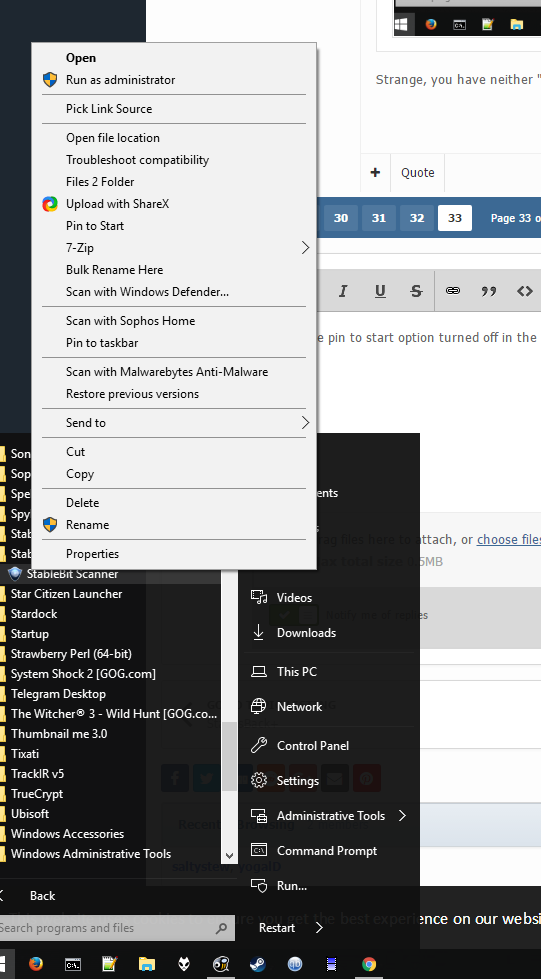
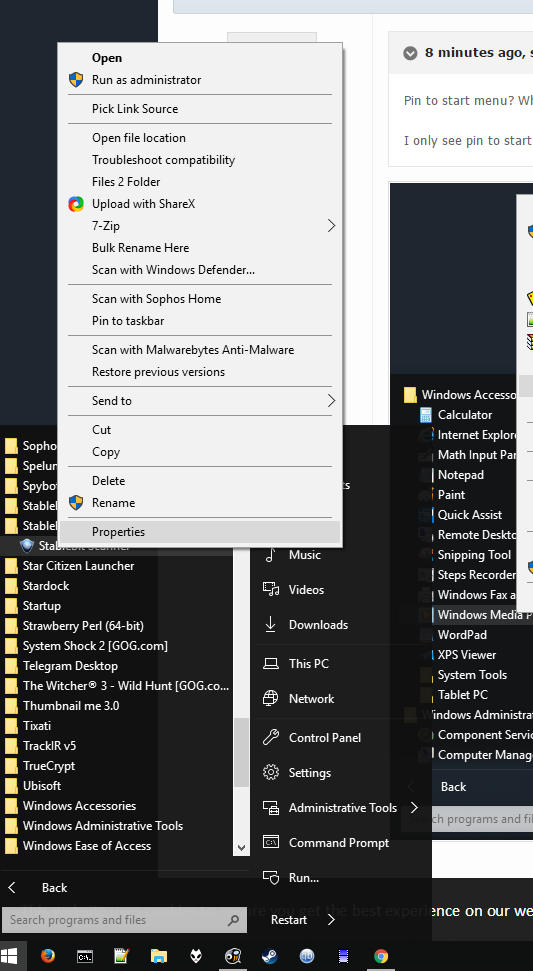
  3. Pin to start menu? Where the hell is that at? I only see pin to start in right click menu.
  4. I'm supposed to use the pin to start in the right click menu to put things on the start menu right? If so it doesn't do anything for me.
  5. So maybe I'm dumb but I can't pin anything to the start menu. What's up with that? Right clicking on a program icon and choosing pin to start does nothing. Wrong version.
  6. Already turned the computer on and off, didn't fix it. So I fixed the icons by rebuilding the windows icon cache. But now this happened, see those two little white lines on the bottom left? That's the windows 10 start menu icon. The task bar randomly shoved itself down there for some reason, and no auto hide is off and it's never been on. This is not exactly the experience I was expecting when I downloaded this. Is this in beta or something? Turned the task bar green.
  7. Only started using this today, why are some icons just blank squares? If I drag them to the desktop they show up fine.

Account

Navigation

Configure browser push notifications

Chrome (Android)
  1. Tap the lock icon next to the address bar.
  2. Tap Permissions → Notifications.
  3. Adjust your preference.
Chrome (Desktop)
  1. Click the padlock icon in the address bar.
  2. Select Site settings.
  3. Find Notifications and adjust your preference.