Skip to content
View in the app

A better way to browse. Learn more.

MSFN

A full-screen app on your home screen with push notifications, badges and more.

To install this app on iOS and iPadOS
  1. Tap the Share icon in Safari
  2. Scroll the menu and tap Add to Home Screen.
  3. Tap Add in the top-right corner.
To install this app on Android
  1. Tap the 3-dot menu (⋮) in the top-right corner of the browser.
  2. Tap Add to Home screen or Install app.
  3. Confirm by tapping Install.

lk60

Member
  • Joined

  • Last visited

  • Country

    Mexico

Everything posted by lk60

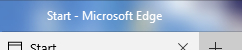
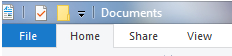
  1. hello, i've been using aeroglass since last year and i'm really happy with the results but there's just one thing that still bothers me, i have installed modernframe.dll and UxThemeSignatureBypass64.dll and i set with aeroglasgui for the window titles to have white text with a black glow like this: but on modernframe apps and the file explorer it just shows white text with no text glow: i'm running windows 10 10586.104, with aeroglass 1.4.5 i have the registry set like this: is there any way i can add the black glow on the explorer window and the apps?, any help would be apreciated.

Account

Navigation

Search

Search

Configure browser push notifications

Chrome (Android)
  1. Tap the lock icon next to the address bar.
  2. Tap Permissions → Notifications.
  3. Adjust your preference.
Chrome (Desktop)
  1. Click the padlock icon in the address bar.
  2. Select Site settings.
  3. Find Notifications and adjust your preference.