-
Hi, i had a Fujitsu siemens xp oem install cd, installs fine...my system with via sata contoller (VEN_1106&DEV_0571&SUBSYS_72931462) After i have integrated the bts nassstorage driver pack my hard disk was not found anymore... whats the problem ? Any Ideas ? soryy for my bad english !
-
Hi, is there a solution to install unsigned driver under Vista 32bit (like the XP "DriverSigningPolicy=Ignore") Unattend istall runs fine, but i cant install some devices (ATI Mobility Cards), only Standard VGA will be installed.
-
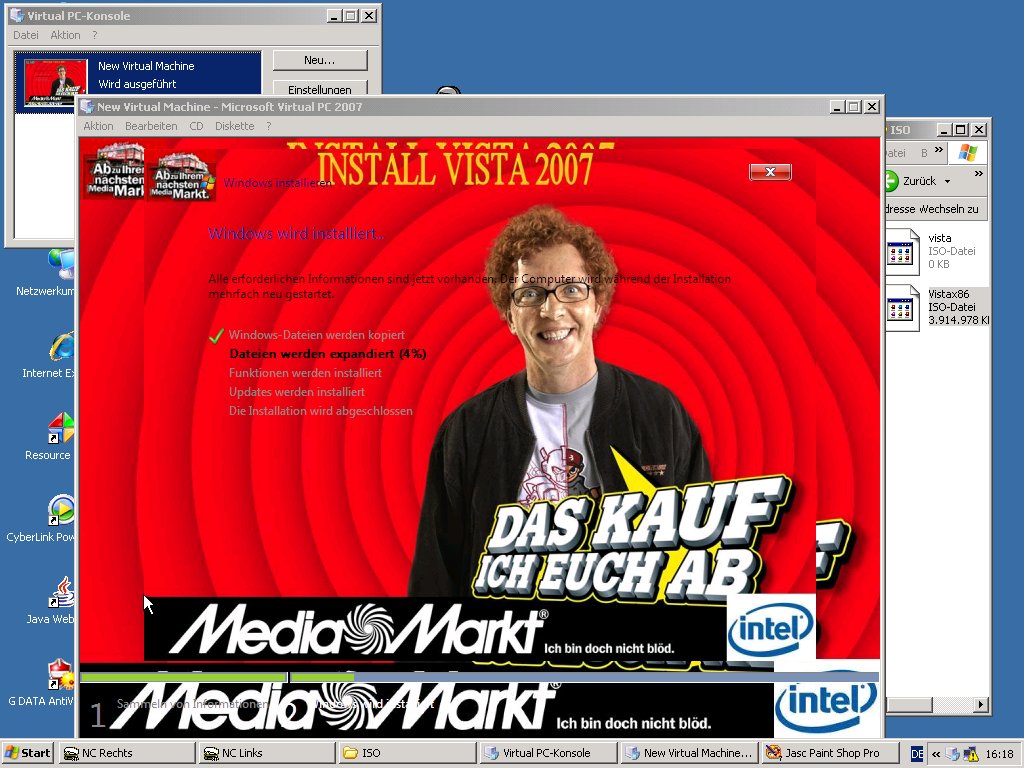
:thumbupHi, i had (partially???) success !!! But Im a little bit confused. There are so much files inside and outside of the Wim Files, and i made my work at home and at workplace, so i dont remember, which files i had patched. I believe they had all the text string "img" in the filename, so you should look in this files for Images. Some had bmp,some png files inside. Im still testing...
-
Mhhh, i didnt found the setup wallpaper with resource tuner in this files.... Anyone knows more about the setup screens ? I changed the winpe.bmp, and the setp starts with my new wallpaper, but only a few seconds and "bam" ther was the old style on the screen...
-
Thats very interesting.... Iwoudlso change my setup screens, but i didnt found the resources, So i play a little animation film during the first time of setup. Is it possible to have sound at the vista setup ? In the XP setup process it runs fine at T32...
-
Hi, first of all, im sorry of my bad english, i hope you understand... Since Vista is coming out, Im look for a way to integrate it to a multiboot DVD. But i didnt found a solution. Now i had time to try out some things with vista, like unattended boot Cds and i thought, now i will try to use it on my multi boot DVD. Ok, Im only use Virtual PC 2007, no real system. But i think i have found a way. I add to my BCDW 2.0 Loader the line "\BOOT\etfsboot.com" and it runs !!! The next Problem...2 or 3 Versions (HomePremium,Ultimat...) on 1 DVD(should be a double layer DVD) Is it possible to patch some files like setupldr.bin in XP ???
-
Can i use variables like %CDROM%, %Systemdrive%, %Windir% at the unattended intall process and in the autounattended.xml ?
-
Try it with bootfix.bin in the root of your DVD and in the BCDW folder
-
I repair and install some Pcs every day. This Pcs have SLP version, are preactivated, end user must not activate this XP versions. I use a unattended XP DVD, after install i run oobe/msoobe /a and it says: "The computer is allready activated". So i thought i can use sysprep, to use the minisetup for the user, to fill in username,computername, but no cdkey. I maked a sysprep.inf with cdkey, but after sysprep and reboot the system wanna hava a cdkey and wanna be activated !? Does sysprep change some files ? I thougt it is a problem with oobeinfo.ini, but i had the same cdkey in this file..it isnt Any Ideas ? Sorry for my bad english...
-
in winnt.sif: [GuiUnattended] DetachedProgram=cmd.exe Arguments="/C START %systemdrive%\detached.cmd"
-
look : http://www.msfn.org/board/index.php?showtopic=59510 This was my way. You need the radGame Toolkit to make a selfrunning exe file ( i had a wmv file, converted to bink and then make exe from it.) http://www.radgametools.com Also you need thew AutoIt Files and the exe2mp3 proggy. (search the net,some chinese sites have it)
-
i had the same problem with asus soundmax and realtek drivers in unattended install. I remarked the ;VEN_1039&DEV_7012&SUBSYS_810D1043 line in the realtek inf file and installation was done without errors...
-
I run my binked exe at T39 (runs without sound) and start at T32 (sound driver is activ at this point) a mp3-to-exe file. So i need no players ! I start with detachedprogram (winnt.sif) - an cmd file. This cmd starts some programs, like driverpacks, the binked exe and a autoit script, which starts at T32 the soundfile.
-
you dont need the bink player. You must bink the wmv or avi and then convert to a self running exe-file. This file can you start direct in detachedprogram or with a cmd file in detachedprogram. ..but without sound at T39....sound starts at T33/32. I run such a "binked" - exe at t39 and after that, at T33 i play some mp3s during setup
-
@nickishappy: you cant run a video with Media Player Classic at detached command (T39) It doesnt run. Maybe it runs at T33/32. But you can bink a video file to a self running exe. This will work at T39, but without sound. Look at here http://www.msfn.org/board/index.php?showtopic=59510. Hope you understand, what i mean.