Skip to content
View in the app

A better way to browse. Learn more.

MSFN

A full-screen app on your home screen with push notifications, badges and more.

To install this app on iOS and iPadOS
  1. Tap the Share icon in Safari
  2. Scroll the menu and tap Add to Home Screen.
  3. Tap Add in the top-right corner.
To install this app on Android
  1. Tap the 3-dot menu (⋮) in the top-right corner of the browser.
  2. Tap Add to Home screen or Install app.
  3. Confirm by tapping Install.

wanako1

Member
  • Joined

  • Last visited

  • Country

    United States
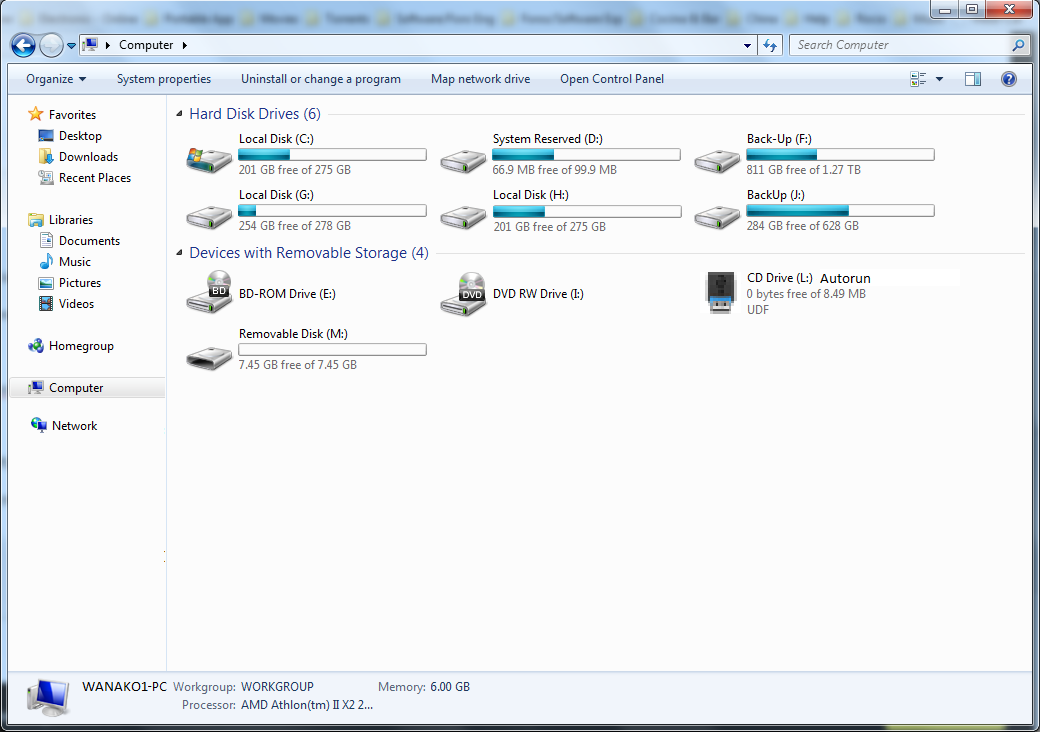
  1. Hello Everyone.... I have been out in this area for a while (anyways I know almost nothing about it) I need some Help (hope anyone can give me a hand!) I want to make a USB with Autorun (2 Partitions) - fist partition as UDF (where I need the Autorun.ini) and a start.cmd or start.bat (or something better that you can help me with) Will work as a CD Drive - second partition as NTFS ot FAT32 where the DPI.exe will be (this exe will call DPI.exe [Driver Pack Installer]), my problem is: How to Call DPI.exe from cmd or bat (unknowing the right Unit Letter where my file is located [See Picture below) in this case is on Unit L (what about if is used in another PC) I hope you can understand what i mean and help me with this script/command not sure how to call it Thanks!!!

  2. Well....I give you a different and easy option : Adobe Flash Player There you will find the .msi format also .exe Try AFP.msi /qn /norestart Good Luck.
  3. Thanks!! I will try it.

Account

Navigation

Configure browser push notifications

Chrome (Android)
  1. Tap the lock icon next to the address bar.
  2. Tap Permissions → Notifications.
  3. Adjust your preference.
Chrome (Desktop)
  1. Click the padlock icon in the address bar.
  2. Select Site settings.
  3. Find Notifications and adjust your preference.