-
The sleep/hibernation part is a feature. Win7 is using hibernation as a backup for sleep. As you discovered, after a reset (power off) the OS recovers from hibernation, but if everything is just fine, it recovers from sleep. You can dissable the hibernation part by setting up the power options. Your problem seems like a driver problem...
-
That disk is some sort of "image" of a complete install (OS, drivers, others). Even if the image has an i386 folder and you use the right application to extract it, you can discover that the instalation is locked only on your PC model and you cannot make a virtual test with it.
-
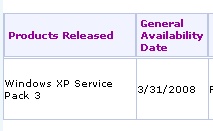
MS does NOT support slipstreaming of SP3 for Media Center. This is a known issue with SP3.
-
Like nuhi said here, please re-download nLite and build a system from scratch. Like MS said everywhere, SP3 is ONLY for x86, NOT x64. There is NO SP3 for "XP x64".
-
First, welcome to this forum. Second: why should anybody answer your questions when it is clear that you didn't read even the newest topics on this forum? But I will try my best to answer your post hopping that next time you will try reading something before posting. Third: MCE slipstreaming is not supported and maybe it will never be - MS doesn't support it. http://www.msfn.org/board/Slipstream-of-SP3-into-MCE05-t116371.html SP3 on XP Pro: is it Pro VLK? Do you use the latest version of nLite? Because this is a known bug of SP3.
-
-
Can you check if that path has some special characters (not english) in it?
-
From what you're writting, I think you have some slipstreaming errors ( maybe due to hardware problems ? ). Try to integrate SP2 without nLite and install that disk. Maybe you can do the integration on a different computer.
-
nLite is used to slipstream a SP, and there is no way to undo it. Question for nuhi : did you ever used nLite to install a SP? What do you want to say by "keep changes to default"? If they are default, then there are no changes. If you are referring to Tweaks, then you can skip that screen and no tweak will be applied. You can apply some tweaks later to test them.
-
Maybe this can help you http://www.techarp.com/showarticle.aspx?artno=521
-
nLite is making the disk to be bootable or not (a bug...). What is your preset? What did you add to that disk? Maybe you are booting from other drive...
-
Could it be a BIOS / disabled core problem?
-
Working for MS and not knowing how to read a file's version by extracting the packed files ending with " _ " ? You're joking...
-
What are you talking about? Have you checked the i386 folder? There are more then 1200 files having 5503 in their version number, and in the same time having a different build number (5.1.2600.5503, 5.2.... , 6.0.... ) Maybe this is not the final one (even if it is already "shared" as one), but it's almost there. And nobody will hack an illegal SP to be used on a few test systems. We all are waiting for the official release before using the SP on the main OS.
-
There is no final SP3 for WinXP. What you got now can only be used for testing.