illusions
Content Type
Profiles
Forums
Events
Everything posted by illusions
-
WPI v8.7.2-v8.7.3 Windows 10 support-modded
illusions replied to condor's topic in Windows Post-Install Wizard (WPI)
Just wondering is there a modded version for windows 11 ? Is there another software or apps that is like WPI ? -
Win7 update still think I did not update
illusions replied to illusions's topic in Windows Updates Downloader
ok now it works using latest version of WinToolkit_1.5.3.10 + WUD ULZ updates. Thanks submix8c -
Win7 update still think I did not update
illusions replied to illusions's topic in Windows Updates Downloader
Hi submix8c I followed these tutorials http://www.sevenforums.com/installation-setup/282232-test-update-7-installation-media.html http://www.sevenforums.com/tutorials/145343-slipstream-windows-7-sp1-into-installation-dvd-iso-file.html using the batch file provide on the tutorial (UPDATE7v5) to integrate the update downloaded using WindowsUpdateDownloader use rt7-Lite to feature removal (language pack, sample music,video,pictures,games) tweak customization (delete the gadget, sample music) and then create the bootable iso Perhaps like you said rt7-Lite is buggy or maybe the batch file (UPDATE7v5), did not do the integration of the updates correctly. Any suggestion regarding the software to use suggested by the following link ? http://www.intowindows.com/5-free-tools-to-customize-tweak-windows-7-installation-setup/ -
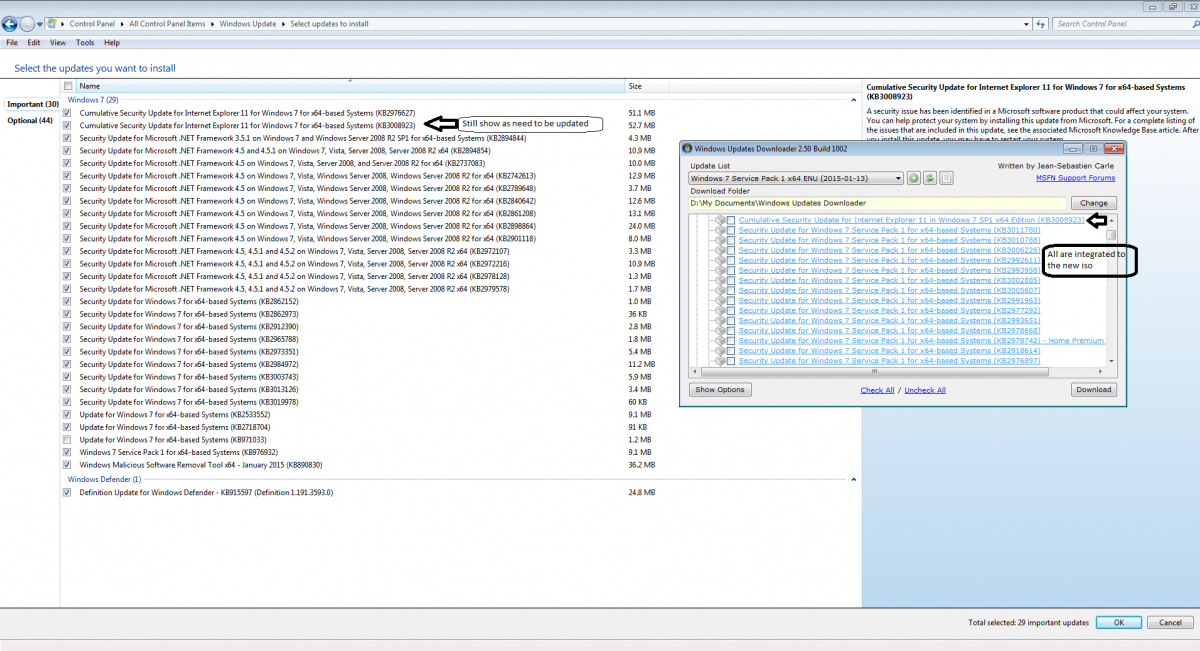
Hi, I have win7 64+sp1 iso Did the following - downloaded all the updated of Windows 7 Service Pack 1 x64 2015-01-13 - use uUpdate-win7v5.CMD to integrated them - use rt_7_lite_win7_x64 to customized and create the iso - install the new iso - after installation check windows update Why is that windows update still show many important updates to install and some of the update that is integrated to the new iso still show as uninstall ? Did I missed something when doing the integration ? Please advice and thank you.

-
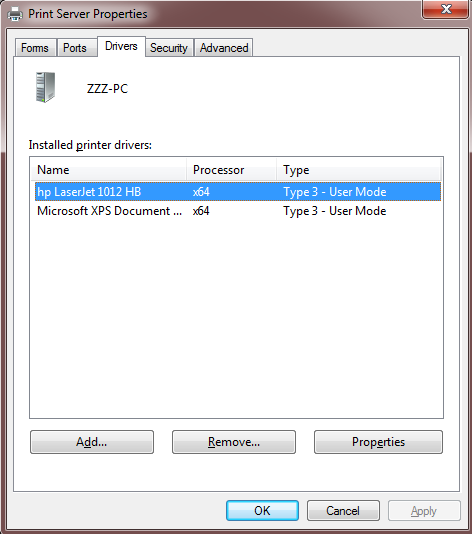
Hi I have this remove.cmd batch echo. echo ** select the printer driver to be remove echo. rundll32 printui.dll,PrintUIEntry /s /t2 pause When I double click remove.cmd at windows 7 explorer The "Print Server Properties" windows will open to allow me to select which driver to delete. But when I use wpi to execute remove.cmd nothing happen The "Print Server Properties" windows will not open Please advice.