-
a great guide.thx alot
-
thx alot mate for your info:D..but i must say that i wasnt clear in my first post: i have this transformation pack seven remix and it works as an instaler..but the problem is that it has his own logon and boot screen and some icons that i want to modify..im newbie in stuff like this and i was wondering if is a tool (or a way to) unpack that instaler and to modify what i need to change ..tried with reshack but i cant change (or dont know) the logon ,wallpaper and others:D
-
so any advices?
-
pizdulica>>>>>change to metalx if posible
-
I want to use this instaler( a transformation pack) formy unattended cd but i want to change the desktop background ,logon image and other things..is posible?if is what tool should i use?
-
please anyone help me becuse i tried all i know and no result i have a xp profesional with sp 3
-
no one have some ideas?
-
no one have some ideas?
-
nlite is what i use:P..i have only that 2 problems for now so after i can finish my raw cd ...
-
thx all for your greathelp..i never believed that so good people are on this forum helping a noob:)..and i have a small reuest :if i can have some help in few others problems of mine(tip:search my posts:P) i will have my first unattended cd.
-
My Problem is that because windos in bad shape ,booteditor give error.So how can i do it..i need a spet by step tutorial if posible because im newbie in this..and another question any boot screen from google is good( because for ex when i dl from themexp some of them have a sp1 and one with no sp and i use sp3)..what to chose?
-
can someone tell me how to integrate all theme is my cd? i mean the Styler Toolbar,Iconized Taskbar,Extra Common Tasks,Fonts no only the theme itself?.And if is posible as fast as it can because i dont know how much my windows can hold up and (before i must instal again and i dont want to lose good hours of working at my unattended cd) Edit:Ive instaled the theme on my pc and i noticed that thehard disks icons are not changed like in windows 7 (and that is one of the most importatnt things from this theme and i dont want to be the same in mi xp cd screen with partitions
-
thx bro ..when i put the ouput location it works..thx again.This thing has stoped me from working at an unanntended cd( i started to do it yesterday:P)
-
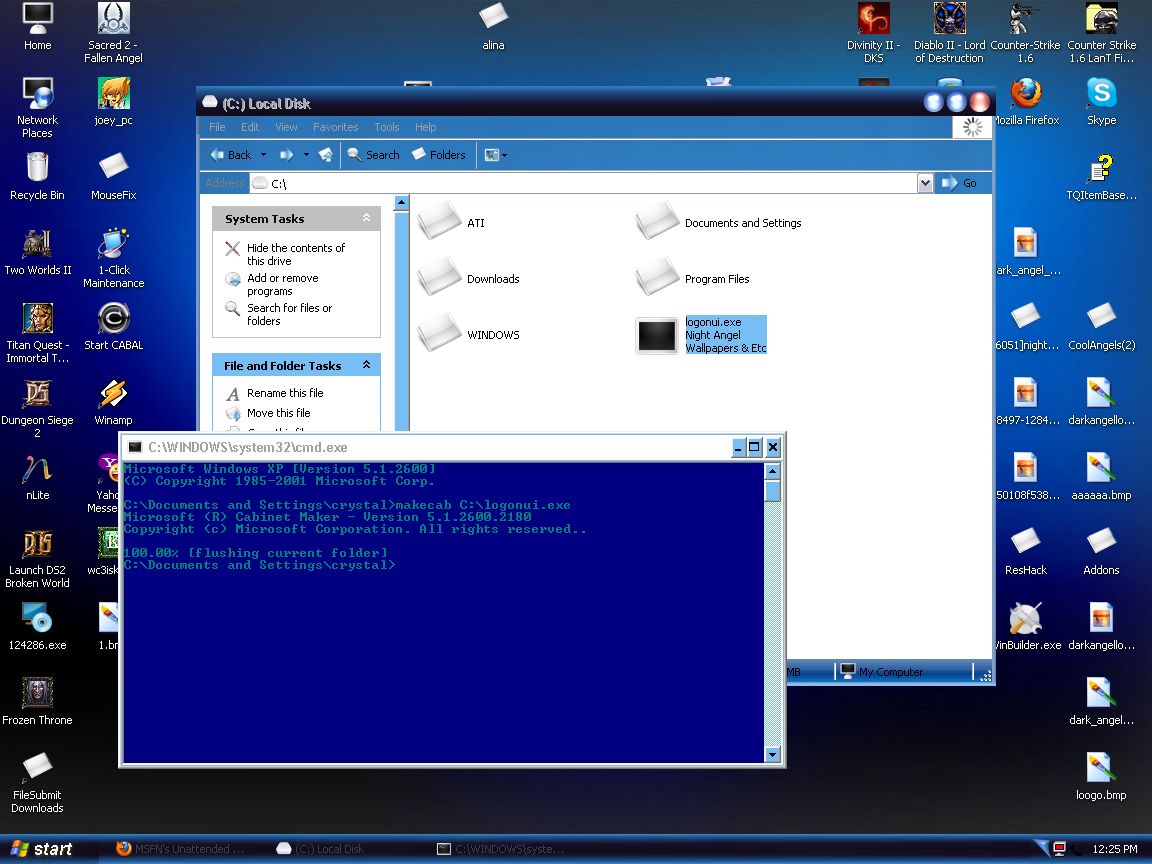
I try to compres a logon screen but after the _ file doesnt apear..same problm with dl files
-
i have same problem with first logon theme and no solution doesnt work...any ideas?