Toolman
Content Type
Profiles
Forums
Events
Everything posted by Toolman
-
Is there a mirror for this site: http://boooggyaddons.xable.net/wmpslip.php Because it is offline I get a 404 reply ...
-
I knew it... Good luck recovering your data Nothing is lost, was a fresh installed system (testing the driverpacks...)I downloaded them with my laptop and they where all oke, sorry for submitting a non existent problem...
-
I've attached files with errors in driverspacks ... Freshly downloaded on a clean formatted and installed Windows XP Professional SP2 system ... edit: F**K !!! My HDD controller has a failure ! s*** ... but it's not in any log-file ... Errors_DriverPack_Graphics_A_V603.7z.txt Errors_DriverPack_Graphics_B_V603.7z.txt Errors_DriverPack_Graphics_C_V603.7z.txt
-
I'm sorry, but I never overclock, it shortens the lifecycle of the hardware ...
-
It won't take much longer, because I compress the dir and setting the attribute to compress all subfolders also, BEFORE 7zip unpacks the drivers into it ...Unattended setup using this methode takes 2 minutes extra when using all driverpacks ... If you do it afterwards it takes about 10 minutes ... (on my 1Ghz machine) ... But I have ordert a nice new machine with following specs: AMD XP64 X2 4200+, 4GB ram, 4 SATA2 HDD 250MB 16mb cache in raid 5, Asus A8n-SLI Premium. So performance is there, with practicly no limits ... And yes, I had all cyclic errors, except for the BASE ...
-
All updated files have CRC errors ... ... Because I use M3-KTD I added 2 lines to BTS_DPs_M3.cmd (it will compress the drivers using NTFS compression, saves about 400Mb on disk when using all driver packs): REM +===========================================================+ REM | Finding CDROM driveletter. | REM |-----------------------------------------------------------| set tagfile=\OEM for %%i in (c d e f g h i j k l m n o p q r s t u v w x y z) do if exist "%%i:%tagfile%" set CDDRIVE=%%i: md %dpdir% compact /C /S /I /F %dpdir% REM +===========================================================+ REM | Decompressing the DriverPacks to the harddisk. | REM |-----------------------------------------------------------| CD /D %DPDIRROOT%
-
Is it so hard to add and change it yourself ???
-
I had no serious problem on a Mobility 9700, it only flikkers like hell (60hz) and on desktops it works oke with me too ...
-
I had no time to test, maybe tomorrow.The drivers I used are WHQL also, only the .inf files are modified ... the rest of the drivers are exactly the same as for the desktop ... Modifying the .inf files breaks the driver signing... hmmm, 0 - 1, but if you look inside the 'original' m*.inf then you will see that that file is also modified, score evens: 1 - 1 ... B)
-
I had no time to test, maybe tomorrow.The drivers I used are WHQL also, only the .inf files are modified ... the rest of the drivers are exactly the same as for the desktop ...
-
I just implemented an update on the Graphicsdriver pack A to version 5.11.1 ... I managed to scrape 2MB of the driverpack as follows: I removed the following files/folders: D\G\A\1\MX_26777.inf D\G\A\1\M and subfolders Downloaded the ATI driver only version 5.11. Ran DH ModTool v3 and copied the 2 .inf files created with it -- after renaming them (starting with M instead of C) -- to D\G\A\1. The fault is still the same, but the version of the driver-files is just as high as for the normal desktop drivers. I use the following in my WINNT.SIF file: [Display] BitsPerPel=32 Xresolution=800 YResolution=600 Vrefresh=60Maybe I have to drop these entry's completly to get it working correctly on my laptop ... ?
-
Before you implemented the ATI Mobility drivers the setup used standard VGA drivers, so there was no problem ... only I had to install a modified ATI driver, I modded with a tool you can find at this site: DH Modtool 3I think it has something to do with the monitor frequenty the driver uses ... On an IBM Laptop it works but the screen flikkers at a very low frequenty during setup, afterwards it's oke, just like on my laptop (compaq n620c) ...
-
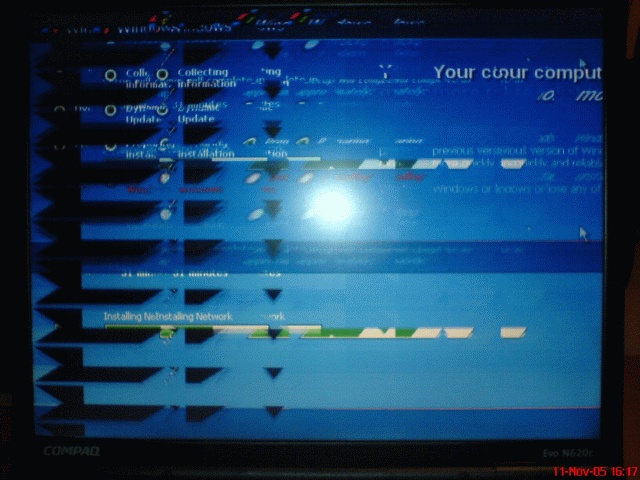
I'm sorry to inform you that the ATI Mobility 7500 driver still has the same result, see attachment ... nb. Only during setup, after the reboot it's oke ... But I want to implement a menu where I can select what programs will get installed, and with this it is not possible ...

-
Can I replace the .7z file with this one or do I have to run run_me.cmd again ? ps.: Thanks for the update, nice present for my birthday ...
-
Method 3, RunOnceEx, Ktd No problems except with the drivers of the ATI Radeon Mobility 7500 ...
-
ERR | BTS DPs Slipstreamer: Illegal Instruction Error
Toolman replied to CVissie's topic in The General Stuff
I thought I did ... -
ALL BTS DriverPacks - bugs & future features
Toolman replied to Bâshrat the Sneaky's topic in The General Stuff
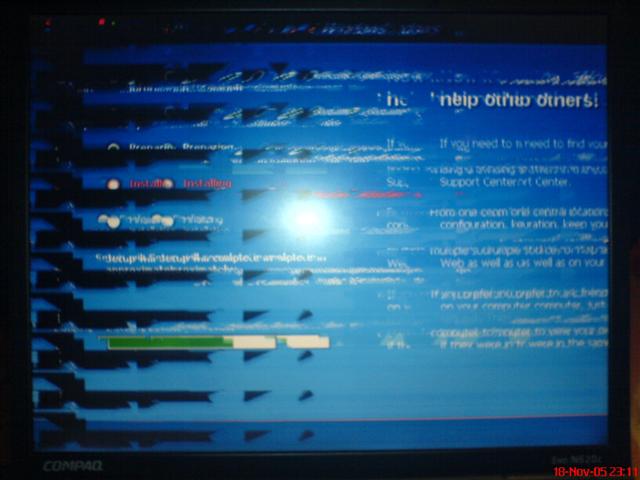
After correcting the ATI Mobility 7500 files, it is not oké during setup (See attached picture), but after the final reboot it is working oké ...
-
ERR | BTS DPs Slipstreamer: Illegal Instruction Error
Toolman replied to CVissie's topic in The General Stuff
I would check out hidden files in c:\windows\system32 ....It is probably spyware that created 2 byte program's with extension .com Probably cmd.com, ping.com, tracert.com etc. ... All those 2 byte program's must be deleted! Could be created by some search-bar's, iMesh etc.... It's for sure not due to the driverpacks ... -
ALL BTS DriverPacks - bugs & future features
Toolman replied to Bâshrat the Sneaky's topic in The General Stuff
Found another bug: Inside DriverPack_Graphics_A_V5101: ATI Mobility Radeon 7500 - Missing a file ATIVCOXX.DLL Original location: D\G\A\1\M\B_27132 (Where it is not found) Correct location: D\G\A\1\B_27132 (Where I had to point it, and worked) -
ALL BTS DriverPacks - bugs & future features
Toolman replied to Bâshrat the Sneaky's topic in The General Stuff
I found 2 bugs with M3: BTS_DPs_M3.cmd: Fault: It does not unzip the packs. Solution: CHANGE: %SystemDrive%\7za.exe x -y -aoa %SystemDrive%\DriverPack_*.7z -o"%SystemDrive%" TO: %CDDRIVE%\OEM\bin\7za.exe x -y -aoa %SystemDrive%\DriverPack_*.7z -o"%SystemDrive%" BTS_DPs_finish: Fault: It does not execute correctly. Solution: Change: REM #################################### REM DriverPack Sound A REM #################################### SET C=%DPDIR%\S\ REM ######################## IF NOT EXIST %C%CR GOTO DPSA2 IF EXIST %D%ha10kx2k.sys ( IF EXIST %D%ha20x2k.sys( Correct last line else the batch will terminate at that point: IF EXIST %D%ha20x2k.sys ( And: Change: COPY /Y %C%\CR\2\common\i386\CtPanel.exe %S% > NUL START %C%CR\2\CTZAPXX.exe /S ) ) :DPSA2 IF NOT EXIST %C%CR\3 GOTO DPSA3 Add an extra line above :DPSA2 or else the batch will still terminate : COPY /Y %C%\CR\2\common\i386\CtPanel.exe %S% > NUL START %C%CR\2\CTZAPXX.exe /S ) ) ) :DPSA2 IF NOT EXIST %C%CR\3 GOTO DPSA3 -
I tried to install this patch with Windows Update and manual ... No way that it installs, it ran for several hours, can't get it installed ... Machine locks up completely ... Anybody also having problems with it ???
-
What about Bit Torrent ??? I could be a tracker (My upspeed is limited to 1 mbit) ...
-
M3 method broke down in this new version ... It can't find any of the tools ... (fedit, robocopy, etc....) M1 & M2 work fine ...
-
There is only one fix I made on the DriverPacks, deleting the driverpacks after they are extracted to c:\d\... I used methode 3, GUI RunOnce, keep drivers, All driverpacks. (10 seconds left on the cdrom ) The rest of the fixes I made are with the RyanVM hotfix pack.
-
5.0.52 works after some fixes: My hardware: MOBO: ASUS A7V133 with modified BIOS adding RAID with modified driver. (Officialy the Promise chip onboard does not support RAID, now it does ...) (I managed to add RAID Configuration to the BIOS after hacking the chip ID codes.) (In the same way I hacked the driver ... works like a charme !) Video: ATI Radeon 9600 256mb (It also worked with my NVidia GeForce 4 Ti4200 64mb) including control panel(s)) Sound: SoundBlaster Audigy 2 (Driver only, no control panels) SCSI: Adaptec 2940UW Chipset: VIA KT-133 NIC: Realtec 8139C + Compaq NC3120 WLAN: Sitecom WL-112 + E-Tech WGPI03