Skip to content
View in the app

A better way to browse. Learn more.

MSFN

A full-screen app on your home screen with push notifications, badges and more.

To install this app on iOS and iPadOS
  1. Tap the Share icon in Safari
  2. Scroll the menu and tap Add to Home Screen.
  3. Tap Add in the top-right corner.
To install this app on Android
  1. Tap the 3-dot menu (⋮) in the top-right corner of the browser.
  2. Tap Add to Home screen or Install app.
  3. Confirm by tapping Install.

V.I.P

Member
  • Joined

  • Last visited

  • Country

    United Kingdom
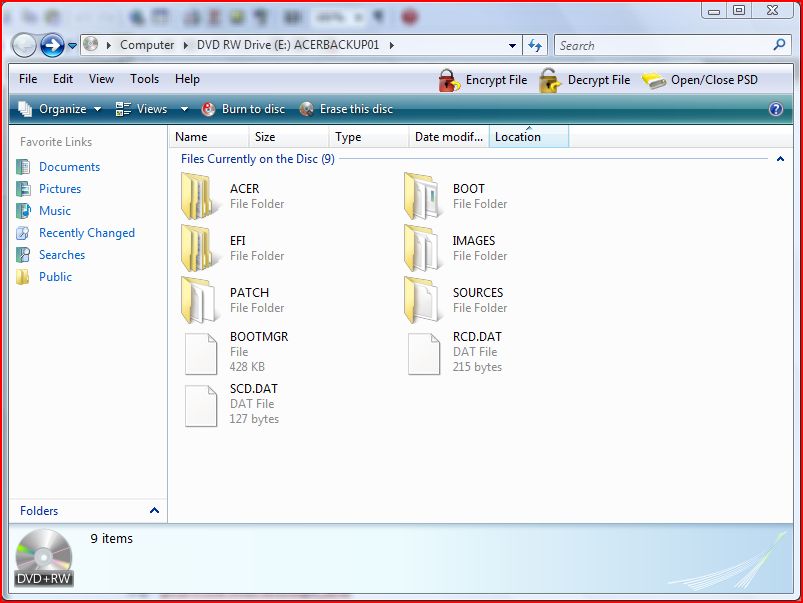
  1. Right i'm getting there slowly but i cant find the BASE but i can find the SOURCES subfolders as you can see on my screen capture where is the BASE subfolders?
  2. Does know one no how i can acomplish this??
  3. Sorry about this but i havnt got a clue what it all means could you explain it so that i can understand, oh yeah i'm operating an Acer Aspire laptop if that helps.
  4. Does no 1 know how to solve my problem?
  5. I cant find it ive searched around and had no luck i would be very appreciative if someone could find it or tell me which folder in my drive to choose and where to find it please. My screen shot >>>>> http://img100.imageshack.us/img100/7466/vlitezf9.jpg
  6. Right i dont no where to start but here it goes..... i have a laptop that has Vista premium integrated onto it and it has a 32 bit operating system on it. I would like to lighten it up and get ride of the programs that i dont need as well as have a backup of it so if something goes wrong i wont have to delite all the rubbish off my system again but all i have to do is put a disc in and hey presto i have it how i want it. I have tryed using vlite and tried to follow the instructions on this link http://www.msfn.org/board/Tutorial-Build-W...-D-t114957.html but unfortunatly i cant seam to be able to use it, all it says is Can not find the expected files. Make sure you select the folder or the drive which contains the Vista installation files, usually on the installation DVD how do i fix this problem and how do i find the installation files on my laptop to make it smaller, what am i doing wrong?


Account

Navigation

Configure browser push notifications

Chrome (Android)
  1. Tap the lock icon next to the address bar.
  2. Tap Permissions → Notifications.
  3. Adjust your preference.
Chrome (Desktop)
  1. Click the padlock icon in the address bar.
  2. Select Site settings.
  3. Find Notifications and adjust your preference.