Everything posted by quest221
-
Old post. I Encoutered the same issue when integrated updates offline with Windows 8.1 image. Search and find this post. However, I find you can use /PreventPending argument to prevent the pending.xml. How to reclaim space after applying Windows 7/2008 R2 Service Pack 1 http://blogs.technet.com/b/joscon/archive/2011/02/15/how-to-reclaim-space-after-applying-service-pack-1.aspx If you want to enable some features offline. use the command dism /Cleanup-Image /StartComponentCleanup before you enable the features. Hope this is helpful for the coming!
-
nice tool
-
Hi All, Thanks for your reply. Actually, I don't like the round start menu at all.(The only words I can say is STUPID and UGLY) There is a way to modify theme ourself, but only change the basic element of the theme such as color. Currently, seems there isn't a third-party theme for win 7, hope somebody will publish a win 7 theme, which absolutely different from the build-in theme. Or a method to modify or create the theme.
-
Hi, I don't know where this the right place I should ask this question. Please correct me if I got the wrong place. Recently, I decided to use Windows Search 4.0 for XP. I can search the file or concent instantly. (Before this, I remove the index service prior build-in XP from nlite) I change the "Index Location" in Advance Options to D:\MyDocuments\Index. What I want to ask is: If next time I reinstall my XP or restore it from a prior backup and then install Windows Search 4.0 for XP. Can I use the index file in D:\MyDocuments\Index? I don't want to it index my disk again, except the C drive, because it has been restored. I don't want it index my other partitions like D:\, E:\ etc. Can I achieve this? How?
-
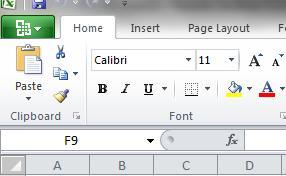
I don't like the theme of Win7, it's ugly Extremely the round Start menu button. The defalut modify of Win7 theme in Win7 can only change the collor etc. So I want to konw how to change the theme of Win7, such as change the icon of the start menu button. I like the Office14 button very well. Anybody know how to export the button of Office 14?
-
Thanks Jaclaz! I will try this later and report here!
-
Hi All, I encountered some problem with using Flash Drive to install XP. (The same error with Windows Server 2003) I use Ultraiso to write XP image file (ISO file) and then boot the computer from removable device, and then I got this error. (I tried USB-ZIP,USB-ZIP+,USB-HDD+) ----------------------------------------------------------------------- INF file txtsetup.sif is corrupt or missing, status 18. Setup cannot continue. Press any key to exit. ----------------------------------------------------------------------- But, if I use Ultraiso to write Vista, Windows Server 2008 or Windows 7 to the same Flash Drive and boot the computer from removable device, I can install all of them with no errors. Anyone have experience with this or any suggestions?
-
Hi John, Thanks for you reply. Yes, I won't install this KB. I just want o know what's the problem with my xp after using nlite, because the original one never have this KB appears in windows updates.
-
I use nlite to remove some unneeded component for XP. I have used nlite for several years, and now my micro-XP worked properly. Recently, I installed .Net Famework 2.0 SP2, and then the KB951847 comes up in windows upates (Microsoft .Net Framework 3.5 Service Pack 1 and .Net Framework 3.5 Family Update (KB951847) x86). I only installed .Net Famework 2.0 SP2 and I don't want to install this hot fix, the size is around 250MB. Finally, I installed an original copy of XP, and then installed .Net Famework 2.0 SP2, the KB951847 never appears in windows updates. So I think there must be some removed component involved in this. Anyone have this experience? Any suggestions will be appreciated!
-
As far as I know, the old version configuration file of nlite(LAST SESSION.INI) can't be used in the new nlite. I encoutered some problem when I just import the old "LAST SESSION.INI" to the new nlite. After that, I have to select the remove item in the new nlite one by one, it is very inconvenient. So I want to konw is there any method or tools to migrate the old "LAST SESSION.INI" to the new. Thanks in advance!
-
I think you can remove printer drivers, I always remove this one, and noghing happened. I use PdfFactory and Acrobat, they are all ok!!!