-
-
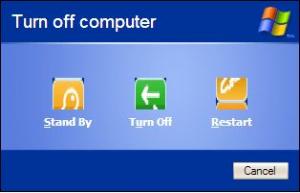
Hmm.. I found something strange. This is Luna Element Screenshot: Seems the button icons are messed up. This is Xpize 5.5 fresh install. Tried rebuilding the icon cache but nothing changed. Anyone else see this?
-
LOL! Ya, but it sure looks great! You rock dude! Thanks for the hard work!
-
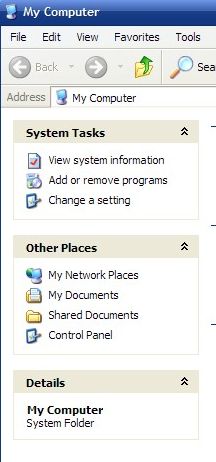
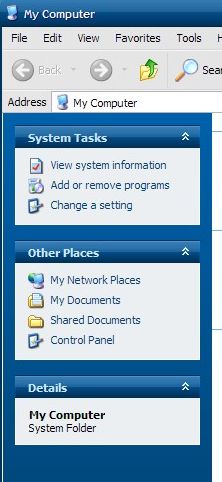
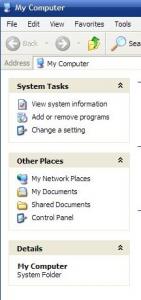
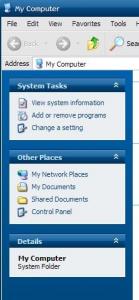
Also, the Luna Element theme seems to be missing customization on the left menu screen. First is a screenshot of it, compared with Embedded style.
-
Man I couldn't figure out why all the themes were messed up as well. I hope you can fix the installer or the theme selection. I think you should make only one option to choose only one theme, that way, people won't keep overwriting the theme install. I guess you would need preview screens though, since we have no idea what the actual themes look like. Also with the additional theme elements.. it's a bit unclear as to what we should choose. Hope the R5 will adress these. Other than that, great work!! And thank you!
-
Ya... I must admit.. They are addicting!
-
Well... I got my army ready! Ready to serve .. ME! WOO! Twins Rule!
-
I was just reading the front page headlines.. and noticed that the text could be a bit larger on the story titles.. Example from today: LindowsOS Goes Retail {This title needs to be a bit larger text.. it's too washed out with the rest of the text, and makes it hard to grad the story title.} Posted by xper on 18 Dec 2002 - 19:33 2 comments Anyway.. it's just a suggestion.. thanx.
-
Dont forget "Death to all Spammers"
-
I tend to go with Western Digital or Maxtor. WD is a bit more expensive, but durable. Maxtor is actually a bit more quiet, and less expensive.
-
I watch it.. In fact I've been an extra in the show.. it's filmed right here, where I live. Vancouver, BC. Pretty cool!
-
No problem Windows.Net ^_^
-
Wooo! Lezend.. YOU RULE! Thanks so much! You ARE #1 !! I really appreciate this!
-
WOW! Thanx!
-
Hello.. I am looking for the newest desktop icon from Microsoft Works 2003. I have the 2000 version, and the icon stinks.. So if anyone has it.. and is kind enough to share it.. please let me know. Thanks.