-
Hi, how are U. U can save these codes as a batch file and run it. After that all hidden files will be showed.. reg add "HKCU\Software\Microsoft\Windows\CurrentVersion\Explorer\Advanced" /v Hidden /t reg_dword /d 1 /f reg add "HKCU\Software\Microsoft\Windows\CurrentVersion\Explorer\Advanced" /v HideFileExt /t reg_dword /d 0 /f reg add "HKCU\Software\Microsoft\Windows\CurrentVersion\Explorer\Advanced" /v ShowSuperHidden /t reg_dword /d 1 /f reg add "HKEY_LOCAL_MACHINE\SOFTWARE\Microsoft\Windows\CurrentVersion\Explorer\Advanced\Folder\Hidden\NOHIDDEN" /v CheckedValue /t reg_dword /d 2 /f reg add "HKEY_LOCAL_MACHINE\SOFTWARE\Microsoft\Windows\CurrentVersion\Explorer\Advanced\Folder\Hidden\SHOWALL" /v CheckedValue /t reg_dword /d 1 /f reg add "HKEY_LOCAL_MACHINE\SOFTWARE\Microsoft\Windows\CurrentVersion\Explorer\Advanced\Folder\SuperHidden" /v CheckedValue /t reg_dword /d 0 /f tskill /a explorer
-
Well, I think the latest nLite can support SP3 Any idea?
-
Well, u can try this cmd line first~ for %1 in (%windir%\system32\*.dll) do regsvr32/s %1
-
Well, maybe HDAudio? Have u installed the hotfix KB888111?
-
I also want to know how to customize the context menu under random directory, like the fuctions of Fast Folder Access..
-
Also, first u can disabled the SATA transfer mode and use IDE mode in BIOS, XP setup program will find the HDD... After installation, u enable the SATA mode and install the driver.
-
Ha, I just want to study AutoIt, it's a powerful automation software. I think it can help you.
-
Well, thanks in advance. I just want to find a command line to delete all those folders, but rd/erase can't work under XP. Is anybody konw such a command line utility, or even a linux command tool.
-
Well, you should install the hotfix KB888111 at first, then install the Conexant Audio driver, I am not sure about the sound codec of you laptop, and HP use many codec modes of Conexant.. such as 20549, 20468, their drivers are different.
-
I have ever experienced that case, I think that is because of the bug of Microsoft Update. You can visit Windows Update website, then disable Microsoft Update and just use Windows Update. After that Svchost.exe never take up 100% CPU... See the difference at these sites: http://www.update.microsoft.com/windowsupd...t.aspx?ln=en-us http://www.update.microsoft.com/microsoftu...te&ln=en-us
-
Well, try CCleaner to clean the Temporary Internet Files, then restore IE Options as default settings, and try again.
-
How are you. The hotfix seems eternal, I just wait for XP SP3.
-
Well, where did you download the driver? Have you ever tried to extract the driver(under WDM directory), then update the driver from Device Manager? I usually install the pure driver with this method. Like this:
-
Well, it seems JkDefrag GUI has the scheduler.
-
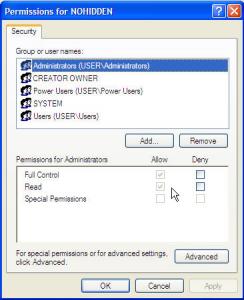
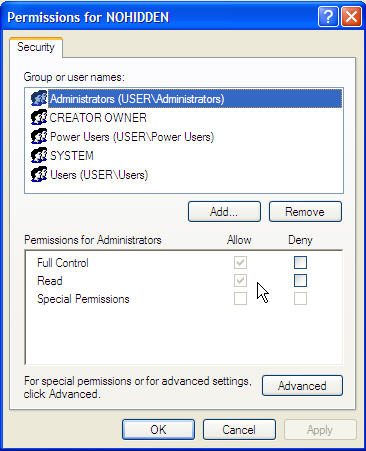
Try to delete them manually- it does not work? Do you have the permission to delete that? Right click the registry values and see the Permissions.