-
sorry to disturb you. I thought it would be an alternative to replace the nlite that is already outdated for a long time. I have no great knowledge in this area.
-
Well I refer to the project. It is very difficult to do what you got, if I had a tutorial would help many people. Provide knowledge not understand why it is illegal? And the nlite and other programs that do the same (so that they are no longer updated because they only want to know the win7)? Please think about it. Sorry for English. thanks for attention.
-
please! post it for us
-
great! We are in need of an easy to use program that does this, please post the program or method.
-
Please update the guide with support for 7,
-
-
You can use the Adobe Customization Wizard 9, execulte the installer adobe reader goes to the folder "C: \ Program Files \ Adobe \ Acrobat 9.0 \ Setup Files \ (AC76BA86-7AD7-1046-7B44-A92000000001)". copy all the files open ACW9 and make the changes that you want, use the addon maker to create the ADDom, not need any command. sorry for English Adobe customization wizard
-
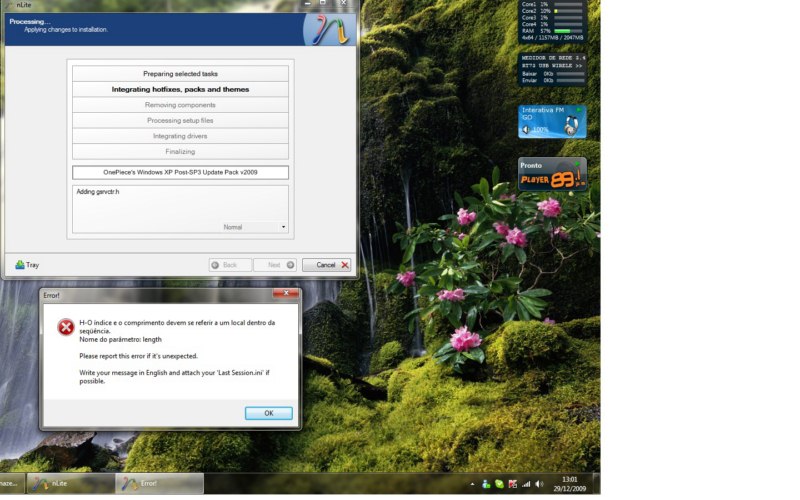
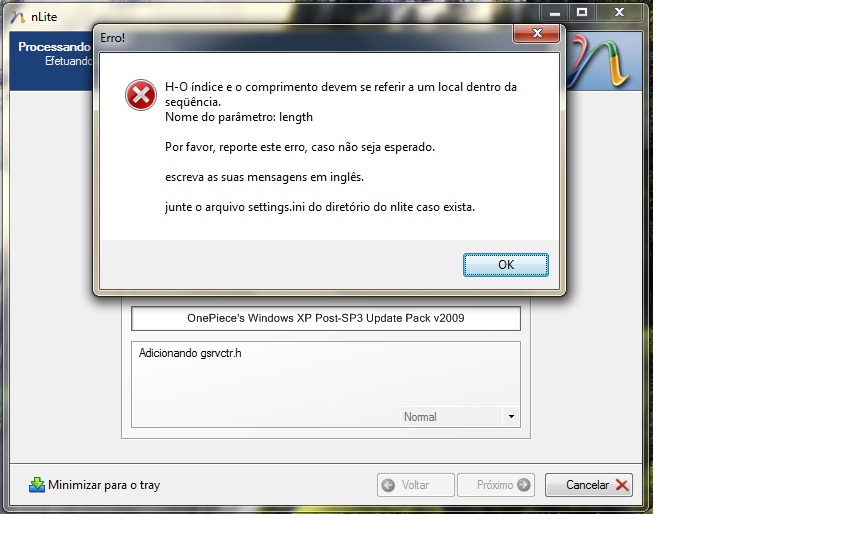
The both are in ptbr, update and the "OS", I am putting the required files and errors in English. thanks for attention, sorry for English.... Last_Session.ini
-
when I try to upgrade to xp ie8 (through the cab done with Internet Explorer 8 True ENU Addon (http://www.wincert.net/forum/index.php?/topic/5747-addon-internet-explorer-8-enu-true-addon/)) using nlite appears this error below! what to do?
-
You can head for the silent installation using addonmaker with the following command "/quiet /norestart", remember to remove the spaces in the file name. Something like that. "XPSEP.msi /quiet /norestart".Sorry for the English
-
good tools! But about KB928416 and KB829019 in PTBR
-
Good job!! Congratulatino
-
I want t know why put hotfixes and update in the Unofficial Win98 SE Service Pack. that no appear in the windows update?
-
thanks! I found it Before and i looking for more information about to create. thanks:thumbup
-
You may help me? How can I create a inf files for use in INFEx 0.2 ? , do you have any guide?