-
Media Player Classic doesnt need any installation at all. and associating video files, for example, is done by mplayerc.exe /regvid
-
by the way, there is a corporate version of DivX 5.1.1 PRO installs silently and doesn´t need any registration
-
can any of the experts in msi files tell me, what do I edit in winamp.msi, so that the value outname=out_wave.dll would be written in winamp.ini when i install it ? Also another bug that i noticed - Winamp is listed twice in the "Add or Remove Programs"
-
i downloaded but havent installed it yet. waiting for the *PROPER* version
-
So, is the new version ready? I have been waiting for 3 weeks now. Please post the previous version, if the new one is not ready
-
if anyone ever has this problem in the future - install Java SDK before the Antivirus and Firewall it solved the problem for me
-
thanks. i will look if that is the problem. its strange. it worked yesterday. today i added some registry tweaks and now its not working
-
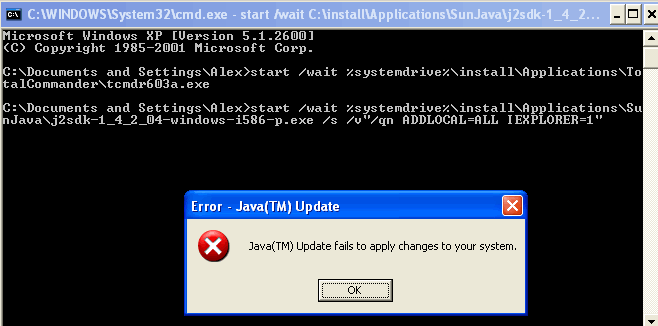
I am installing Java SDK 1.4.2_04 from my Unattended CD. but it gives me a strange error "Java Update fails to apply changes to your system" Can someone please help me? i am installing it with these switches ECHO.ECHO Installing Sun Java SDK 1.4.2ECHO Please wait...start /wait %systemdrive%\install\Applications\SunJava\j2sdk-1_4_2_04-windows-i586-p.exe /s /v"/qn ADDLOCAL=ALL IEXPLORER=1"please view the attached screenshot