-
can slipstreamer v1.7.4 sliptream kb940289?
-
Im not sure to that... he's been out for quite sometime...
-
oh my... only 1 answers my question... is this really mean that we "might" stuck on v1.4.9.1 if nuhi discontinue nlite...
-
awesome! thanks mate! its about time to remove unneccessary printer drivers.
-
if thats the case... can anyone take over this forum in absence of nuhi? or make it as an opensource? will nuhi accept that?
-
And one more thing... saving the presets doesnt work well.. specially on timezone and patches section.
-
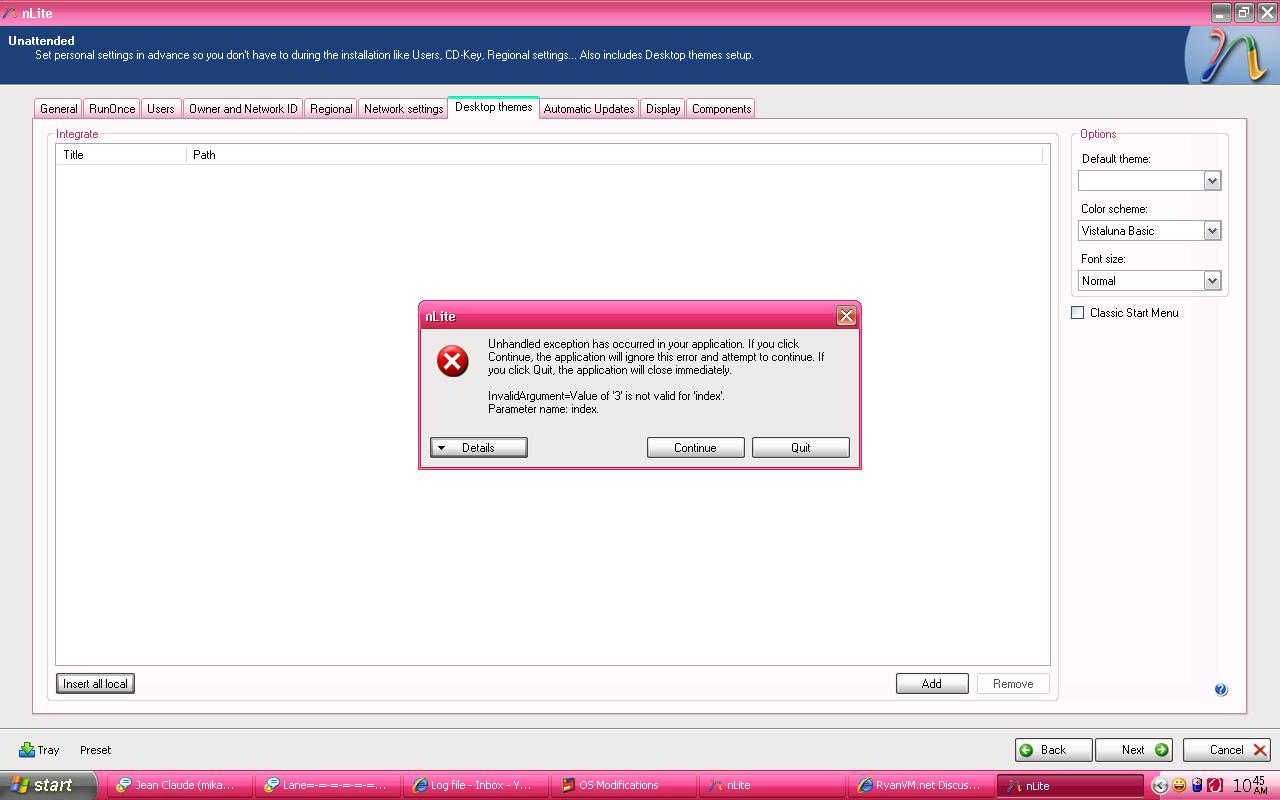
Hi, There is an error everytime i remove a added theme to the list. - rain
-
awesome!!! thanks man!
-
same here....
-
Thanks!
-
Is there any other way aside from reshack?
-
Try this one, this guide will help you make a fully updated windows xp cd. Making fully updated windows XP cd
-
I like 7 and 8! hahahah! LOL!
-
hahahah! cool one! nice post.
-
yeah I agree to that... its really really strange... luna.msstyles is use for xp themes.