



Skip to content
View in the app

A better way to browse. Learn more.

MSFN

A full-screen app on your home screen with push notifications, badges and more.

To install this app on iOS and iPadOS
  1. Tap the Share icon in Safari
  2. Scroll the menu and tap Add to Home Screen.
  3. Tap Add in the top-right corner.
To install this app on Android
  1. Tap the 3-dot menu (⋮) in the top-right corner of the browser.
  2. Tap Add to Home screen or Install app.
  3. Confirm by tapping Install.

badfloppy

Member
  • Joined

  • Last visited

  • Country

    India

Everything posted by badfloppy

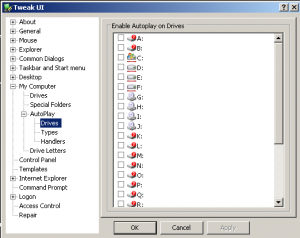
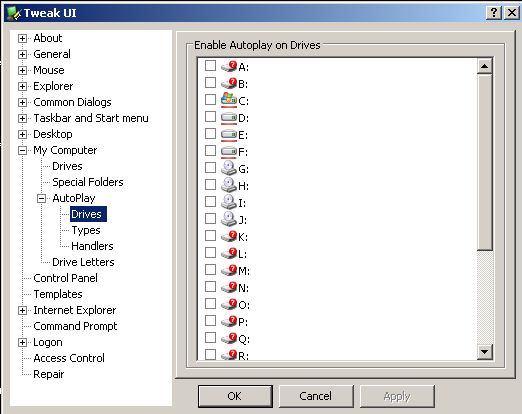
  1. ===================================================== I Prefer using Tweak UI. It's a 300 KB Package and canbe download from Microsoft Site. Install it. Go to My Computer => Drives => Autoplay Disable the drive(s) by unchecking them. Then Apply and ok. Close. It Can be done by directly editing Registry but the above process is the safest one. [PowerToys for Windows XP] => Tweak UI. Thanks. Hope problem solved.
  2. It May be possible with linux live CD with VMwire as If you not get Network, The Installer cannot be done. Virtually The Server Insteller Cd Drive will be mounted in the local CD Drive and will Install WinXP on network. It's Separate Issue. So NO detail discussion can be made. However, thanks for the issue. I am searching for Totally Windows Solution for the PC without PXE Boot ROM as Client. Thanks
Account

Navigation

Configure browser push notifications

Chrome (Android)
  1. Tap the lock icon next to the address bar.
  2. Tap Permissions → Notifications.
  3. Adjust your preference.
Chrome (Desktop)
  1. Click the padlock icon in the address bar.
  2. Select Site settings.
  3. Find Notifications and adjust your preference.