S3pHiroTh
Member
-
Joined
-
Hi, thanks for the reply, I have tested completely my .xml file today morning on my nc4200 and I can say that the Autounattend.xml is working only partially. I explain better: the only thing that doesn't work is that at first step of the installation, the installation process asked me for system/keyboard language and to push "Install" button, after that the installation work as I personalized into Autounattend.xml I don't know why when I have internal DVD drive works all the xml file and when I have an external one it works only partially... bah nevermind it isn't a problem Thank you anyway
-
Hi guys, I have a problem with my unattended DVD of Windows 7, I have created my personal Autounattend.xml file, I have tested it on a virtual machine (VirtualBox) and works very well, as for a laptop with an internal DVD reader, no issue. My problem is when I try to install Windows 7 to my HP nc4200, that has an external DVD reader, during the first installation step, the Autounattendend.xml is skipped (it doesn't work at all, Windows is installed as default configuration). Can anyone help me to understand why this happen? I attach my personalized .xml file Thank you Autounattend.xml
-
I have the same problem, after I have installed a hfslipped version of Winxp, and I try to connect to a website with a flash object, ie7 shows a windows that ask if I want to install Flash Player Slipstreamed image details: winxp sp2, ie7 installed from svcpack at t-13, wmp11, hfslip 1.7.2 final
-
Ok, I resolved the problem, simply moving my personalized settings into a reg file from T-13 to the first run of Windows and now everything works.
-
The only errors that are in setuperr.log are: msobmain.dll msxml2r.dll These 2 files aren't correctly signed (as said the log), the second is famous for this problem, the first instead is my addiction in FIX folder, because I haven't the italian update that have that file. The problem is that some applicataions, are installed correctly, others show the "error" message (is seems like when windows installer try to install the program there is one or more option [for example /quiet] that aren't correctly written) I'll try to understand if is only my problem with a small slipstreamed image, only with windows updates. Thanks for answer Tomcat EDIT: I have tried with a small slipstreamed image and the problem isn't happened, so I'll try to find why this problem is shown
-
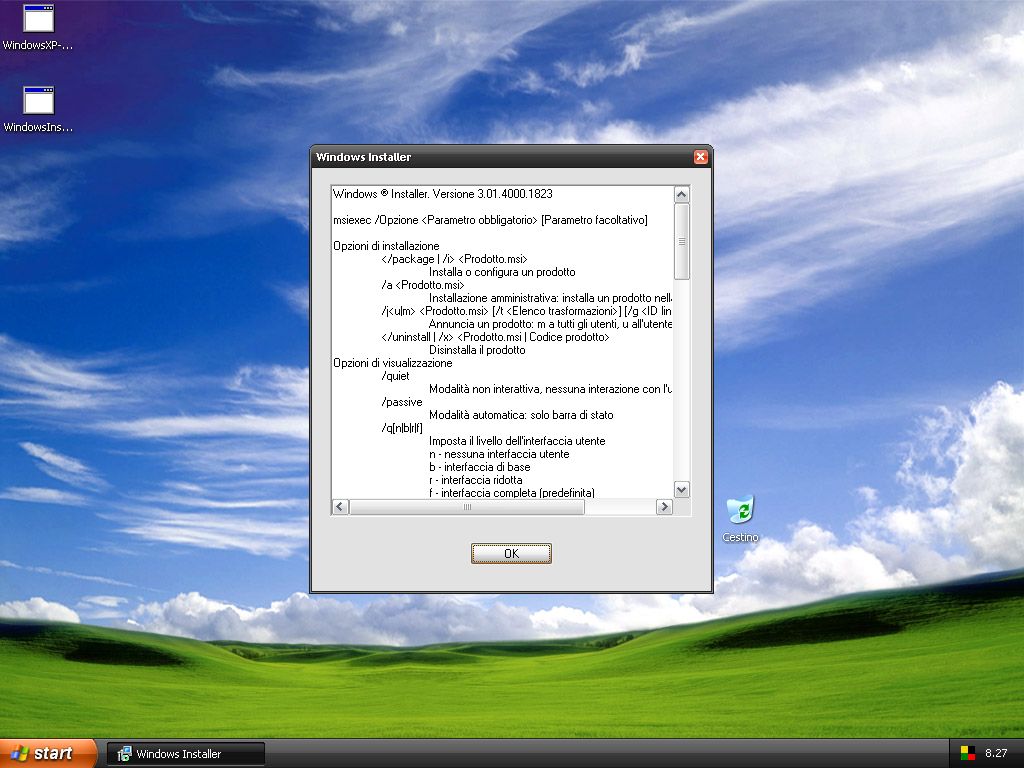
Hi all, I have tried the latest version of hfslip 1.6.5 and I have a problem installing some application. For example I have tried to installing VMware Tools (because I first try the Hfslipped iso in a virtual machine), but windows installer show the image that I have attached. The same thing happened to me when I have tried to install Bioshock on a real PC (with an hfslipped image, maybe 1.6.0 version), at the last step of the installation, Windows Installer shows that window. I have tried to install again the KB893803-v2 and KB927891-v3 updates, but the error message is always shown. Has someone the same problem? Thanks for answer HFSLIP.TXT
-
I have found only the english version. I don't know if is better to find the native OS language or not. http://hotfix.xable.net/download/index.php...-v2-x86-ENU.exe *** link removed ***
-
Hi Tomcat, yesterday Microsoft has released some updates, but for one I don't know where to put in... The update is kb929399, this hotfix is for wmp11 in which directory I must put in?
-
Where did you find the link for kb925720 february update? I need italian version.
-
There is another patch too KB932590, but what hotfix replace? (This hotfix is for US new timezone... another one yes )
-
Simply create a reg file and add this into it: Windows Registry Editor Version 5.00 [-HKEY_LOCAL_MACHINE\SOFTWARE\Microsoft\Windows\CurrentVersion\Uninstall\HFSLIPTotalSlipstream] Run this reg file at T-13, at first boot or after, it's the same.
-
I have tried in this way, but in SVCPACK.INF file there isn't any entry about KB898543.cat file EDIT: Someone know how to download kb925720 february update?
-
Tomcat, I've a request for you. Because some updates are not public and hard to find on the net (in os native language), I have put some files as MSOBMAIN.DLL (in italian, found in RyanVM italian package) in FIX directory because I don't find the respective hotfix in my language. In this way, after I have installed Windows, in setuperr.log, obviously tell me that msobmain.dll isn't signed well by Microsoft. Can you add a directory for put in the cat files necessary for removing the error? Or can you tell me how can I do for removing that error? I already tried to: -copy the cat file in i386\svcpack of the source directory but it doesn't work (and it tells me that the source isn't clean) -modified hfslip script that after it creates the WORK directory, it copies the cat files into WORK\SVCPACK directory but it doesn't work. Any other method? Thanks for your answer and patience
-
Yes they are supported, KB928470 is only for WinXP Home edition
-
So I just drop my registry tweak file into HFGUIRUNONCE then and also have a registry file in HFSVCPACK? Will you consider adding a feature of automatically integrating a reboot? If in that way doesn't work you can add your reg tweak at "Startup" directory. Simply you must create a cmd file in HFSVCPACK that copy another cmd file to "%AllUsersProfile%\Start Menu\Programs\Startup" and in this cmd file you write: %SystemRoot%\REGEDIT.EXE /S "<position of your reg file>" I use this technique for adding reg tweaks in later times. For examples at windows first run or at second reboot. Ps. If you use this way, remember to delete the cmd file copied in %AllUsersProfile%\Start Menu\Programs\Startup Will the computer require a reboot if I apply the registry tweaks at the startup? Also can I delete that CMD file through cleanup.cmd file? Yes, some reg tweaks require reboots, and for delete the cmd file from %AllUsersProfile%\Start Menu\Programs\Startup, you can simply add as the last line of that cmd file this command: DEL "%AllUsersProfile%\Start Menu\Programs\Startup\<name>.cmd" (replace "name" with your cmd file name) That's all. One another thing, don't reboot with the command SHUTDOWN, because if the cmd file is too fast, can broke some configuration... is better to restart manually.